How to Activate a DDH Strategy
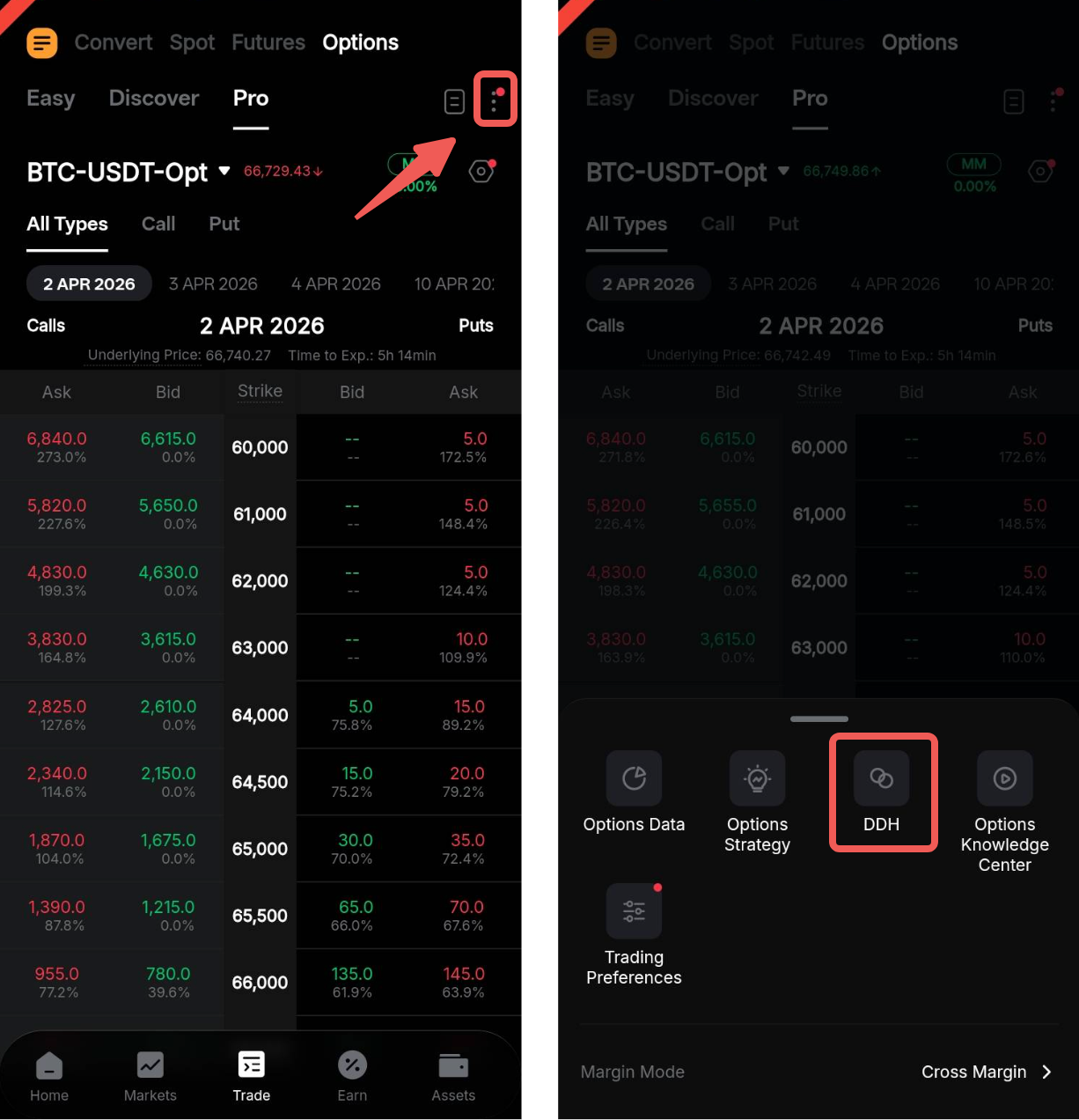
Step 1: Go to the Options Trading page, tap the Ellipsis icon in the top-right corner, and select DDH.
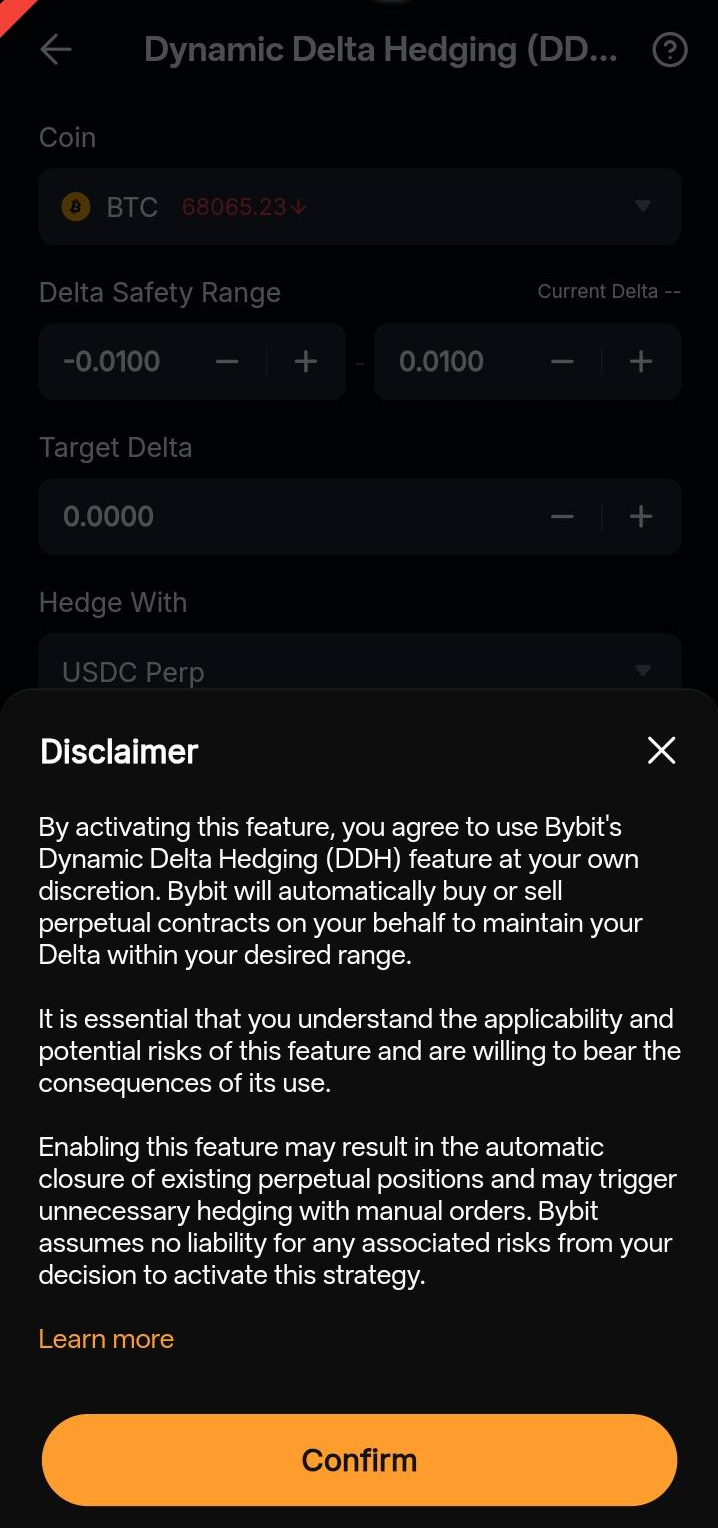
Step 2: You will be automatically redirected to the Dynamic Delta Hedging page. Before initiating the feature, please carefully review the disclaimer to understand the risks associated with DDH.
Step 3: Customize your DDH strategy using the following parameters:
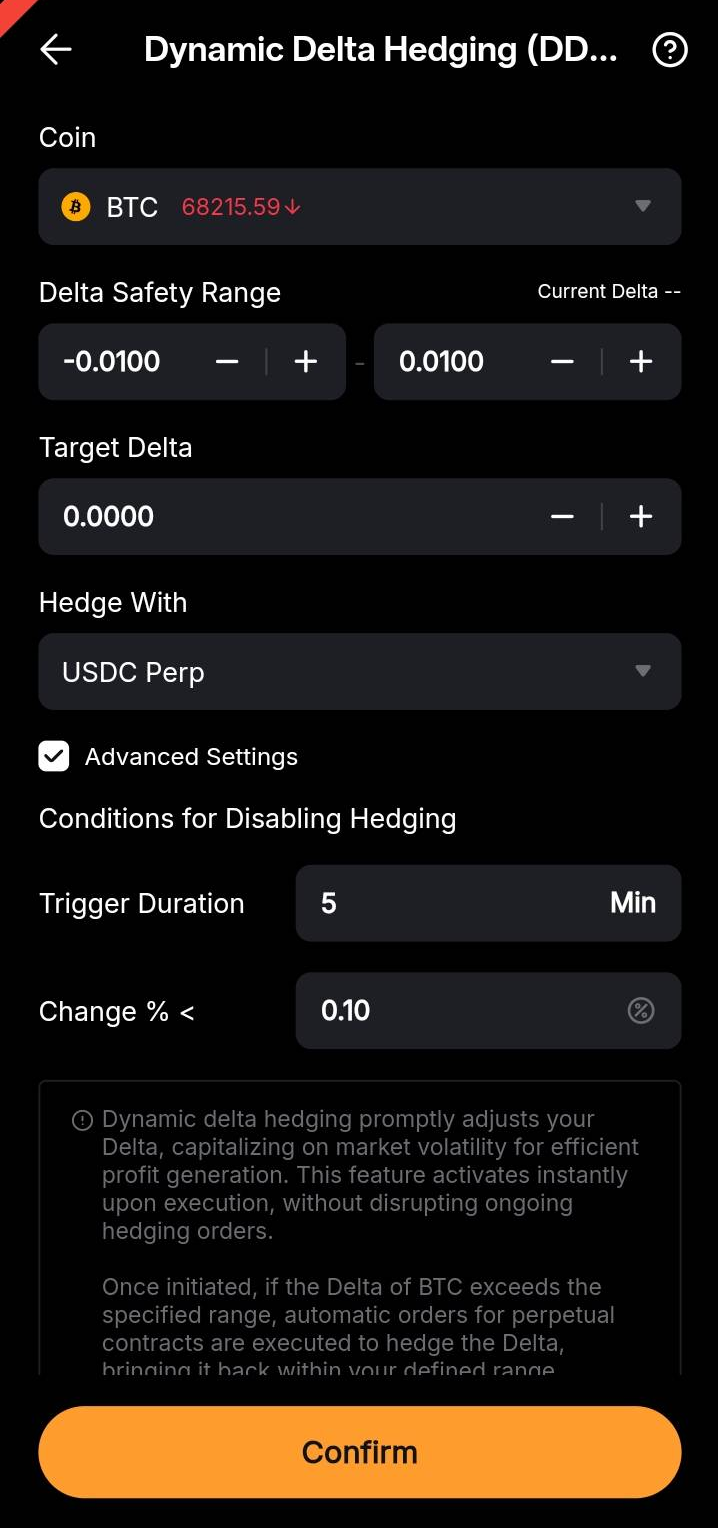
a. Coin: Select your desired underlying asset.
b. Delta Safety Range: This represents the range of Delta you can tolerate. If the Delta of a coin exceeds the upper threshold or falls below the lower threshold, the strategy initiates Delta hedging. Importantly, if the Delta returns to within the safe range while placing a Delta-hedging order, the order proceeds to execution instead of being canceled.
c. Target Delta: Specify the Delta value you aim to achieve when the DDH strategy is triggered.
d. Hedge With: Choose whether to buy USDT or USDT Perpetual to hedge your Options contract. Currently, all order types are executed as Market orders. In the event of extreme market conditions where liquidity diminishes, unfilled orders will be automatically canceled, ensuring no duplication of orders occurs.
e. Advanced Settings (Optional):
This configuration is designed to abstain from executing Delta hedging when the price fluctuation of the underlying asset over a specified period falls below a certain proportion. This approach helps prevent unnecessary delta adjustments triggered by parameter changes like implied volatility, thereby reducing the frequency of hedging activities and associated transaction costs. For instance, if the volatility observed within one (1) hour is below 1%, delta hedging will not be initiated.
- Trigger Duration: Set the duration for triggering Delta hedging.
- Change % <: Define the volatility threshold for initiating Delta hedging.
Then, click Confirm. Once the DDH strategy is enabled, you have the option to modify the parameters of the strategy.
Notes:
— During periods of low volatility, Delta changes may not accurately reflect market conditions. You have the option not to hedge Delta in such cases.
— The reference volatility percentage is calculated as (highest price - lowest price) / lowest price within the last six (6) minutes.
How to View Orders Under DDH Strategy
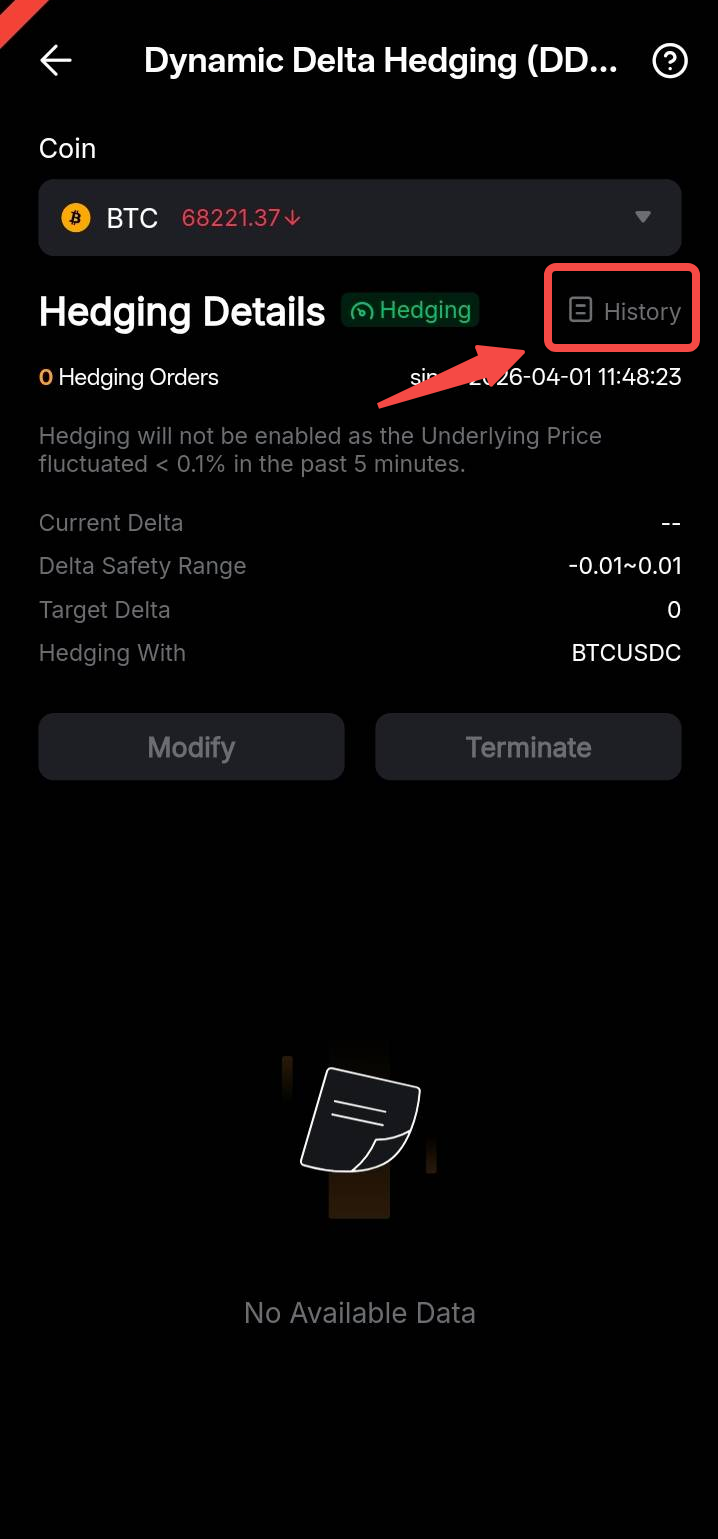
To view the orders placed by DDH strategy, tap the Ellipsis icon and go to the Order History tab. Orders placed by DDH strategy will be indicated with the DDH tag.
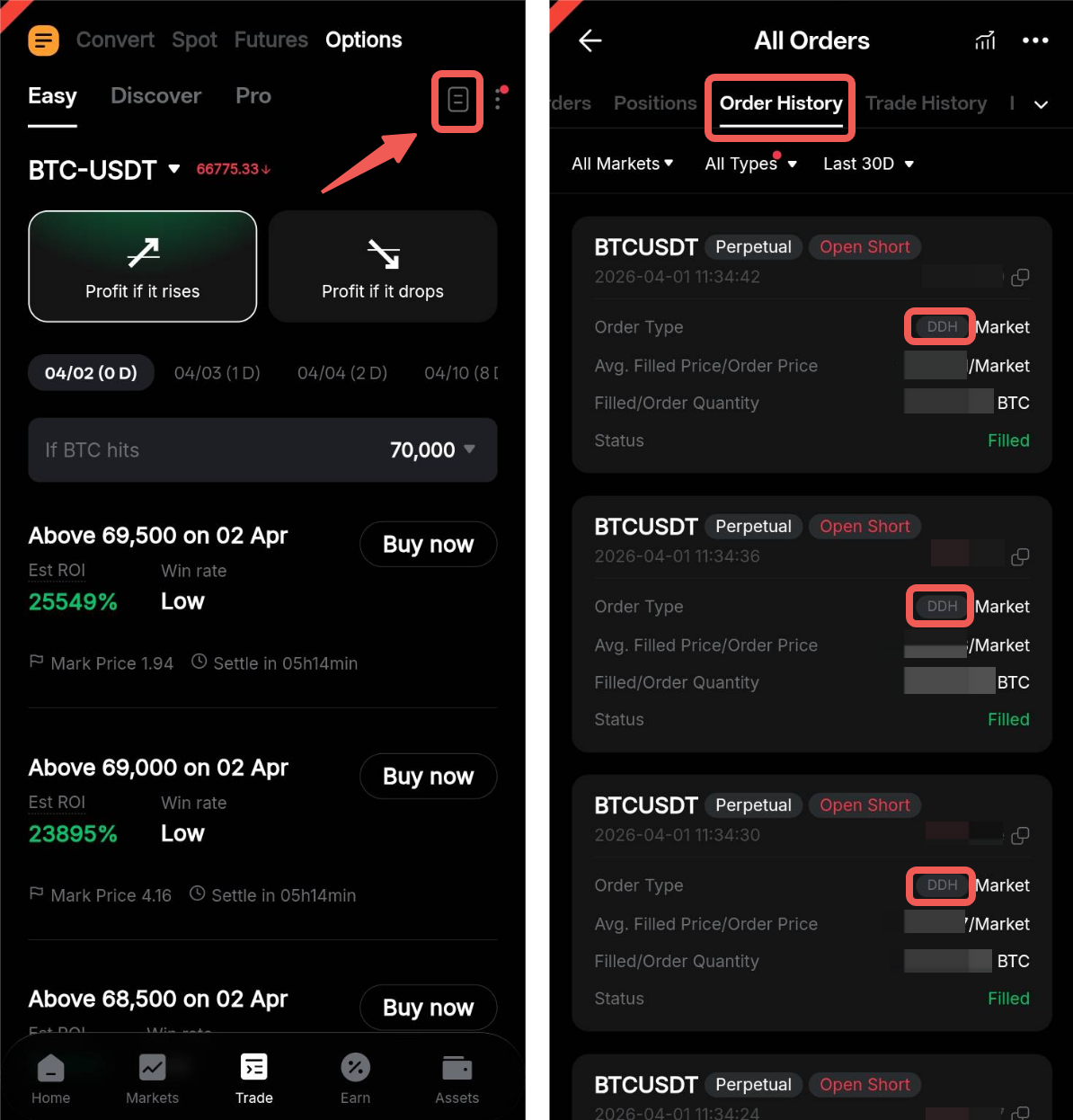
Alternatively, you can access the Order History tab by tapping History on the Hedging Details page.