Bybit Kazakhstan’s Funding Account serves as the primary account for users, providing a secure and efficient platform to manage their Crypto and Fiat assets, deposits and withdrawals. Additionally, it grants users access to a comprehensive suite of finance products and trading tools, empowering traders with the necessary resources to navigate the crypto market effectively and enhance their trading experience.
Below are some major products and services channeled the funds via Funding Account:
1. Crypto Deposits will be credited to the Funding Account. You can also enable the auto transfer setting if you want your funds to be auto-transferred to other accounts such as Unified Trading Account after the deposit has been credited.
2. For Crypto Withdrawals, users have to transfer their funds to the Funding Account before they can withdraw funds. To learn more on how to transfer your assets, please refer to How to Transfer Assets on Bybit Kazakhstan.
3. For Launchpad subscriptions, users will need to transfer their MNT or USDT to the Funding Account before they can be committed to Launchpad during the subscription period. Any remaining committed MNT or USDT will be credited back to the Funding Account as well. However, the allocated token amount will be distributed to the UTA.
4. For Earn products, the principal and yield will be credited back to the Funding Account upon maturity. To subscribe or purchase new Earn products, users will need to transfer their funds to the Funding Account.
5. For other Fiat Services such as One-click Buy, Fiat Deposit, or Fiat Withdrawal, all the funds will be channeled through the Funding Account.
Funding Account Overview
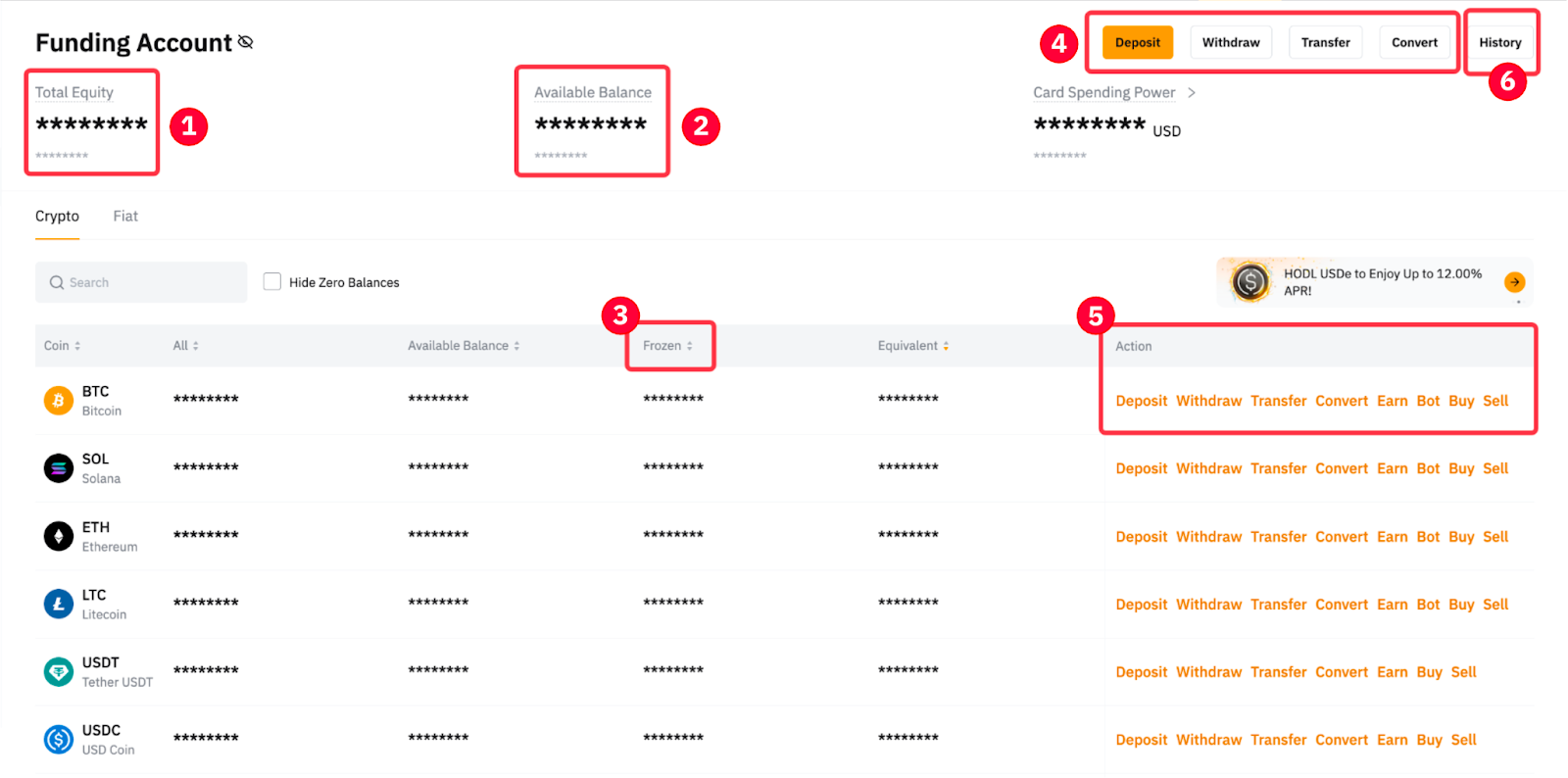
|
1 |
Total Equity |
The total equity shows the sum of all cryptocurrencies and fiat assets held in the Funding Account, denominated in BTC and your selected fiat currency. The system will first convert all assets into USD, and convert again into BTC and your selected fiat currency equivalent. |
|
2 |
Available Balance |
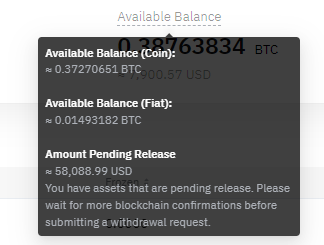
The available balance shows the amount that can be transferred out or used for any other purposes. Amount Pending Release includes locked deposits pending blockchain confirmation or risk control review. Please note that while Amount Pending Release is included in the available balance, the amount is locked and will not be available for the following types of transactions: — Fiat Withdrawals
|
|
3 |
Frozen |
Assets will be locked during the following situations: — Fiat Withdrawals — Launchpad subscriptions — Pending verification after being flagged by Risk Control |
|
4 |
Deposits, Withdrawals, Transfers and Convert |
— To make a crypto deposit, you can click on Deposit and refer to the instructions in the How to Make a Deposit guide.
— To make a crypto withdrawal to an external wallet or internal transfer to other Bybit Kazakhstan users, you can click on Withdraw and refer to instructions in the How to Submit An On-Chain Withdrawal Request or How to Withdraw Assets via Internal Transfer guides.
— To transfer assets from the Funding Account to UTA, you can click on Transfer and refer to the instructions in the How to Transfer Assets on Bybit Kazakhstan guide.
— To convert your coins directly on Bybit Kazakhstan for any of the cryptocurrencies supported, you can click on Convert. For more details, please refer to How to Convert Your Assets. |
|
5 |
Action |
This column shows the action that can be performed for the respective crypto or fiat, such as Buy, Sell, Transfer, Trade, Deposit, or Withdraw. Users can perform their preferred action with just one click. |
|
6 |
History |
You can check the asset history of the Funding Account by clicking the History button. For more information, please refer to the details on Funding Account History below. |
Funding Account History
The Funding Account History page registers all records of your funding activities that occurred in or out of your Funding Account, which you can access from the following two tabs: All Transactions and History.
All Transactions
By default, you will be directed to the All Transactions tab where you can see all past transactions that have affected the available balance on your Funding Account. Such transactions include past records of crypto/fiat deposits and withdrawals, inter-account transfers, yields from your active investments, conversions, and so on.
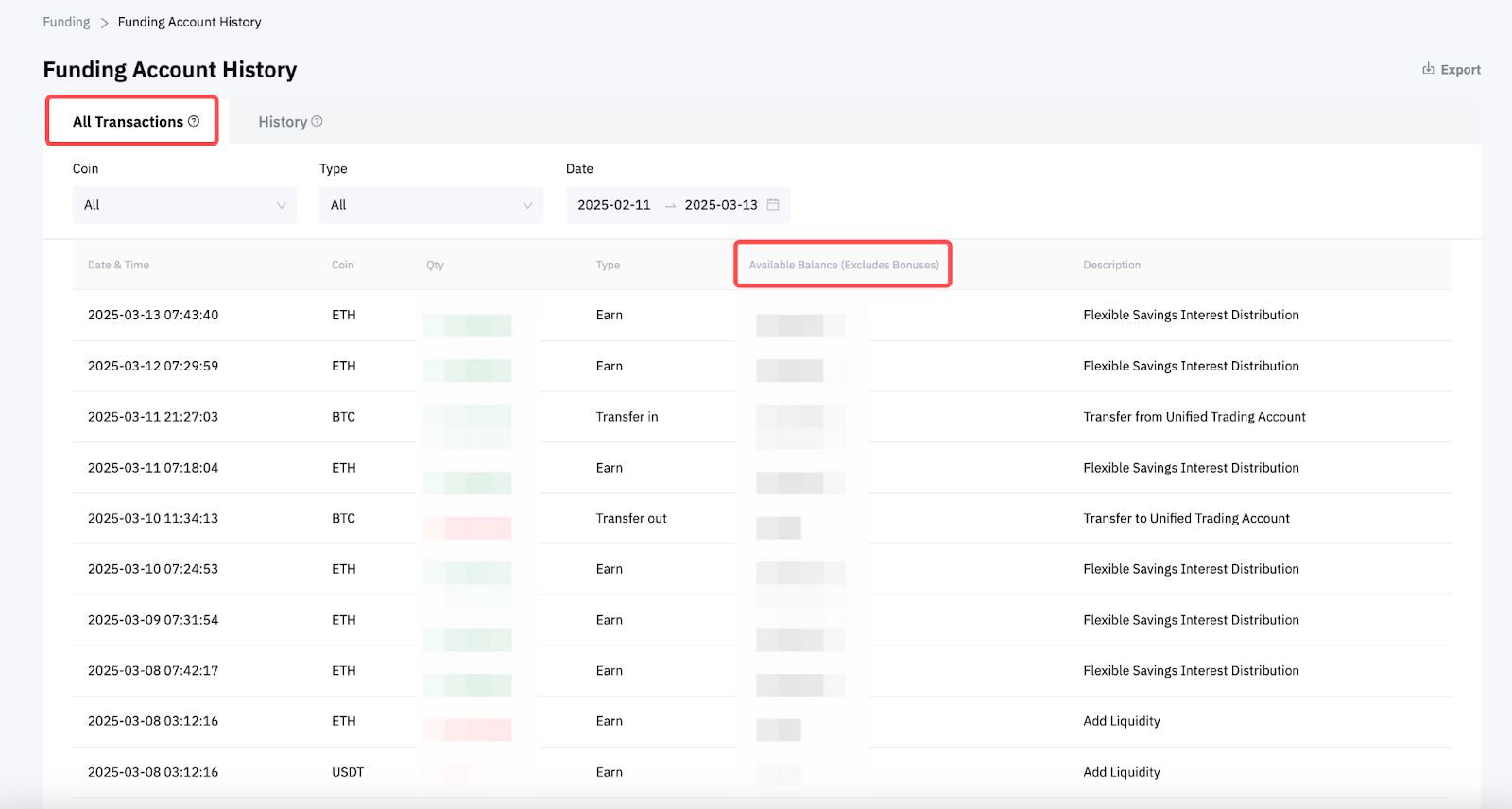
Please note that the All Transactions tab can only display your logs within a 90 days’ timeframe. If you wish to view older transactions, please head over to the History tab.

History
The History tab allows you to view all your asset transaction history primarily based on the types and methods with which you receive or send your managed assets. These categories encompass crypto/fiat deposits and withdrawals, transfers, One-Click-Buy, Subaccount, and Earn.
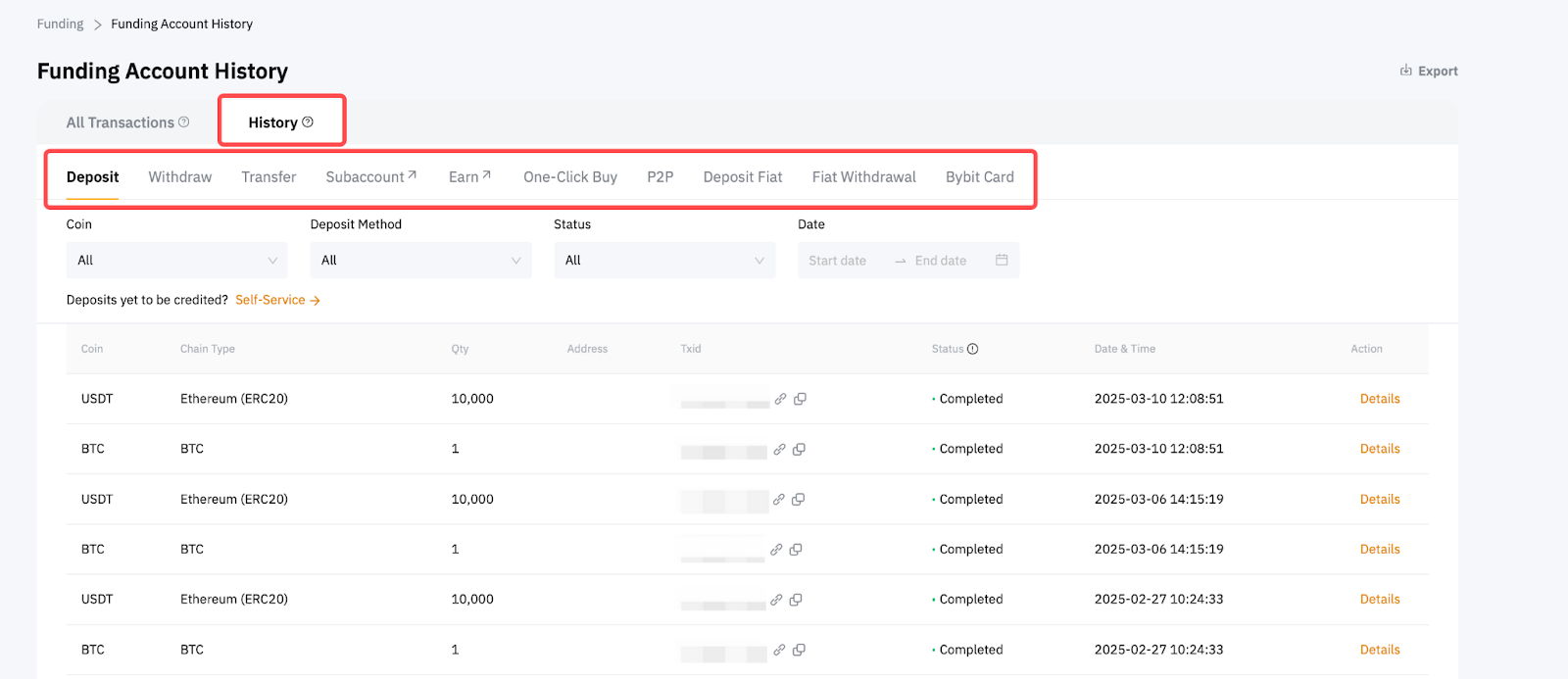
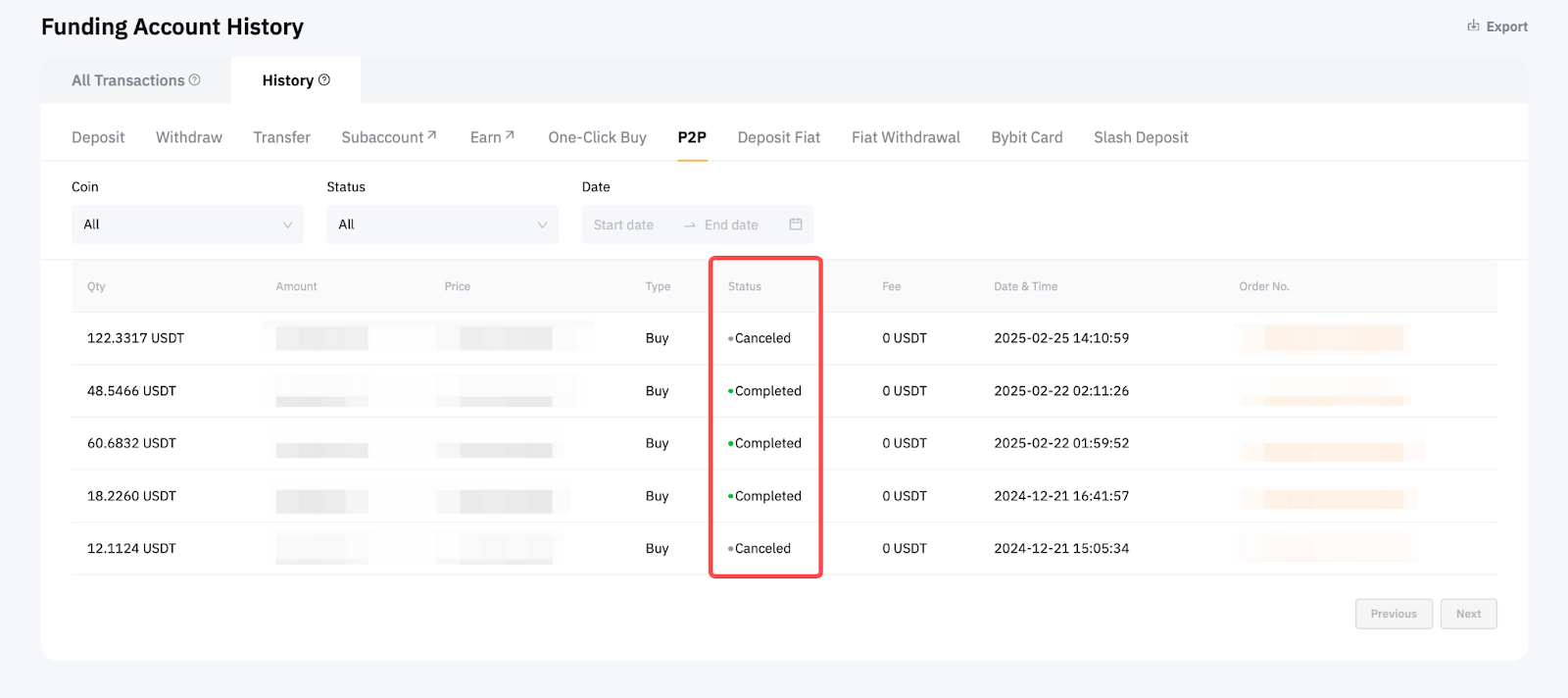
While the All Transactions tab keeps track of account balance changes, the History tab offers more detailed information about your individual transactions, which typically entail order dates, IDs, and statuses — the latter of which are updated progressively as they’re being processed.