
Here’s a step-by-step guide to generating your trade summary card.
Step 1: Log in to your Bybit Kazakhstan account.
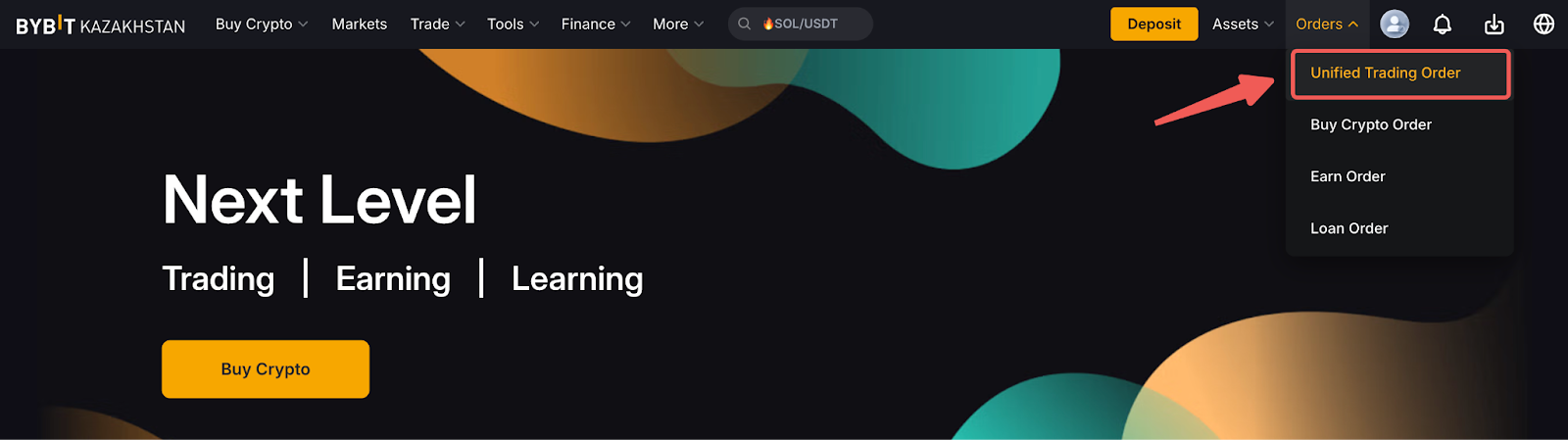
Step 2: Click on Orders → Unified Trading Order.
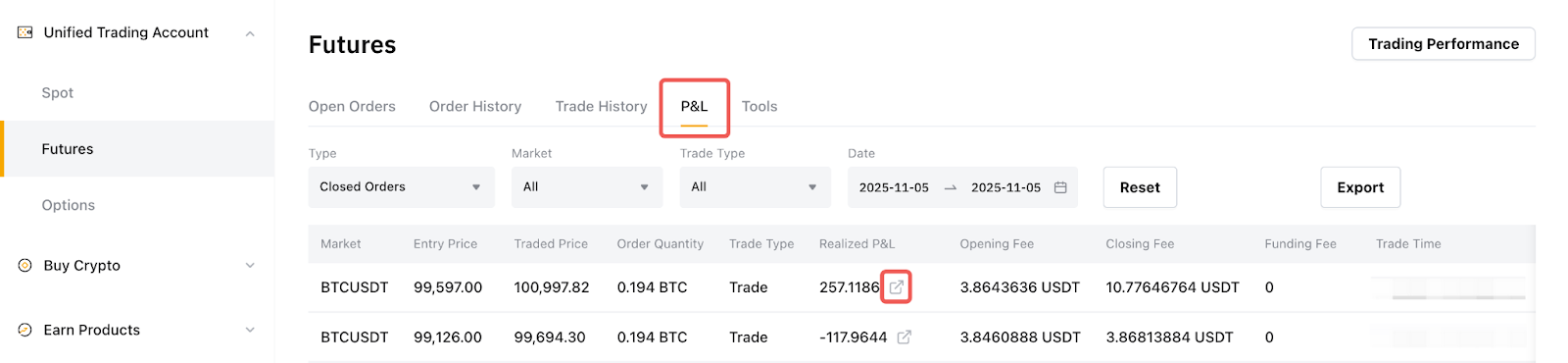
Step 3: Select the relevant Futures trading from the side panel, and switch to the P&L tab to find the closed P&L you wish to share.
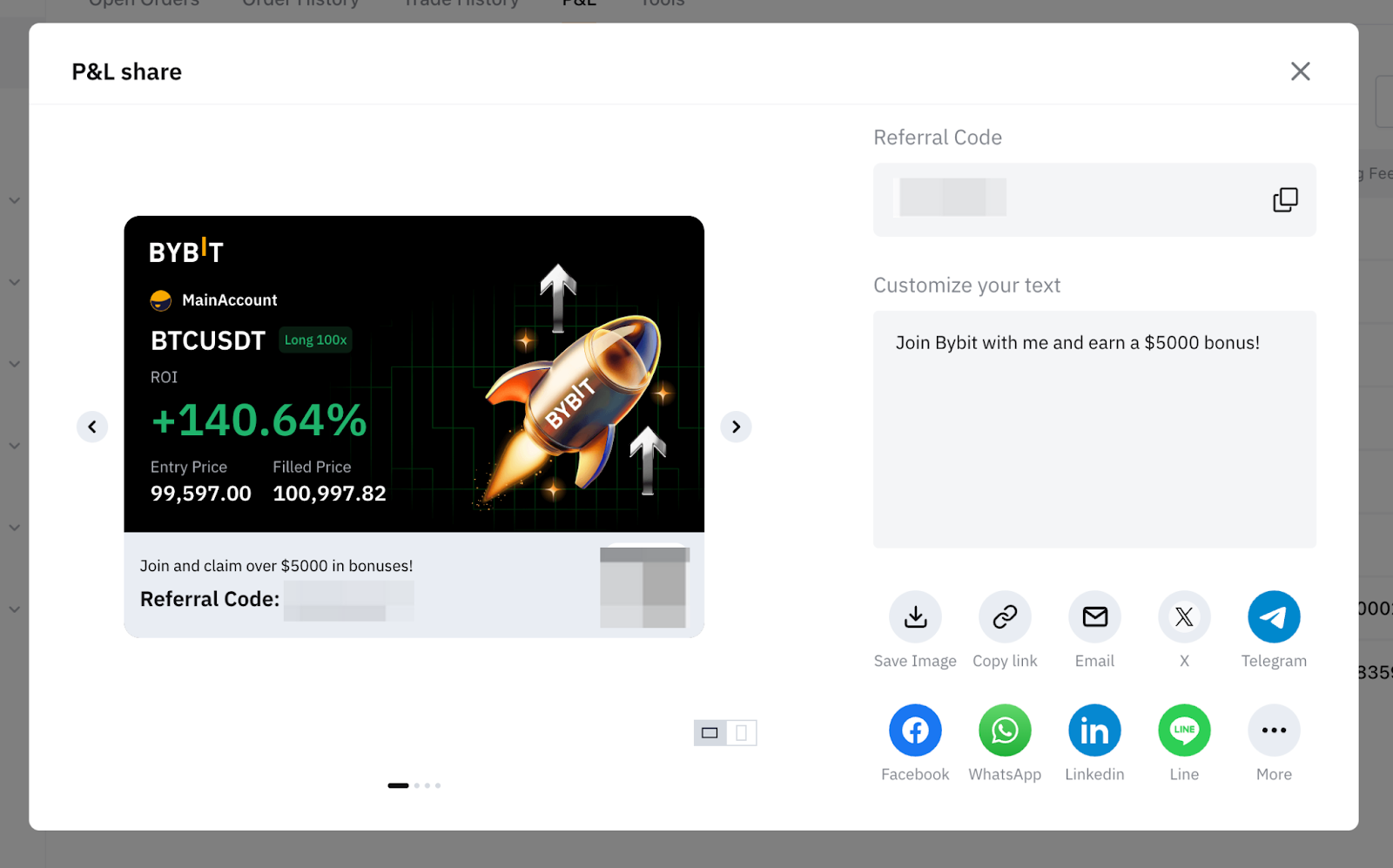
Step 4: You may now share your Trade Summary Card.
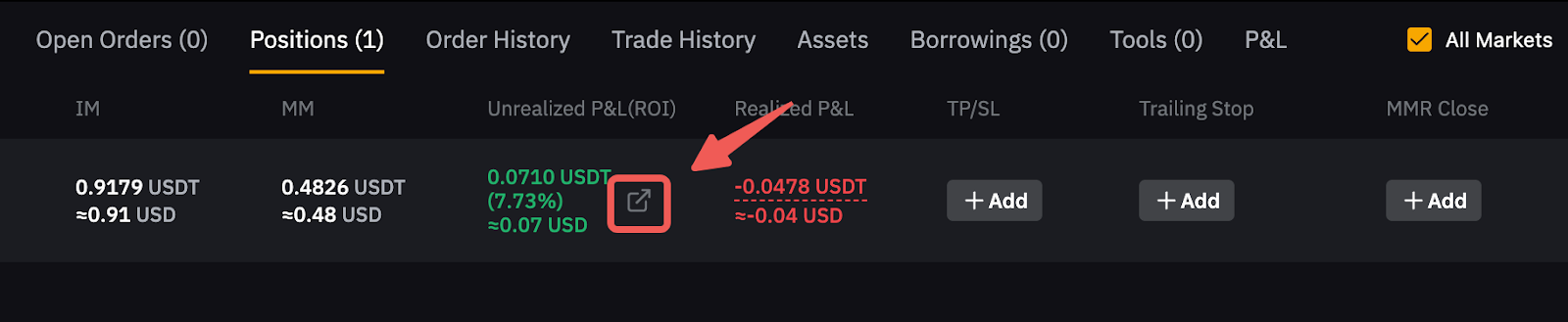
You can also share your current open position P&L by going to the position table below the chart and clicking on the "share" icon next to your current unrealized P&L figure.
Note: You can write a personalized message in the Customize your text field.