
Here’s a step-by-step guide on how to sell crypto assets through the Bybit Kazakhstan P2P platform.
Important Notes:
- P2P transactions are processed only through the Funding Account. Before starting a transaction, make sure your USDT is stored in your Bybit Kazakhstan Funding Account.
- Bybit Kazakhstan does not charge any fees from buyers or sellers. However, depending on the payment method chosen by the buyer, the bank or payment service provider may charge a fee.
- To ensure a secure trading environment, each transaction undergoes automatic risk assessment. If a transaction is deemed high-risk, a 24-hour withdrawal restriction will be applied to the corresponding account.
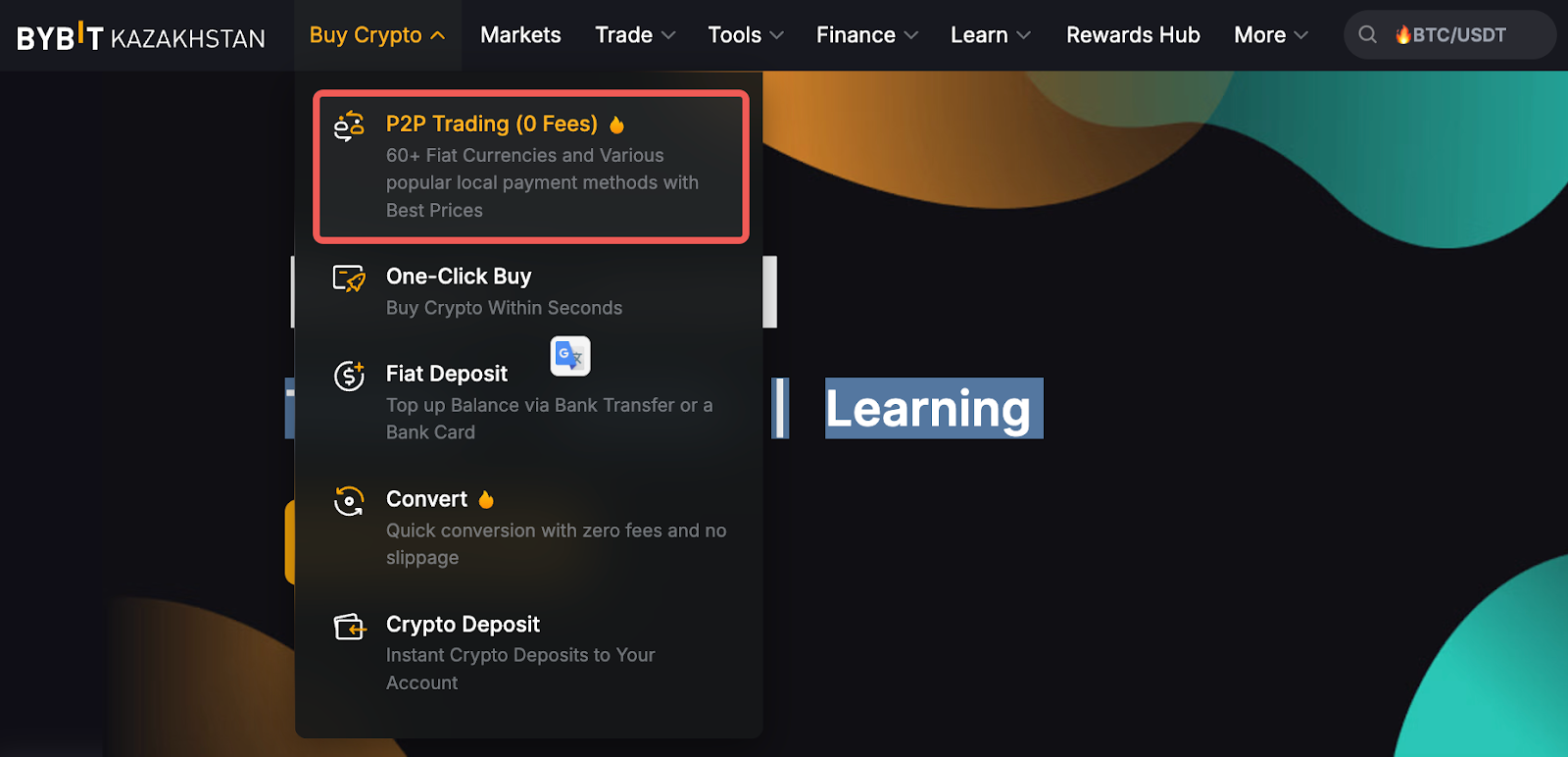
Step 1: Please click on Buy Crypto → P2P Trading on the top left corner of the navigation bar to enter the P2P trading page.
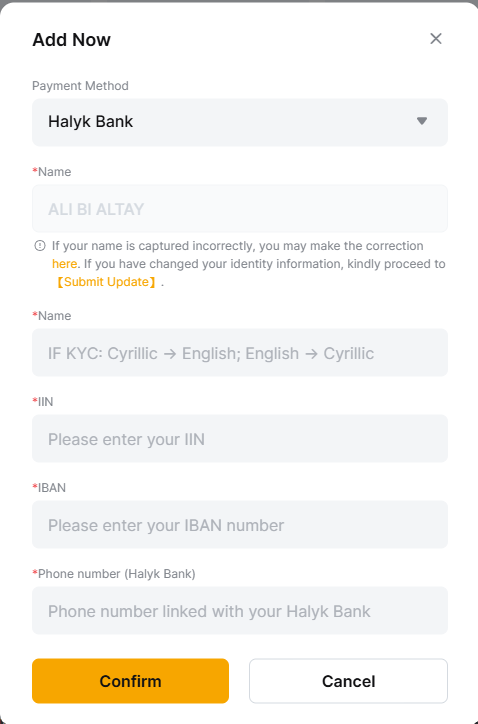
Before using P2P trading, you must add a Payment Method and provide the following details:
- Payment Method — name of the second-tier bank (BTB). Currently, only Halyk Bank is supported.
- Full Name — your full surname, first name, and patronymic.
- The first line is automatically filled in based on your Bybit Kazakhstan verification data.
- The second line must include your name in Cyrillic if the first line is in Latin, and vice versa.
- The name on your Payment Method must exactly match your verified name on Bybit Kazakhstan. Any mismatch may lead to account suspension, and the buyer has the right to refuse the P2P transaction.
- IIN — Individual Identification Number
- IBAN — bank account number
- Phone number linked to your Halyk Bank account
Note: At this time, only Halyk Bank is permitted as a payment method on P2P, and only Halyk Bank details can be added or used.
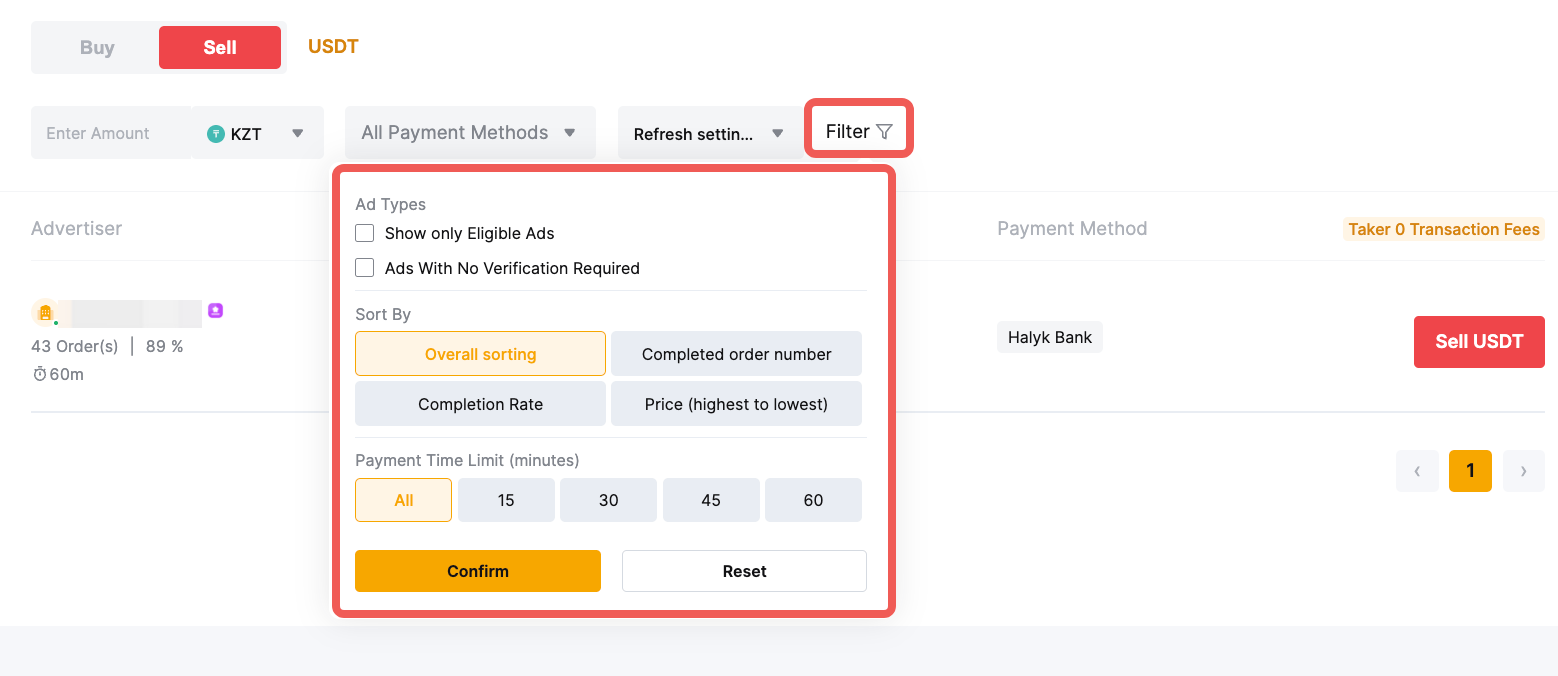
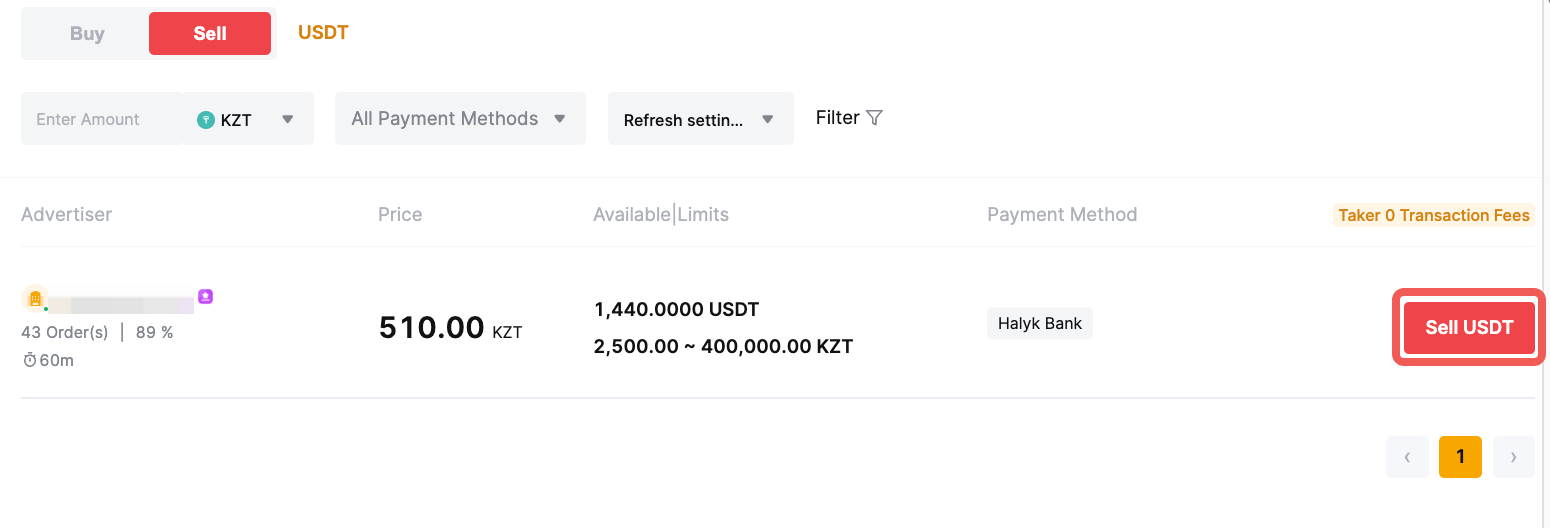
Step 2: On the Sell page, you can filter advertisers by entering your desired criteria for Coin Type, Amount, Fiat Currencies, Payment Methods, and more, based on your transaction needs.
Notes:
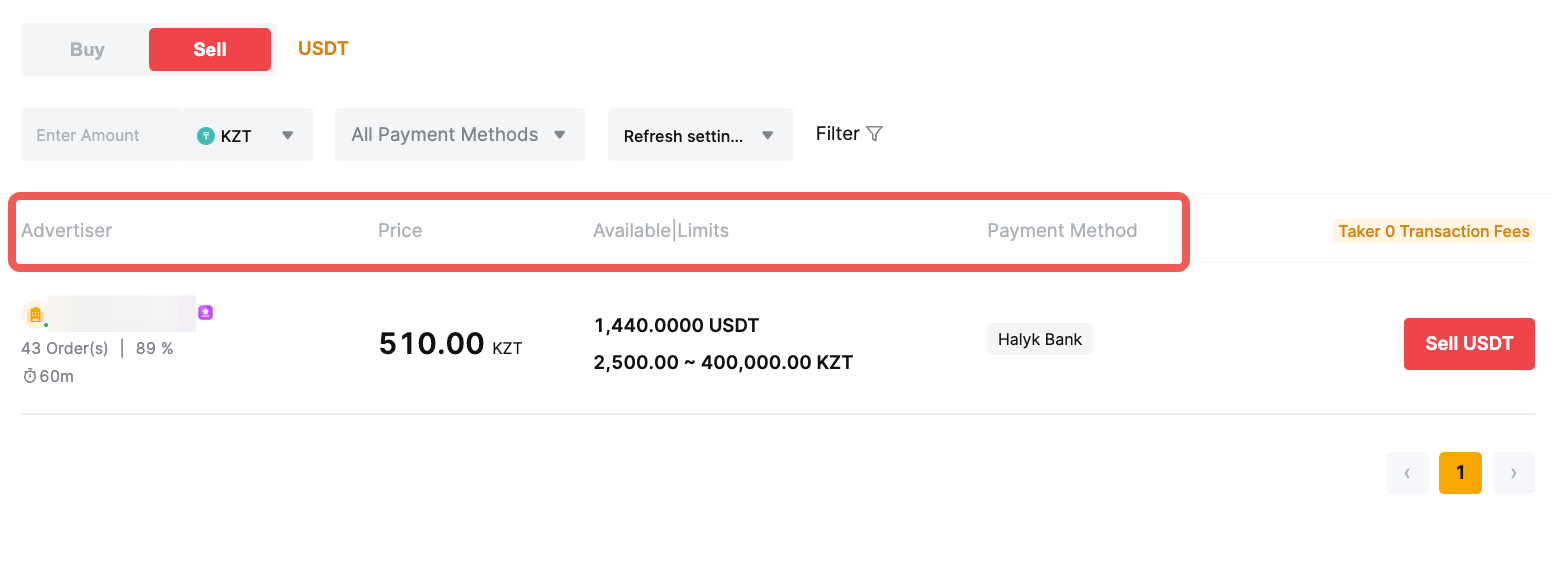
— Under the Advertiser column, the displayed order quantity and percentage refer to:
- Number of orders made in 30 days
- Completion rate in 30 days
— Under the Price column, you can see the reference price that counterparties are offering.
— The Available/Limits column displays the available balance for each advertisement as well as the minimum and maximum transaction limits per order, in fiat terms.
—Under the Payment Method column, you can see all supported payment methods for the advertisement you've selected.
Step 3: Choose your preferred advertisement, and click on Sell USDT.
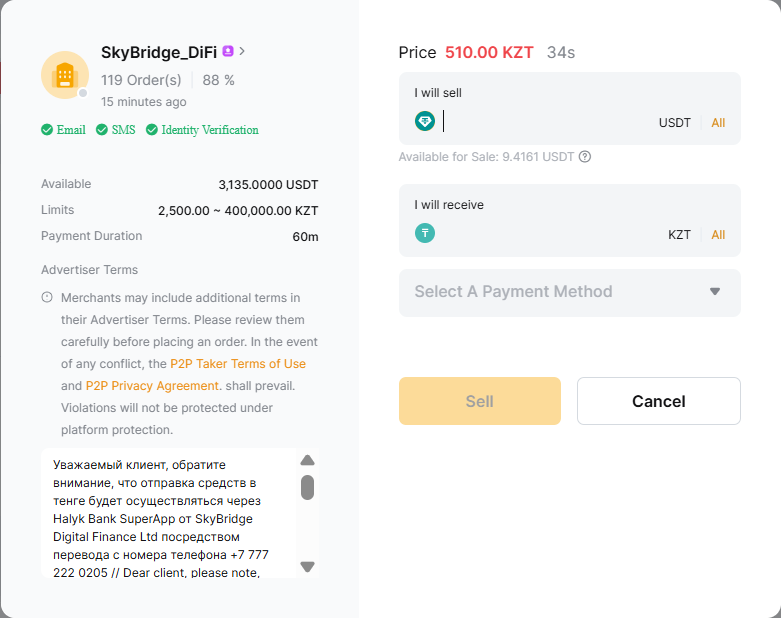
Step 4: Enter the amount of crypto you want to sell, or the amount of fiat currency you want to receive, and click Sell to proceed.
Step 5: You will be redirected to the order page, where you will see a countdown timer during which the buyer needs to complete the payment.
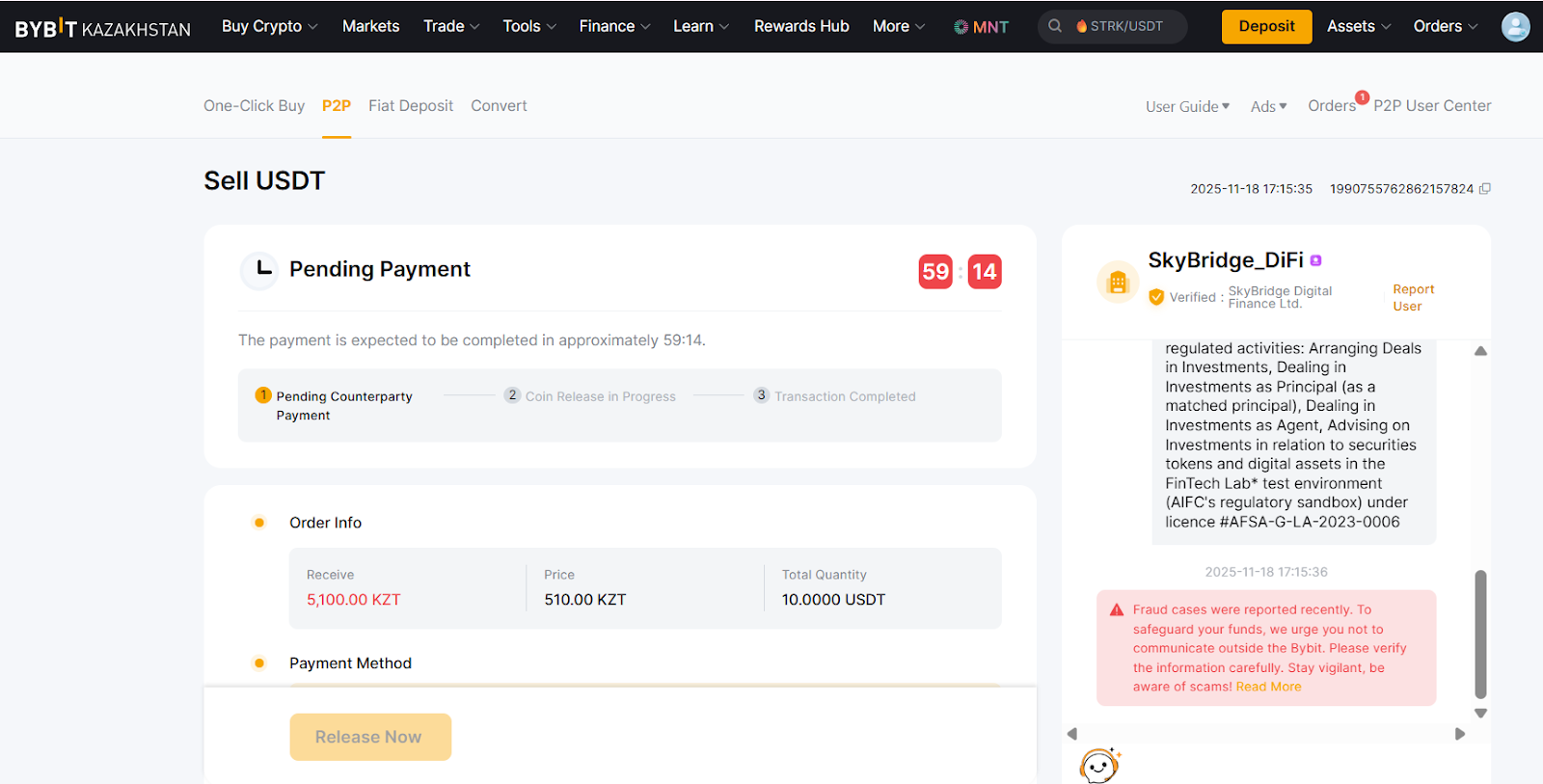
Note. The Order Chat Box on the right side allows you to easily communicate with the buyer in real time.
Step 6:
a. Once you’ve successfully received your payment from the buyer, click on Release Now to release your coins. You will be asked to confirm receipt of the payment from the buyer. Once click on Release Now, complete the security verification for confirmation.
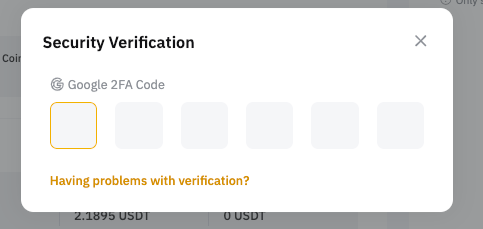
Please make sure you've received the funds from the buyer before ticking the confirmation box and releasing your coins. If you have not received the funds, please select “I have not received the payment in my available balance” and click “OK.”
If you have not yet set up the security verification on your account, please refer to the following articles for detailed guides on:
b. Order transaction has failed:
1) If the buyer fails to complete the payment within the timeframe, the order will automatically be canceled. The coins reserved on the P2P platform will also automatically be returned to your Funding Account.
2) If you’re notified that the payment is completed, but have yet to receive the payment after 15-20 minutes, you can raise an order cancellation request for the buyer to review. Before clicking the “Dispute Order?” button, please contact the buyer in the order chat to clarify the payment status.
Find out more about the cancellation and the appeal processes in the articles below:
- How to Cancel Your P2P Orders and Manage Your Completion Rate
- How to Submit an Appeal for Your P2P Order?
If you are no longer able to submit an appeal request as your order was completed or canceled more than 5 calendar days ago, please send your inquiry via this form and specify your concerns. To help you solve any problems more efficiently, please provide your UID, P2P order number, and any applicable screenshot(s).