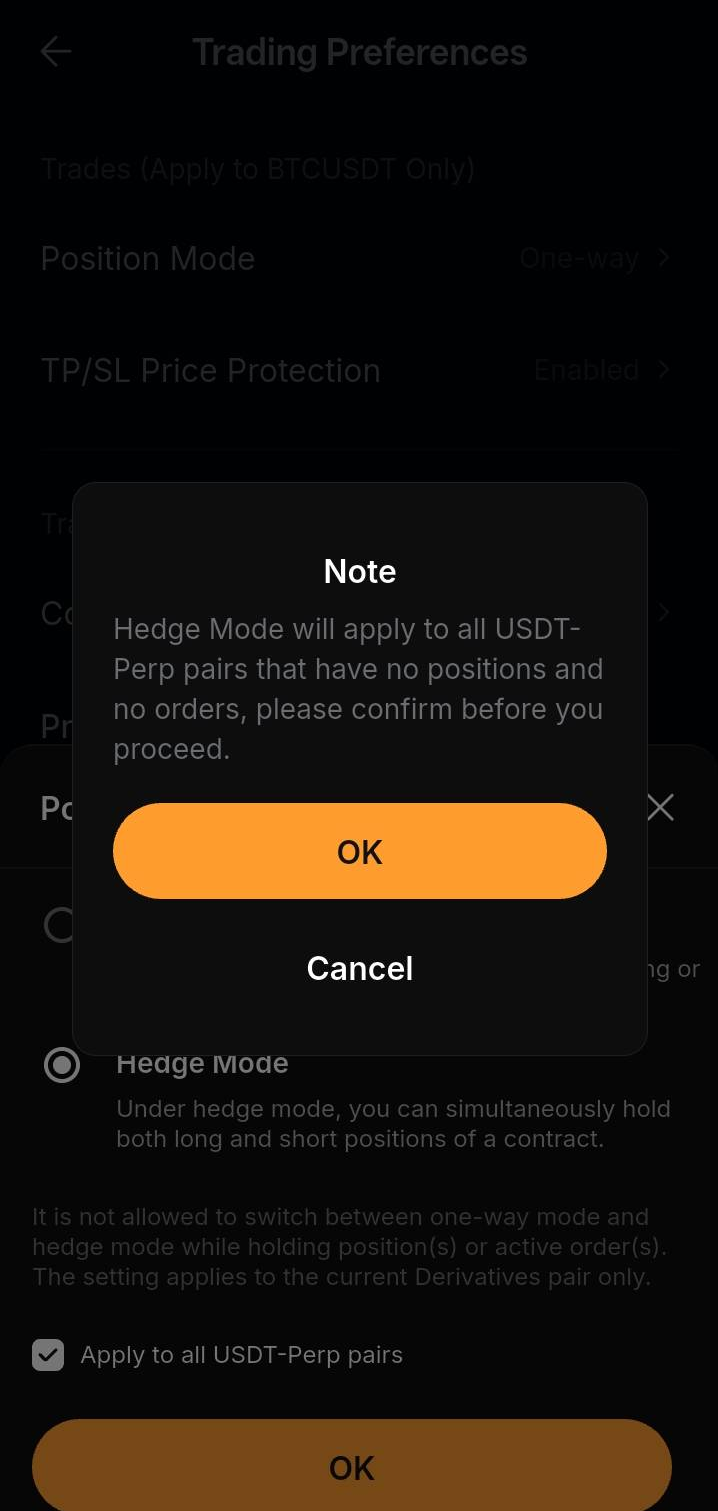
When trading perpetual contracts, you can choose between two position modes to manage your risk and trading strategies: One-Way Mode and Hedge Mode.
This article outlines the key differences between these two modes to help you choose the option that best fits your trading style.
Key Differences
What Is One-Way Mode?
One-Way Mode is the default position mode on Bybit Kazakhstan.
In One-Way Mode, you can only hold one position direction for the same contract at a time — either Long or Short.
For example, if you already have a Long position and place a new Short order (without enabling Reduce-Only), the system will first use the order to close your existing Long position. If the order size is larger than your current position, the remaining quantity will open a new Short position.
The Reduce-Only feature will ensure your order only reduces or closes an existing position and will never increase or reverse your position. If your order size is larger than your current position, only the portion required to reduce or close the position will be executed.
Example: Without Reduce-Only
Assume Trader A currently holds a Long position of 10 BTC. The trader then places a sell order for 15 BTC without the Reduce-Only selected.
The system will:
- Close the existing Long position of 10 BTC.
- Use the remaining 5 BTC to open a new Short position.
Result: Trader A ends up holding a Short position of 5 BTC.
Example: With Reduce-Only
Assume Trader B currently holds a Long position of 5 BTC. The trader then places a sell order for 10 BTC with the Reduce-Only selected.
The system will:
- Close the existing Long position of 5 BTC.
- Reject the remaining 5 BTC because Reduce-Only orders cannot increase or reverse a position.
Result: Long position is fully closed, and no new Short position is opened.
What Is Hedge Mode?
In Hedge Mode, you can hold both Long and Short positions on the same contract at the same time.
Unlike in One-Way Mode, your Long and Short positions are completely independent. Opening a Long position will not affect your Short position, and vice versa.
When placing an order in Hedge Mode, you must specify:
- Direction — Long or Short
- Action — Open or Close
This ensures the system knows which position you want to open, reduce, or close.
Example:
Assume Trader C already holds a Long position of 10 BTC. The trader then places an order to Open a Short position of 5 BTC.
Result:
Long Position: 10 BTC
Short Position: 5 BTC
Both positions remain active and are managed separately.
If you want to close the Long position, you must place a Close Long order. Opening a Short position will not automatically close your Long position.
Margin Requirements in One-Way Mode and Hedge Mode
The amount of margin required may differ depending on the position mode you use.
One-Way Mode
In One-Way Mode, you can only hold one position direction for the same contract. As a result, margin is only required for that single position.
If you place both Long and Short orders without any existing position, only the larger pending order cost is reserved.
Hedge Mode
Margin requirements in Hedge Mode may differ from One-Way Mode and depend on the selected margin mode.
- In Isolated Margin, long and short positions are maintained independently, and margin is calculated separately for each position.
- In Cross Margin, margin requirements are calculated at the account level and may take the risk exposure of both directions into consideration.
Therefore, the margin required in Hedge Mode may differ from One-Way Mode even when the position sizes are the same.
For more information on margin calculations, please refer to Margin Calculations Under Different Margin Modes.
How to Switch Position Modes
To switch the position mode, please ensure beforehand that all active positions are closed and open orders are cancelled on your selected contract. Otherwise, the system will prevent the switch if any active positions and open orders remain.
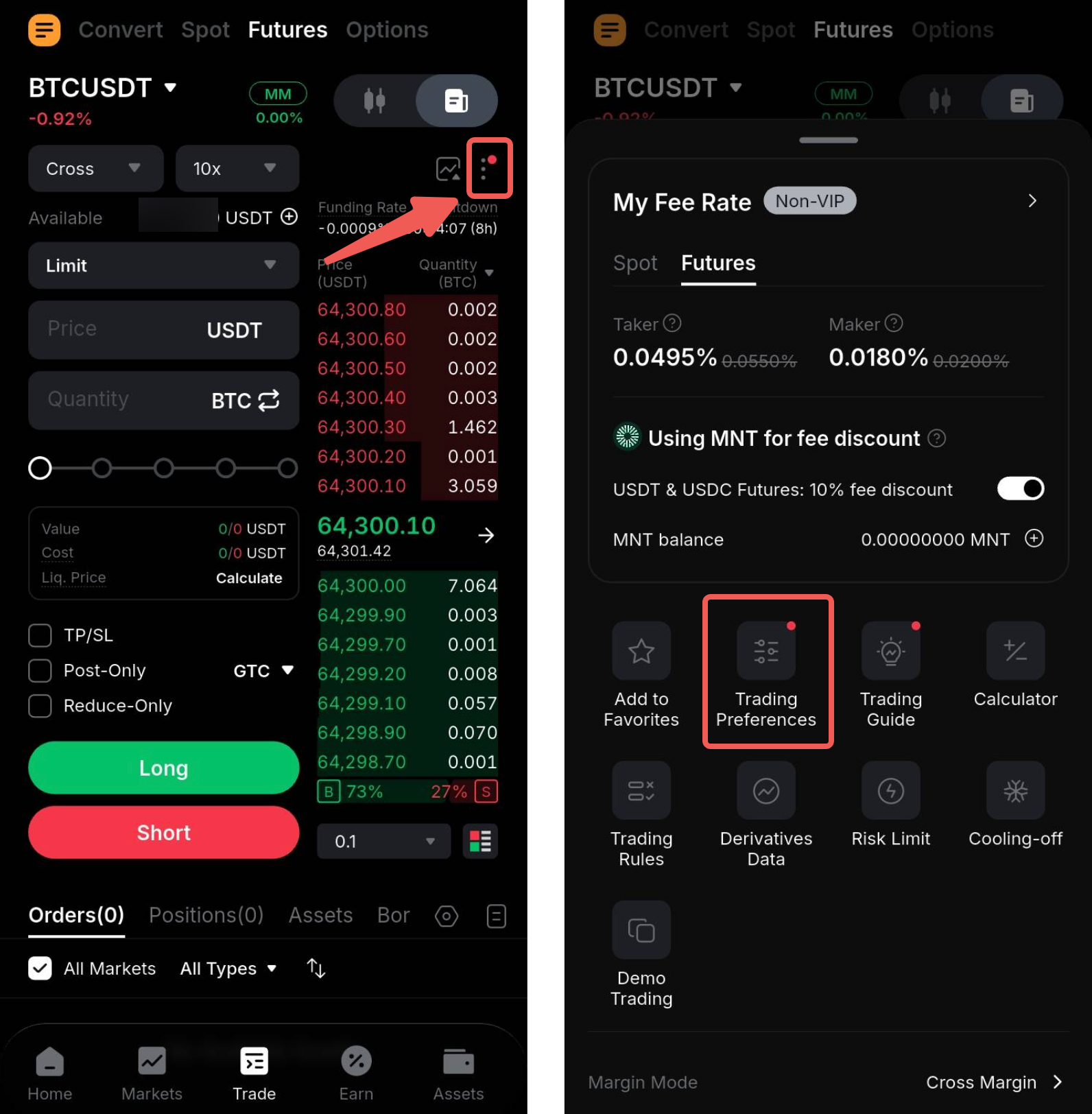
Step 1: On the Bybit Kazakhstan App trading page, select the contract with the position mode you would like to change.
Step 2: Next, tap the Ellipsis icon in the top right corner above the order book, and tap Trading Preferences.
Step 3: On the Trading Preferences page, select Position Mode to open the selection tray. Once you have selected the mode to switch, tap OK.
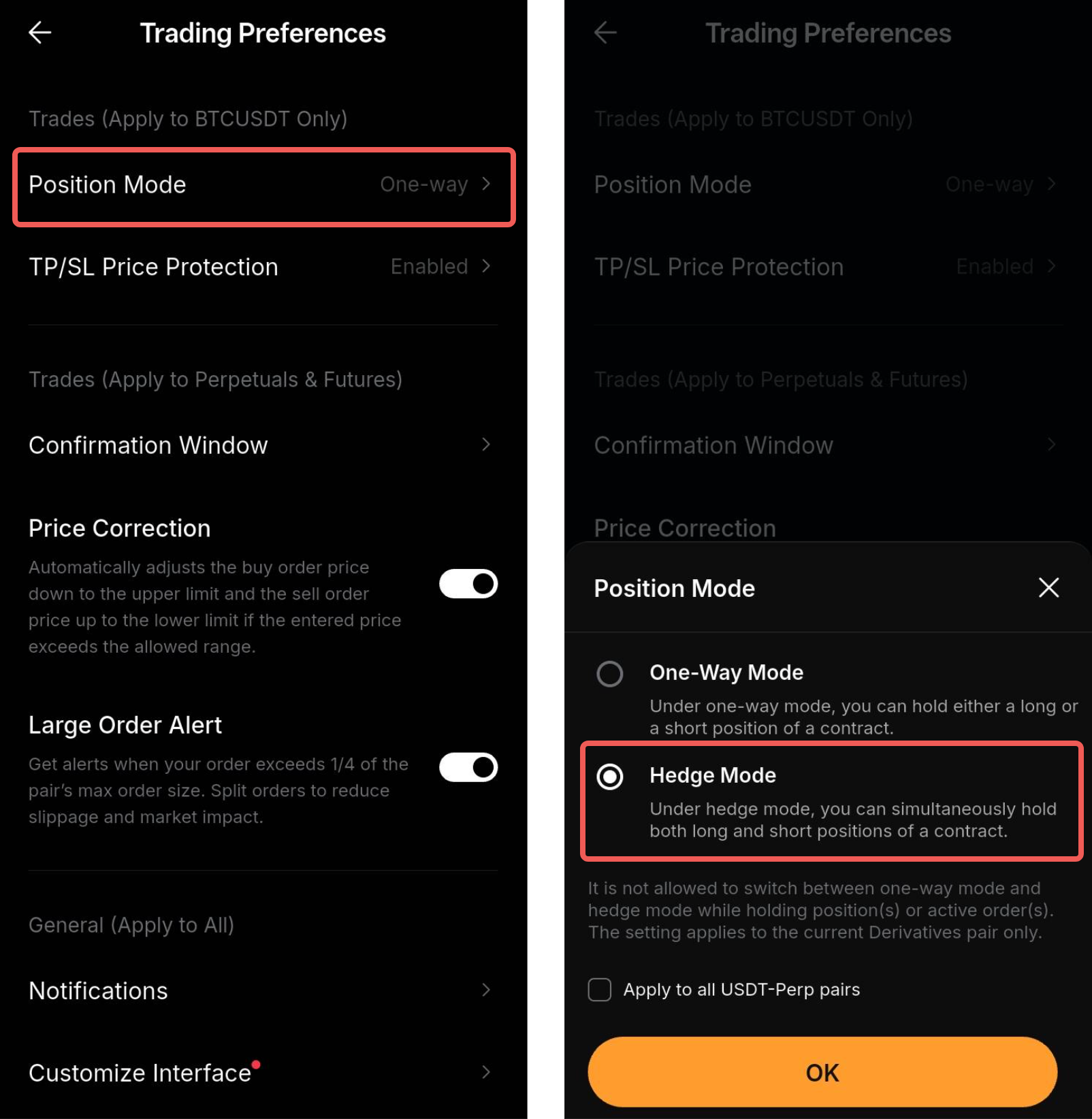
You may select Apply to All Pairs to switch all eligible Perpetual and Expiry trading pairs to Hedge Mode at once.
Please note that position mode cannot be changed for any trading pair with an existing position. Such trading pairs will remain in their current position mode until the position is fully closed.