One-Click Buy on the Bybit Kazakhstan site allows users to buy and sell crypto using KZT fiat currencies through Fiat Balance. However, only BTC, ETH, USDT and USDC are supported on the Bybit Kazakhstan site.
Here’s a step-by-step guide to help you buy coins with your fiat balance.
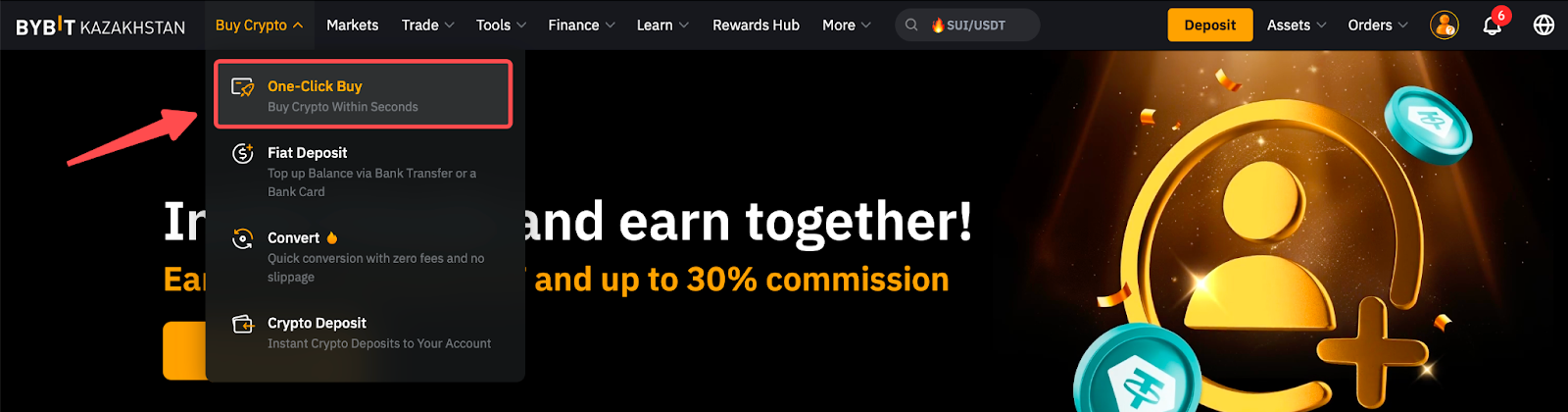
Step 1: Click on Buy Crypto → Express on the top left corner of the navigation bar to enter the Express page.
Step 2: Place an order through the following steps.
a. Select the fiat currency — KZT— that you wish to pay in.
b. Select the coin (BTC, ETH, USDT or USDC) you would like to receive in your Funding Account.
c. Enter the purchase amount. You can enter the transaction amount based on fiat currency amount or coin amount, according to your needs.
d. Select KZT Balance as your payment method.
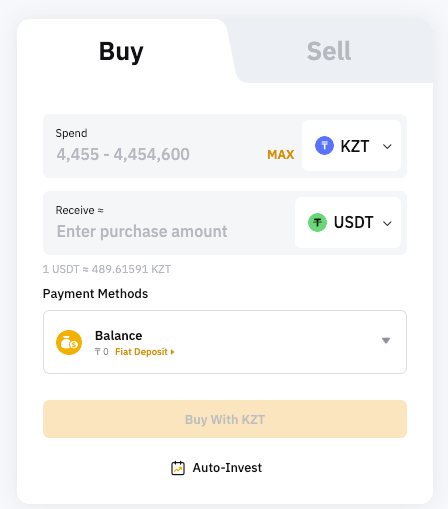
Step 3: Click on Buy With KZT.
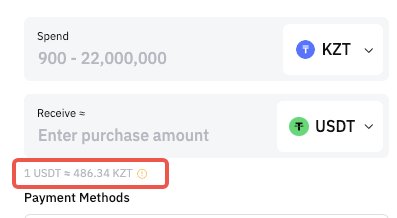
Note: The reference price will refresh every 30 seconds.
Step 4: Confirm that the details you’ve entered are correct, and then click on Confirm.
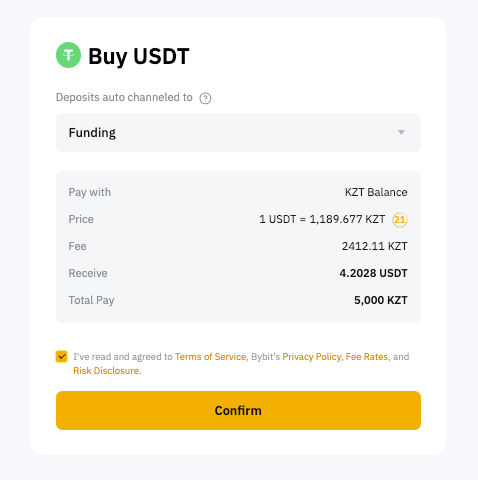
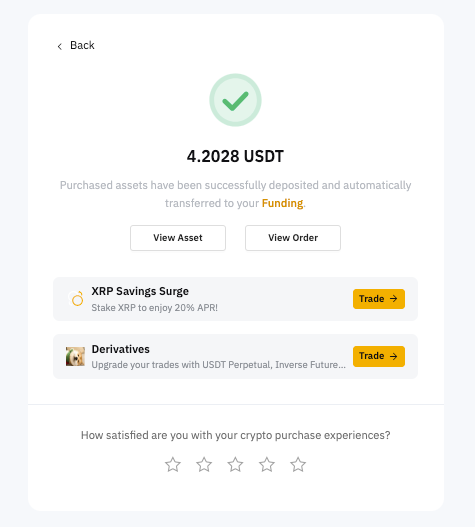
Step 5: Your transaction is complete. The coin will be deposited into your Funding Account within 1–2 minutes.
-
Click on View Asset to check your balance. You’ll receive your order status by SMS, email and notifications, if you've enabled them.
To set up, please head to Account & Security → Two-Factor Authentication to select the authentication (SMS or Email) that you wish to enable.
You can also enable notifications under Settings.
-
To view your order history, click on View Order. You’ll be redirected to the order page.