
To comply with the OECD's Crypto-Asset Reporting Framework (CARF) directive, users are required to submit tax identification information on Bybit Kazakhstan for tax reporting purposes. Please follow the step-by-step guide below to submit your tax information.
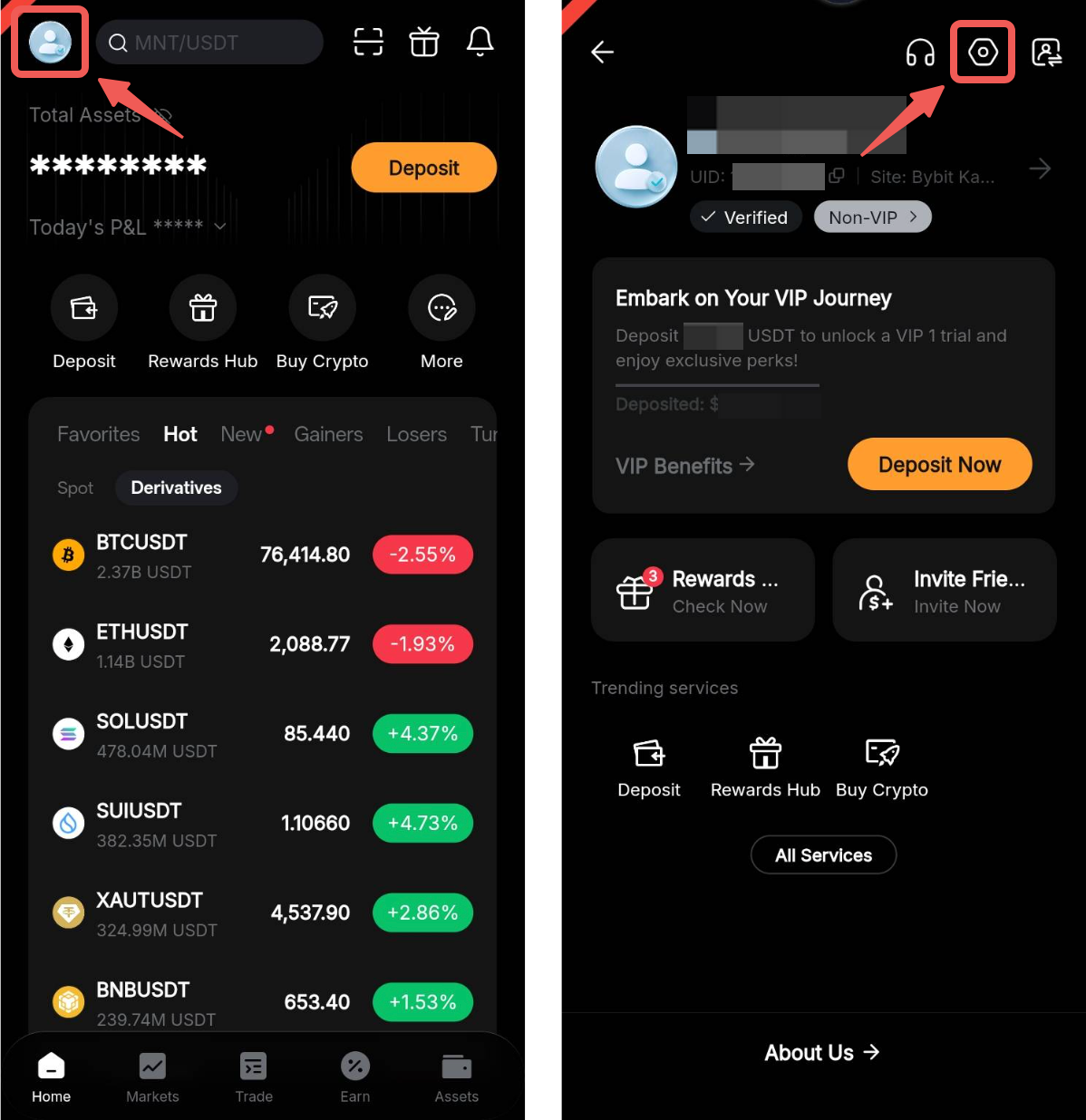
Step 1: Log in to the Bybit Kazakhstan App. Tap your profile icon in the top-left corner, then tap the Settings icon in the top-right corner.
Step 2: In the User Center, tap Tax information declaration to access the personal information declaration page.
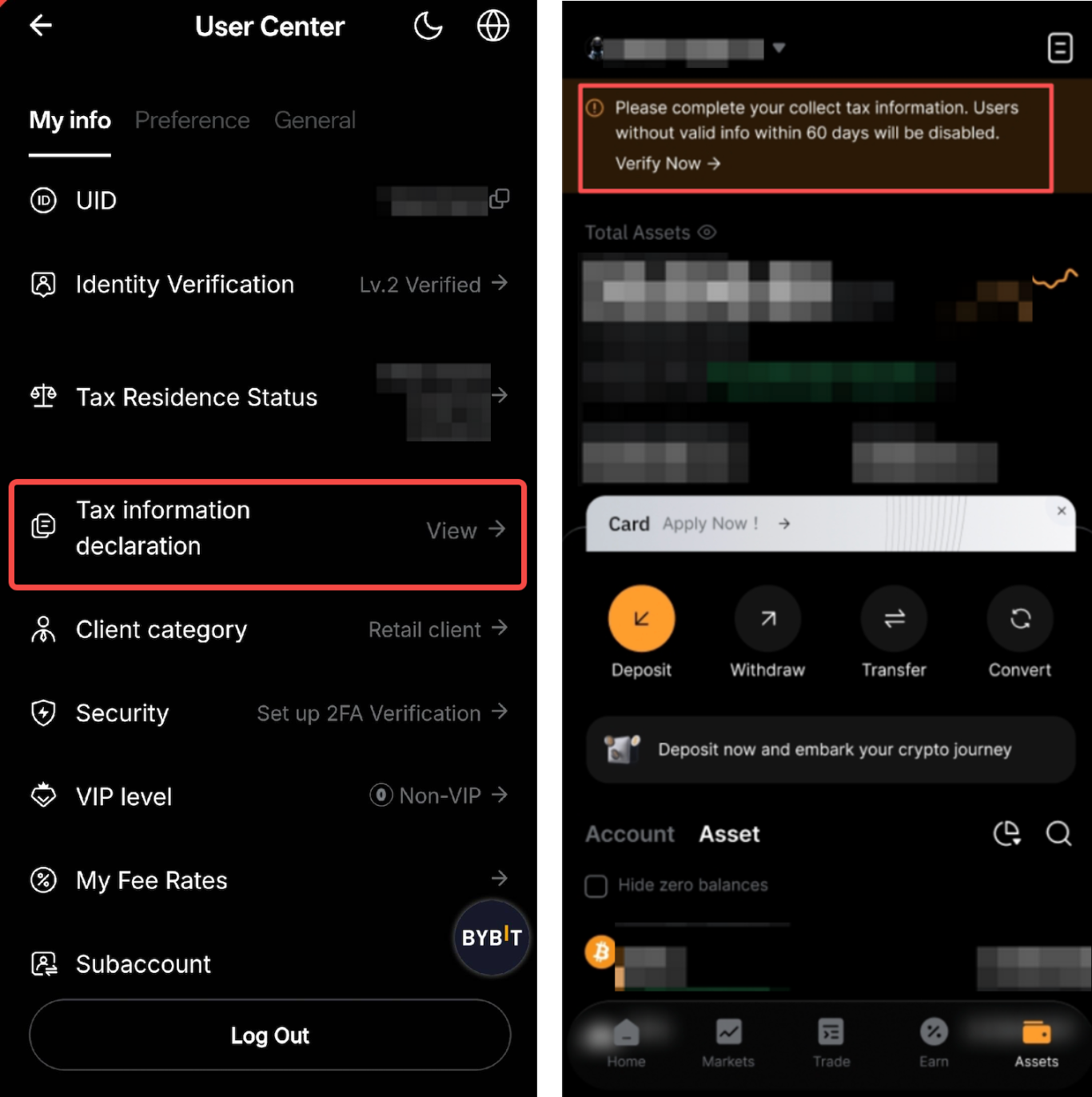
Alternatively, tap Verify Now in the prompt at the top of your Assets page.
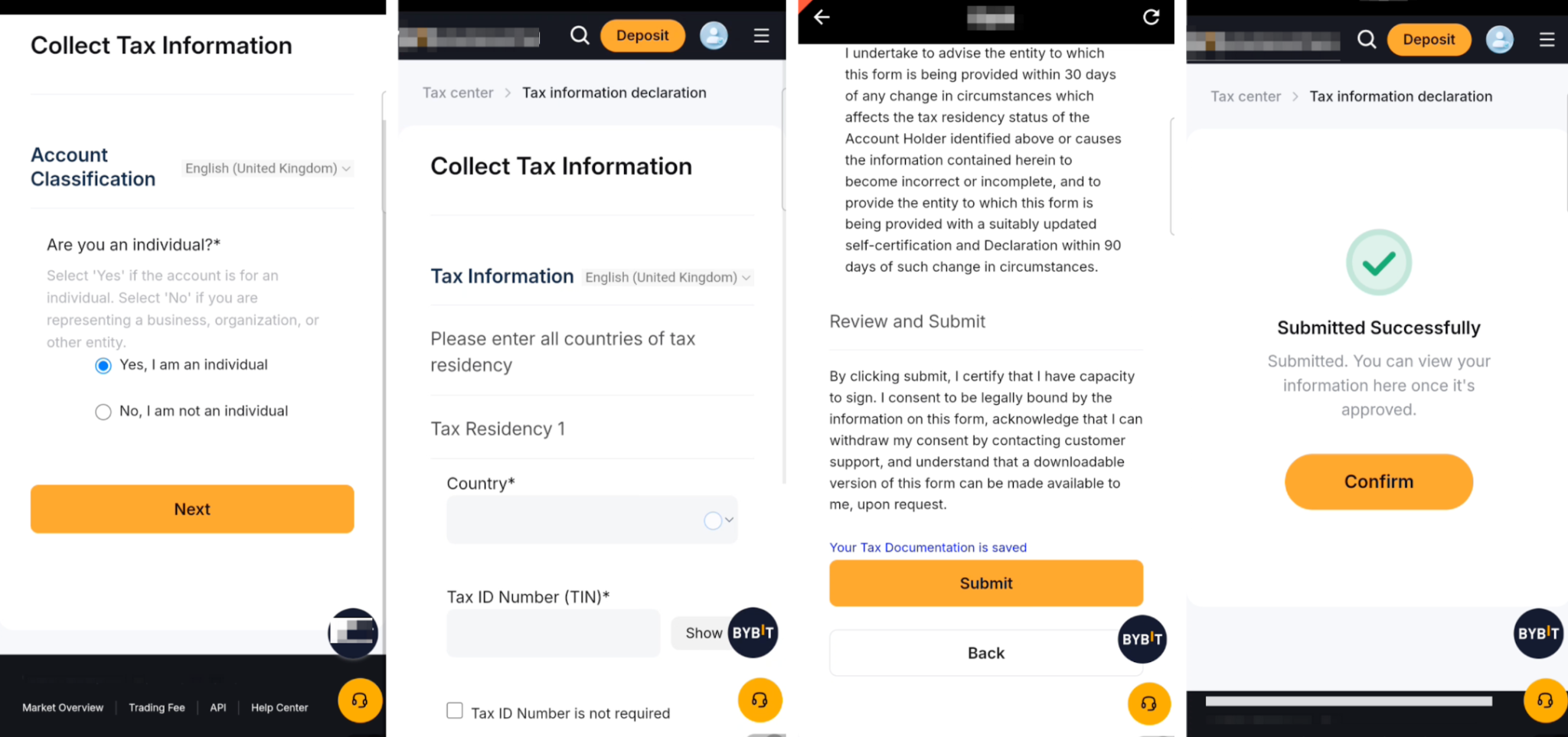
Step 3: Complete all required details and tap Submit. A status pop-up will appear once the submission is successful.
Notes:
— Please ensure that all details are accurate before submitting.
— If there are changes to your Identity Verification details, you may be required to submit your tax information again.
— For more details about tax information collection, please refer to FAQ — Tax Report.