
Once you have submitted an appeal online for a P2P order, it is important to follow up on your case and comply with the instructions given by Bybit Kazakhstan P2P specialists in order to ensure the swift resolution of your request. Here is some key information to help resolve your P2P Appeal as a Buyer.
Disclaimers
In accordance with Bybit Kazakhstan Terms and Conditions, every user is required to acknowledge the following:
-
No 100% Guarantee: There is no assurance that the appeal service can recover potential asset losses. The best way to safeguard assets is by following trading instructions precisely and promptly. Bybit Kazakhstan will not be responsible for any losses in assets resulting from a user's failure to adhere to instructions or provide the proofs on Bybit Kazakhstan within the specified timeframe.
-
No trading via private channels: Bybit Kazakhstan will not be responsible for any losses in assets resulting from any trades made privately outside of Bybit Kazakhstan’s P2P Trading platform. All P2P transactions should be conducted through Bybit Kazakhstan’s P2P Trading platform, and neither Bybit Kazakhstan nor merchants will conduct transactions with users privately.
-
Appeal Resolution: The platform is not obligated to provide an appeal resolution in your favor. It offers a mediation solution in good will but does not act as an adjudicator. Users are exempt from liabilities arising from mediation solutions.
-
Consequences of Malicious Appeals: Malicious appeals can disrupt normal platform operations and result in account suspension.
-
Accurate Information: Providing wrong information or false claims may lead to appeal rejection or penalties, including account suspension, function restrictions, or warnings.
-
Limitations on Appeals: Appeals for canceled or completed orders can only be submitted within five (5) calendar days after the order is closed.
-
Appeal Frequency: A single order can be appealed 3 times after cancellation or completion. No further appeal can be submitted after the P2P Appeal Team makes the final decision. A user can submit up to 10 canceled or completed order appeals per day.
Check on Your P2P Appeal Status
Here is the step-by-step guide on how to check your P2P Appeal Status for different order statuses:
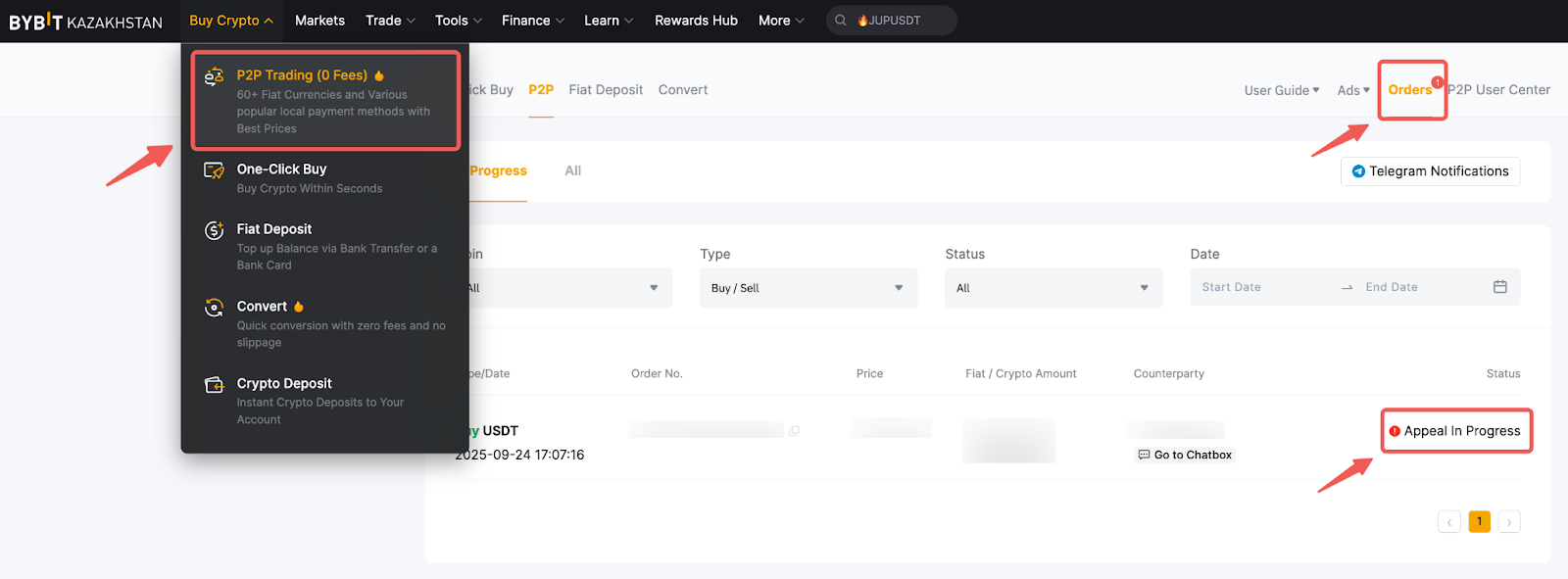
Step 1: Locate your current order appeal by going to P2P Trading → Orders and searching for the order status Appeal in Progress.
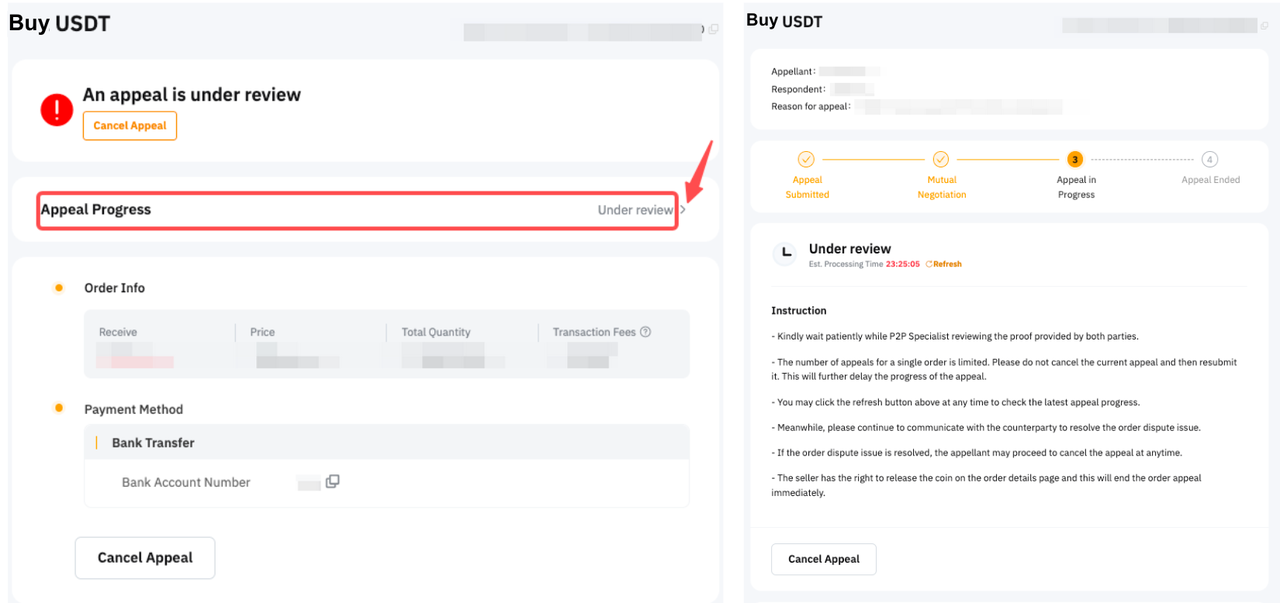
Step 2: Click on the order to open the Order Page and then go to Appeal Progress to display the Order Appeal Page.
You’ll see Appeal in Progress mentioned with the Specific Appeal Status for your order.
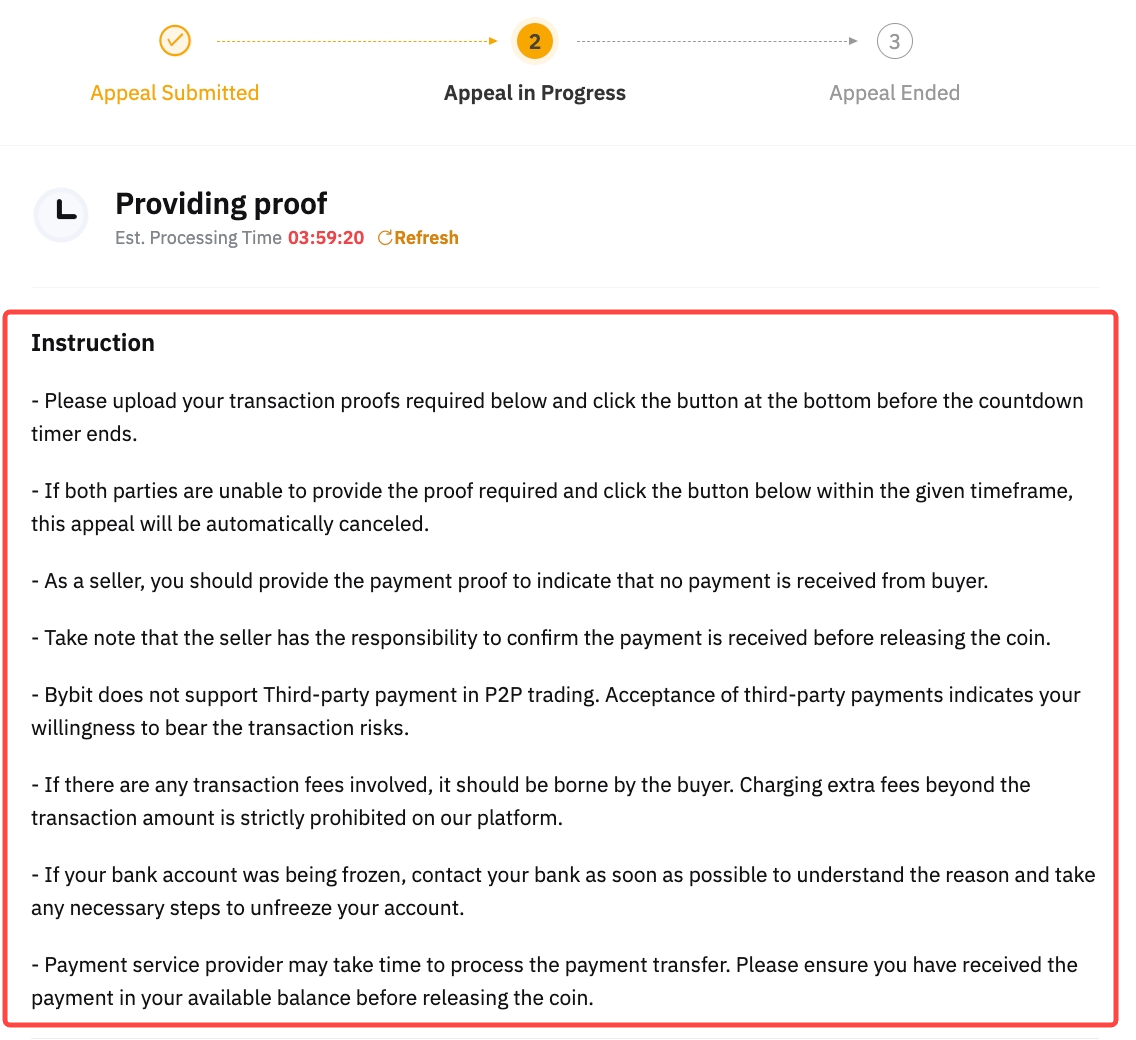
Step 3: Each appeal status will require different actions from you and your counterparty. The detailed instructions will be shown below the Appeal status. Please ensure that the proof you provide meets the requirements. Always click on the Refresh button to get the latest appeal status.
You can also find below the different appeal statuses possible as well as the necessary steps you need to take as a buyer.
- Under Negotiation
- Providing Proof
- Pending the Counterparty's Proof
- Under Review
- Under Investigation
- Pending to Be Processed
- Payment Refund Action
- Additional Proof Required
- Request for Payment Top Up
- Pending Seller's Response
- Pending Your Response
- Pending Your Acknowledgment
- Pending the Counterparty’s Response
- Pending the Acknowledgment From the Appellant
1. Under Negotiation
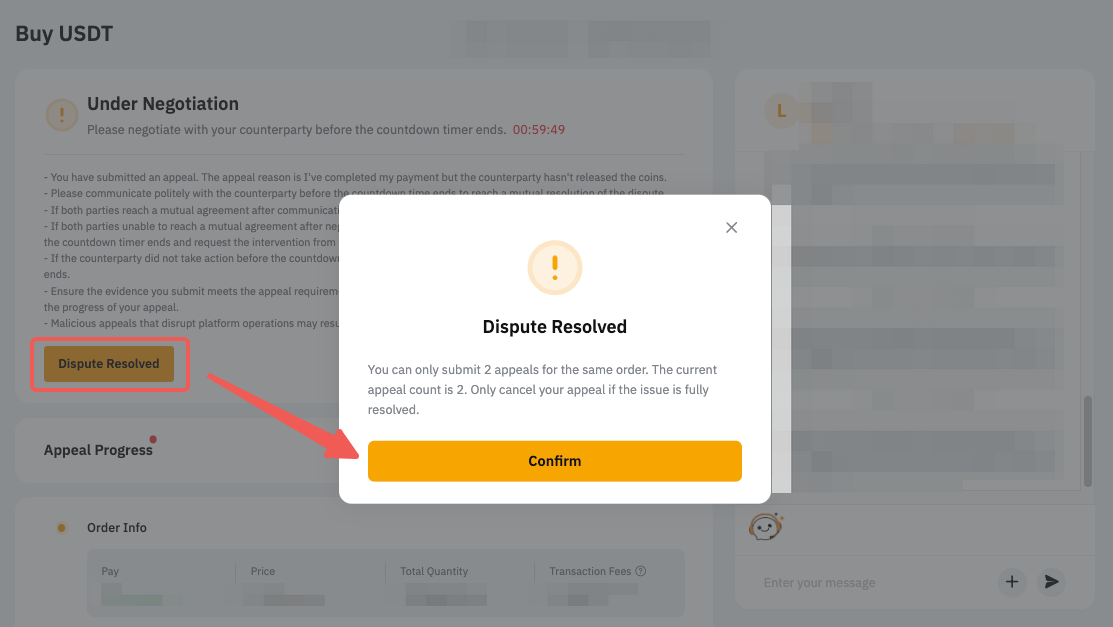
Please communicate with your counterparty to resolve the appeal. If the dispute is resolved or a mutual agreement is reached:
-
Appellant: Click on Dispute Resolved to cancel the dispute.
-
Respondent: Click on Mutual Agreement to cancel the order.
|
Appellant |
Respondent |
|
|
|
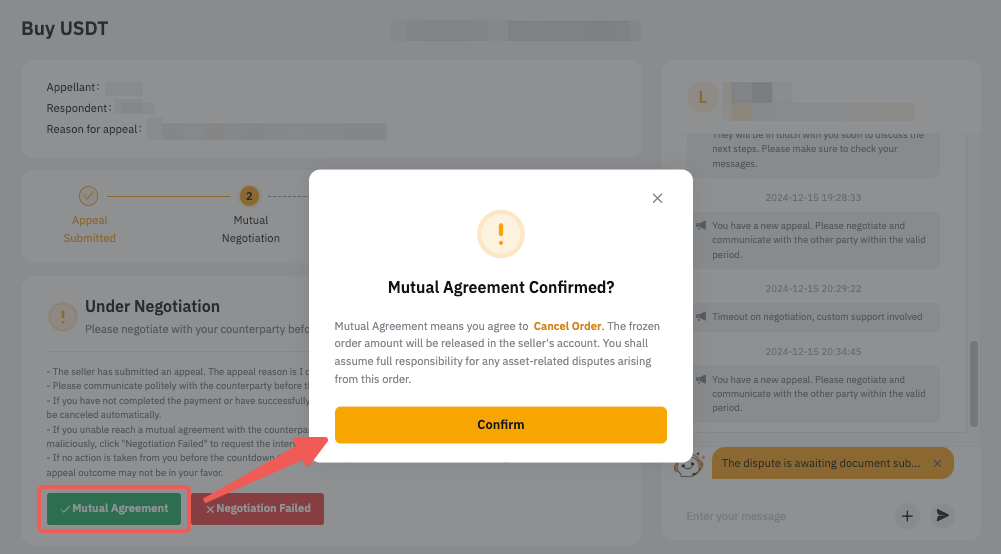
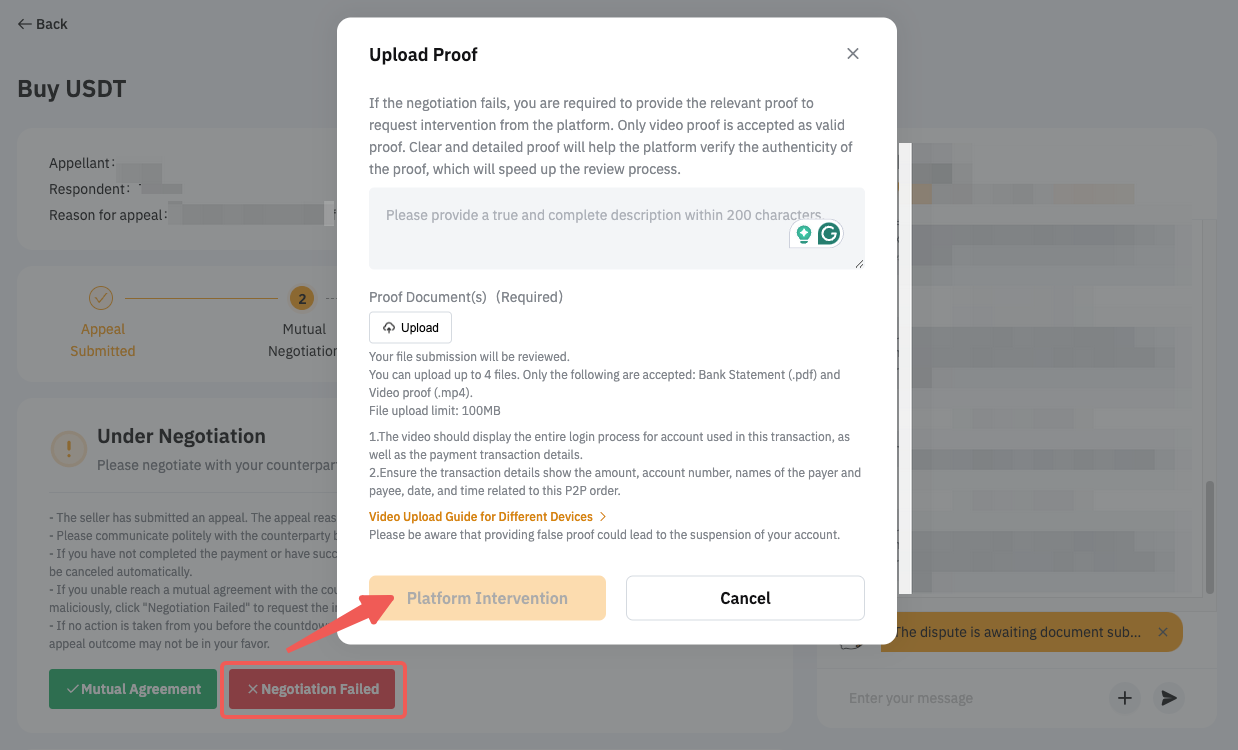
If time is up or your issue remains unresolved after communicating with the counterparty, click on Negotiation Failed and submit the evidence needed to request platform intervention. If the counterparty did not take action before the countdown time ends, the platform will intervene to investigate after the countdown timer ends.
2. Providing Proof
Please follow the instructions to provide the proof(s) and click on Upload proof to upload your documents BEFORE the Processing Time ends.
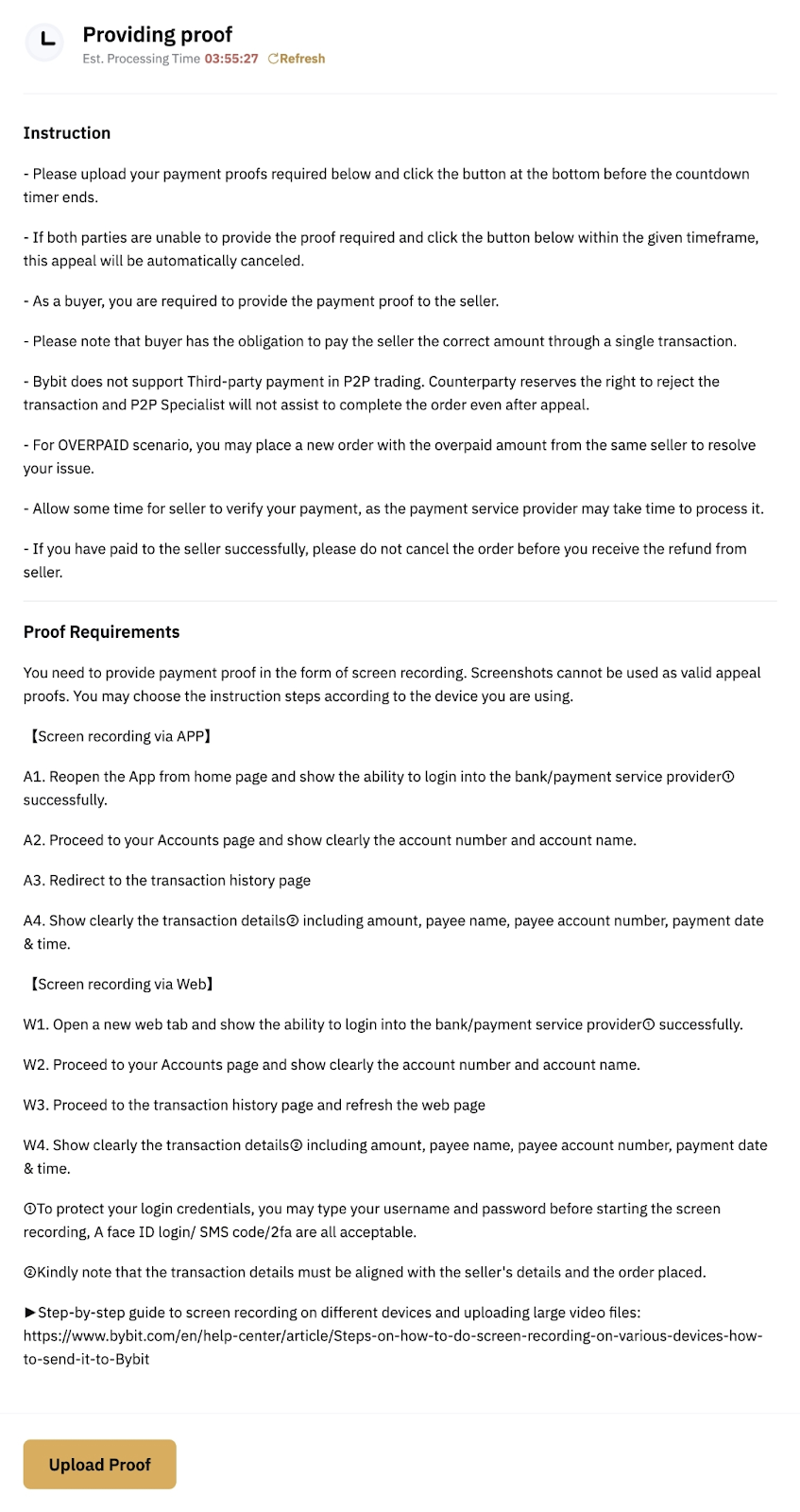
Notes:
— If the proof provided doesn't meet the requirements mentioned, the appeal’s resolution might not be in your favor.
— If both parties' proofs were rejected and either party didn't provide the document again via Upload Proof within the given processing time, the appeal will be considered invalid and it will be canceled automatically.
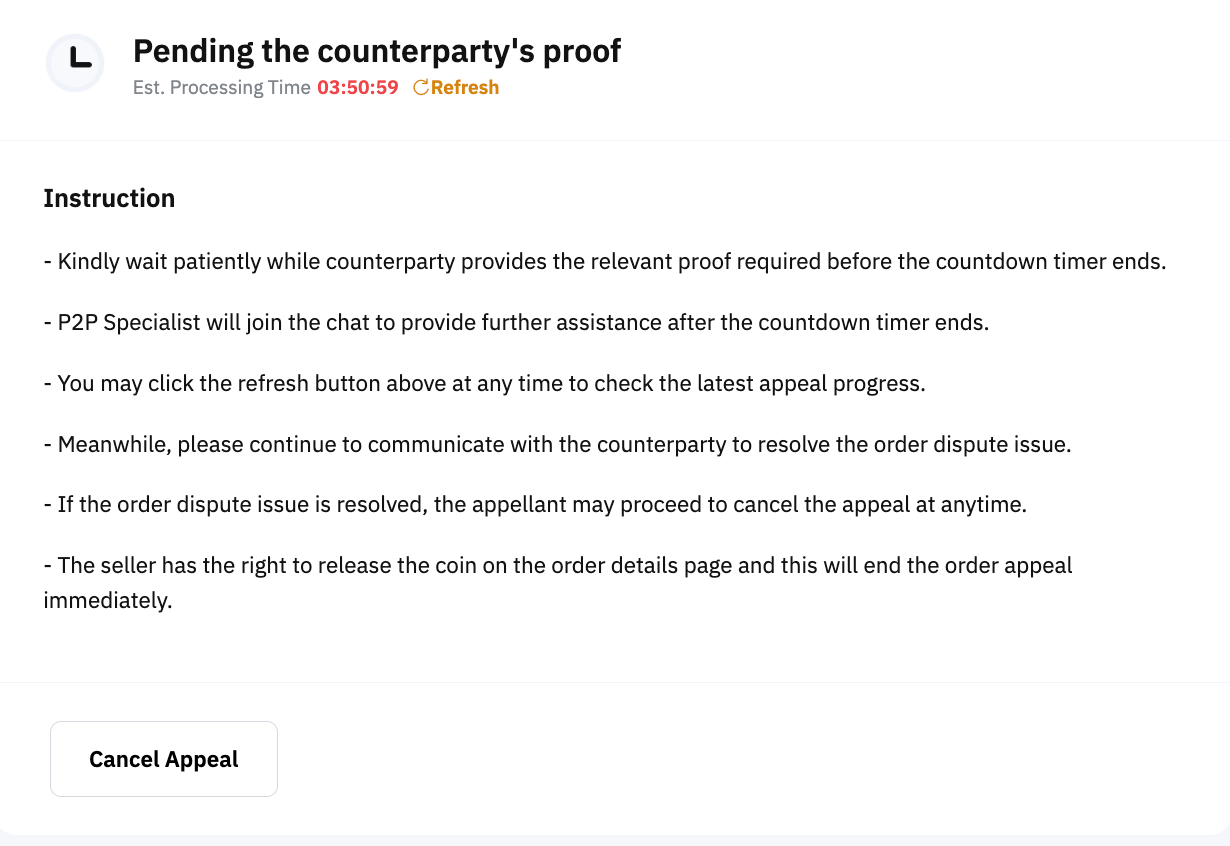
3. Pending the Counterparty's Proof
Please wait patiently while the counterparty provides the proof requested. No action needs to be taken at this stage. Remember to always click Refresh to check the latest appeal status.
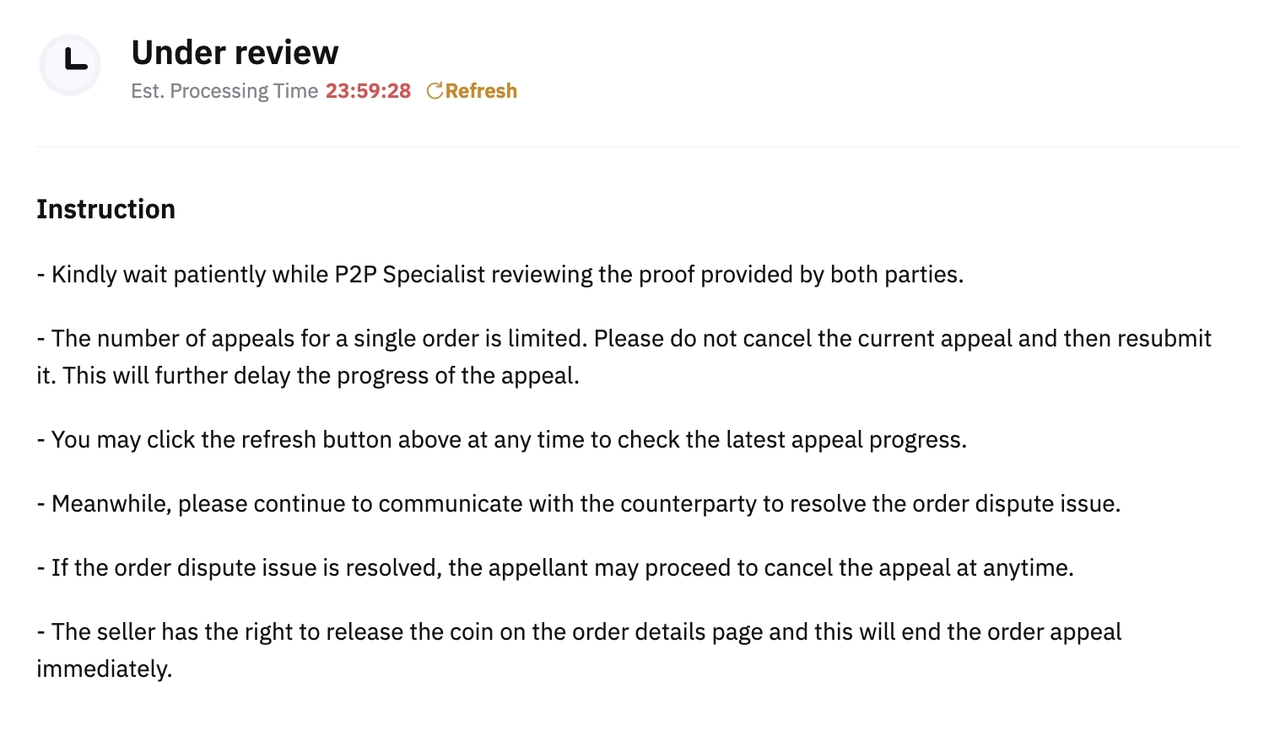
4. Under Review
Please wait patiently as the P2P Specialist will review the proof provided and assist you further before the countdown timer ends.
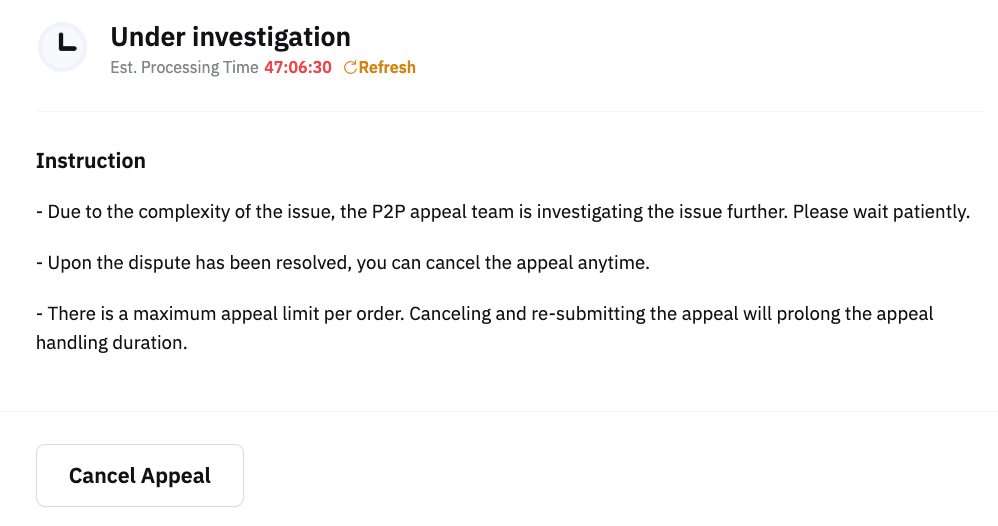
5. Under Investigation
Some cases can be complex and require additional time for thorough investigation. Kindly wait patiently during this process while we work toward a resolution.
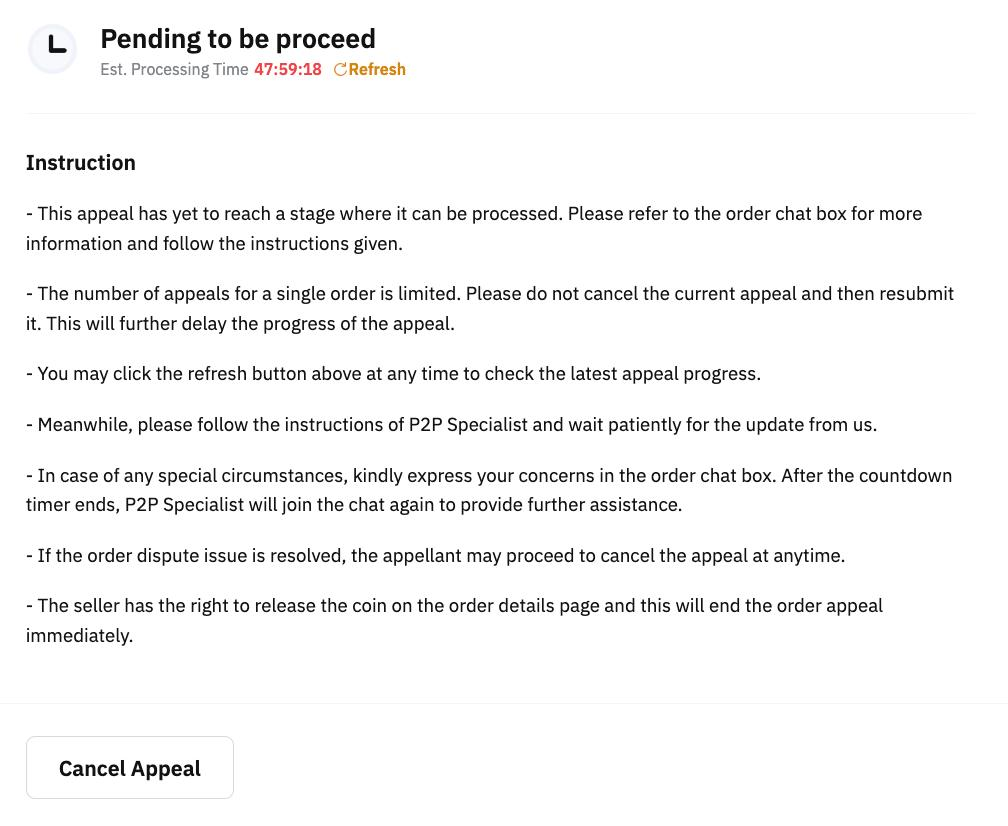
6. Pending to Be Processed
Your appeal has not reached the stage for further processing yet. A P2P Specialist will join the chat once the countdown timer ends. Please wait patiently for updates and follow the instructions provided by the P2P Specialist.
7. Payment Refund Action
A. Providing refund details
You are requested to provide the refund details that align with the previous payer's details by clicking on Upload Proof within the given timeframe.
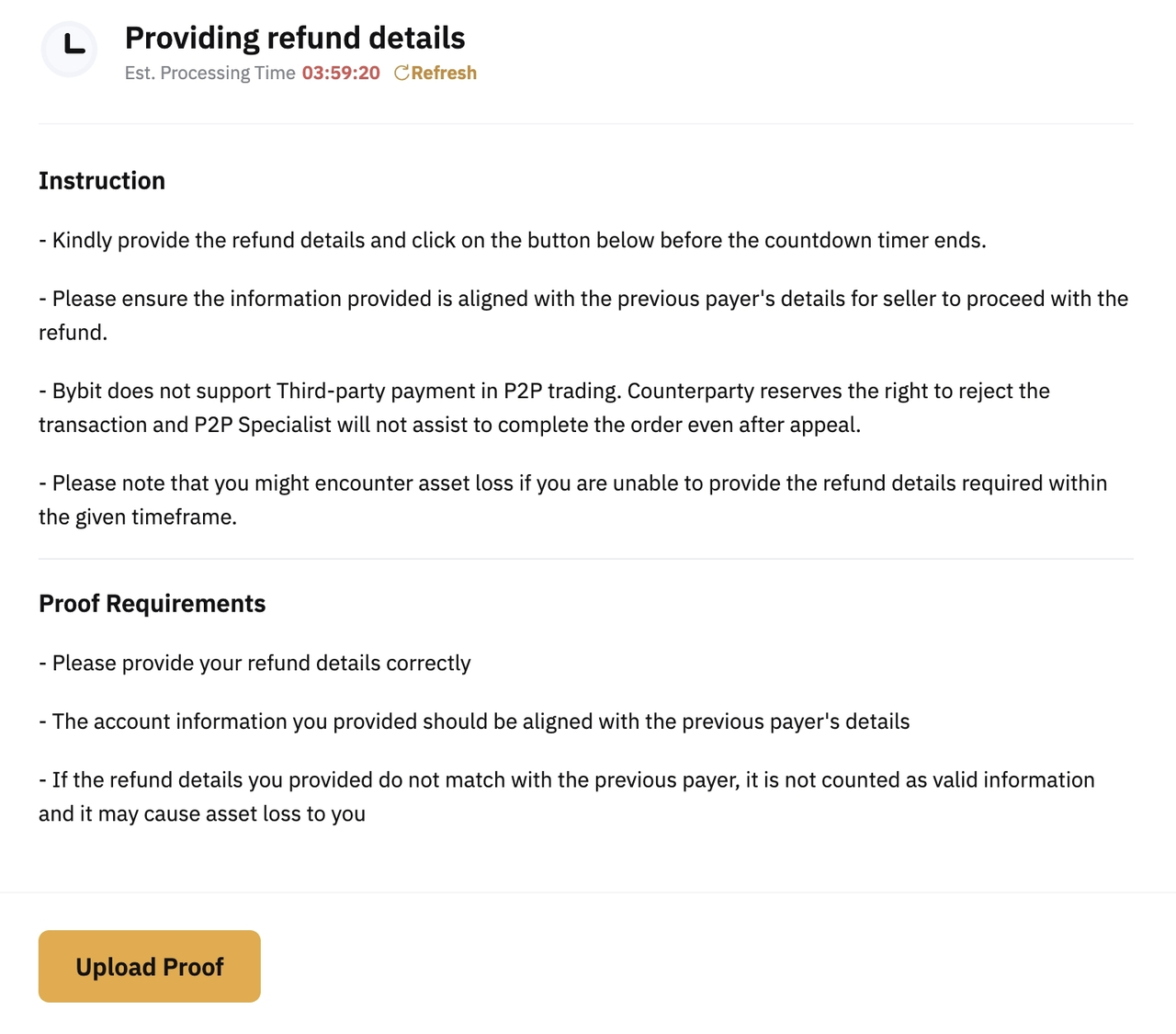
Note: Failure to provide the refund details or not providing matching refund details with the previous payer within the timeframe might cause you to encounter asset loss.
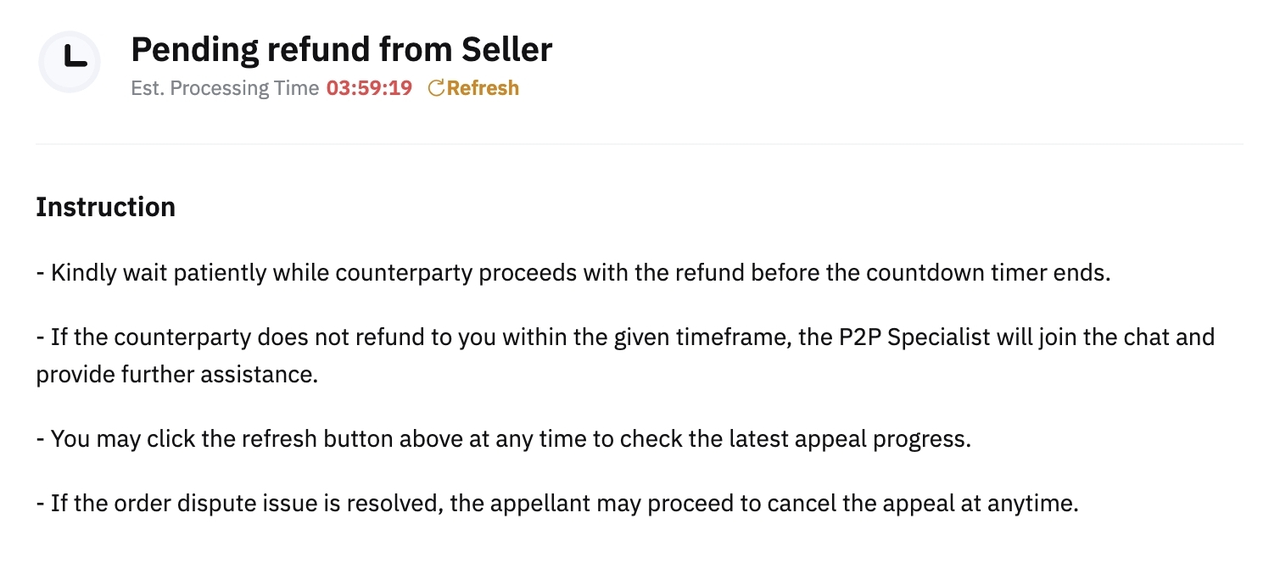
B. Pending refund from Seller
Please wait for the counterparty to proceed with the refund within the given timeframe. No action needs to be taken at this stage.
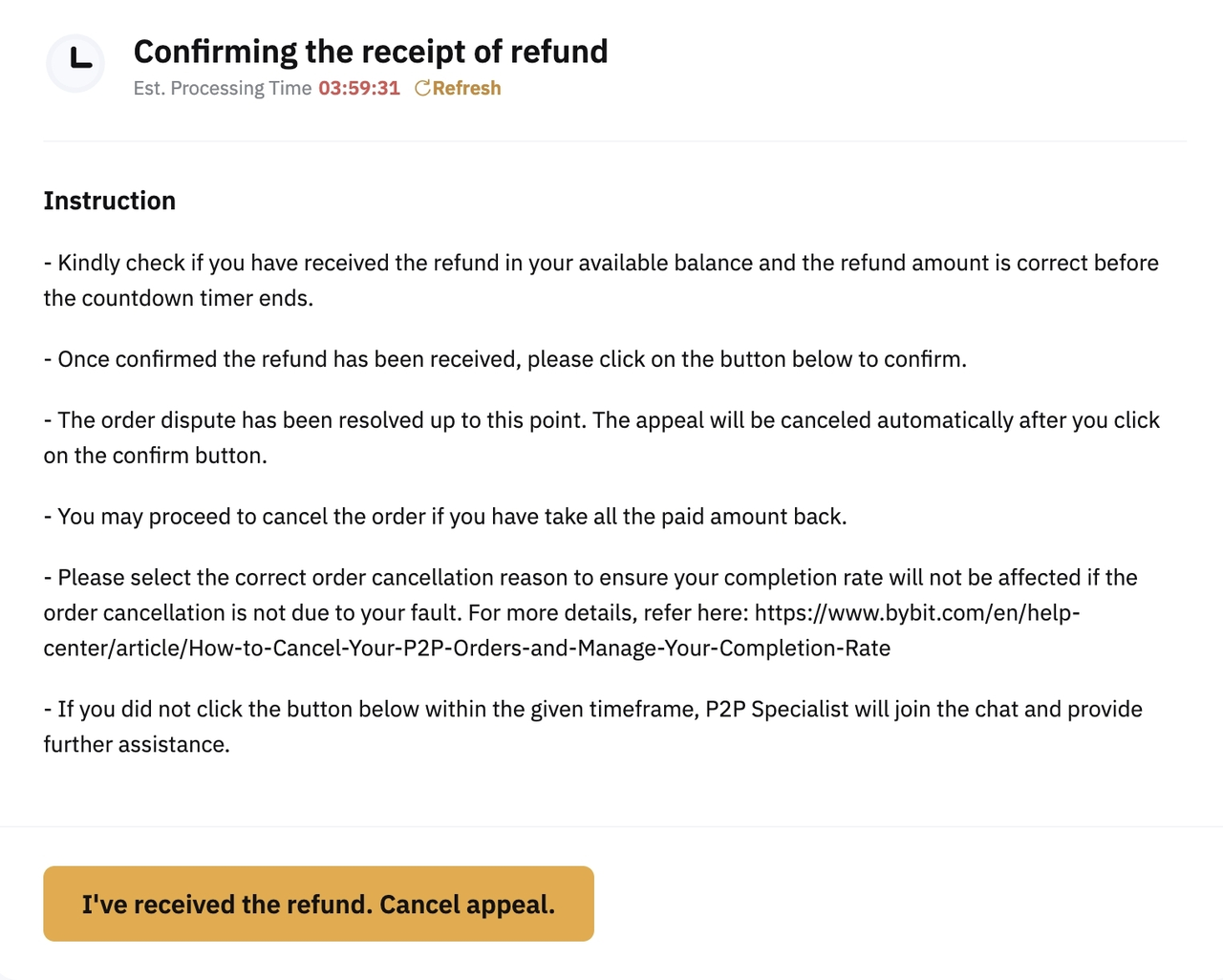
C. Confirming the receipt of refund
Once the seller uploads the refund proof, the status will change to Confirming the receipt of refund. Kindly check your bank account to see if you received the correct refund amount. If yes, please click on I've received the refund. Cancel appeal. Then, proceed with CANCEL ORDER after the appeal is canceled and select the correct order cancellation reason.
DO NOT click on the button if you didn't receive the refund payment. The P2P Specialist will join the chat again and provide further assistance after the countdown timer ends.
8. Additional Proof Required
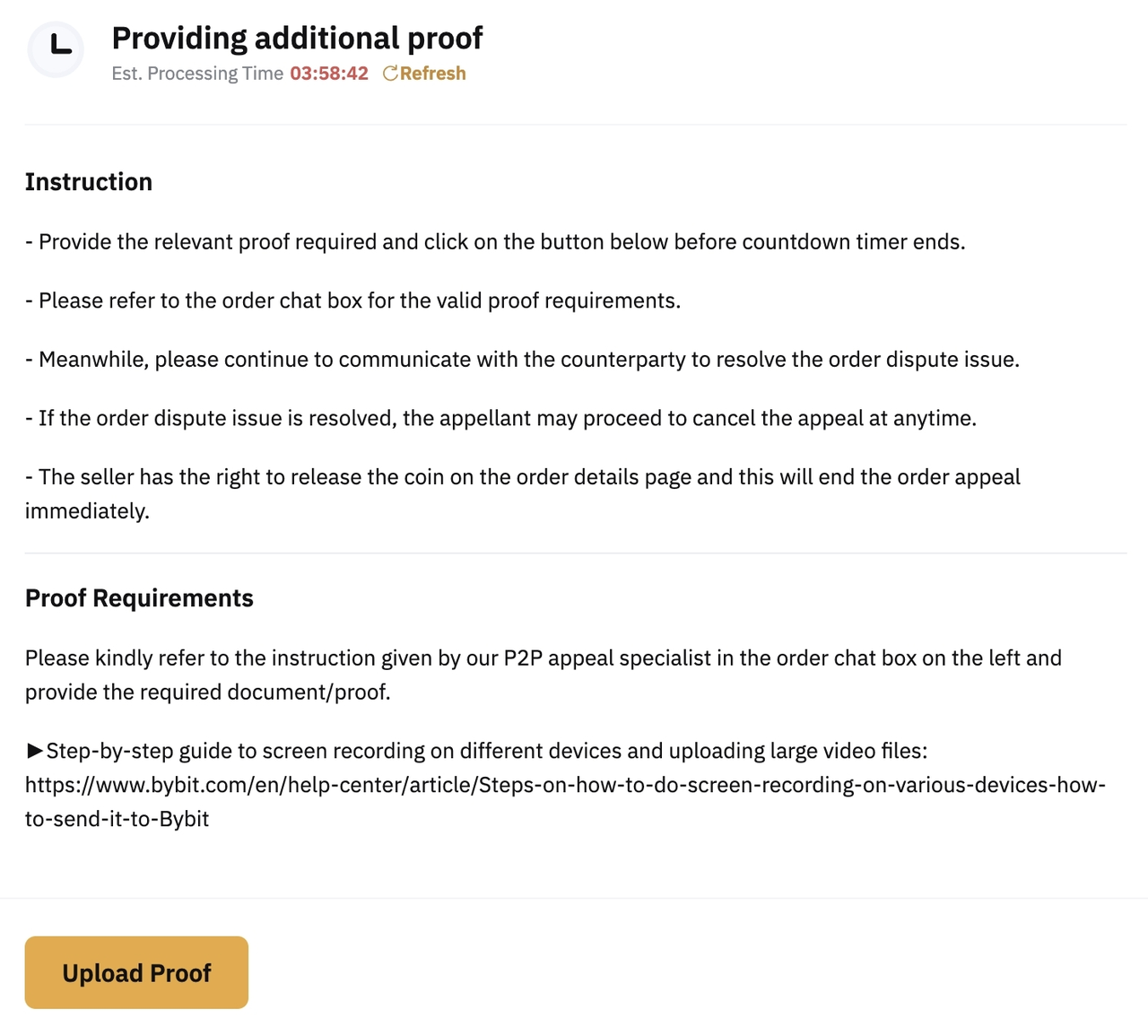
A. Providing additional proof
If you are requested to provide additional proof, follow the instructions given by the P2P Specialist in the order chat box. Please click on Upload Proof to upload the proof required.
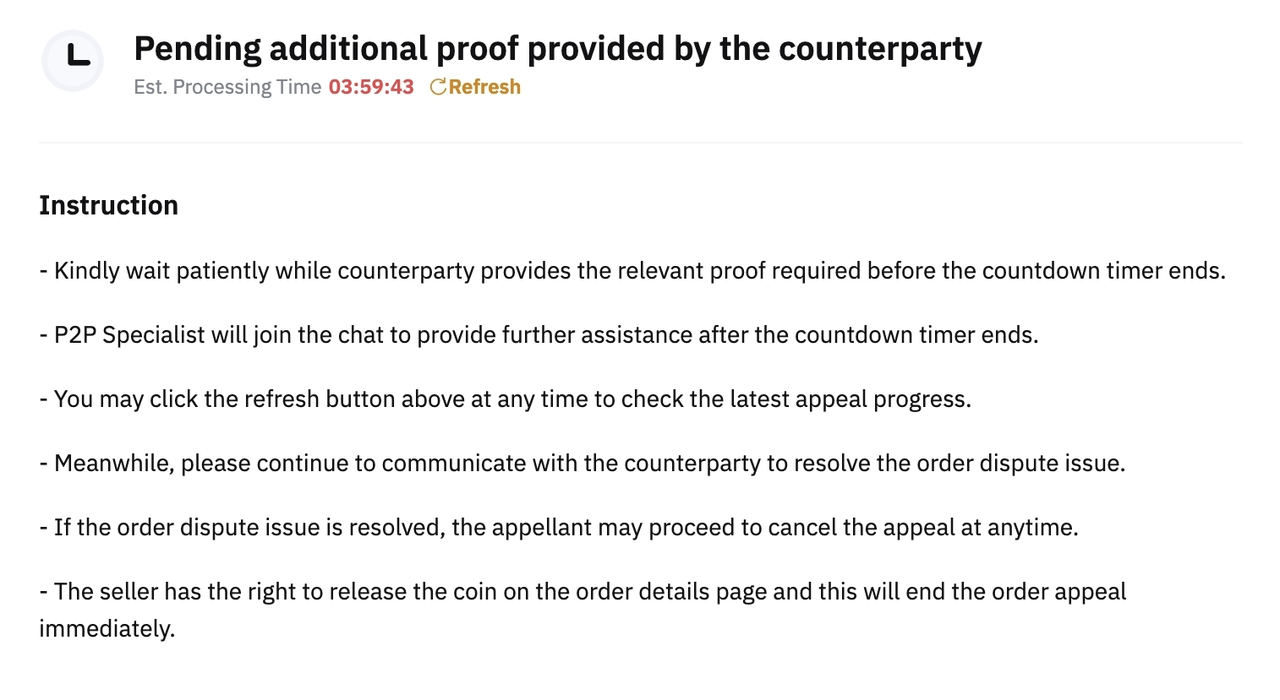
B. Pending additional proof provided by the counterparty
Please wait patiently while the counterparty is providing the requested proof. No action needs to be taken at this stage.
9. Request for Payment Top Up
A. Upload proof of the second payment
Please top up the remaining balance and upload the payment proof by clicking on Upload Proof once it is done.
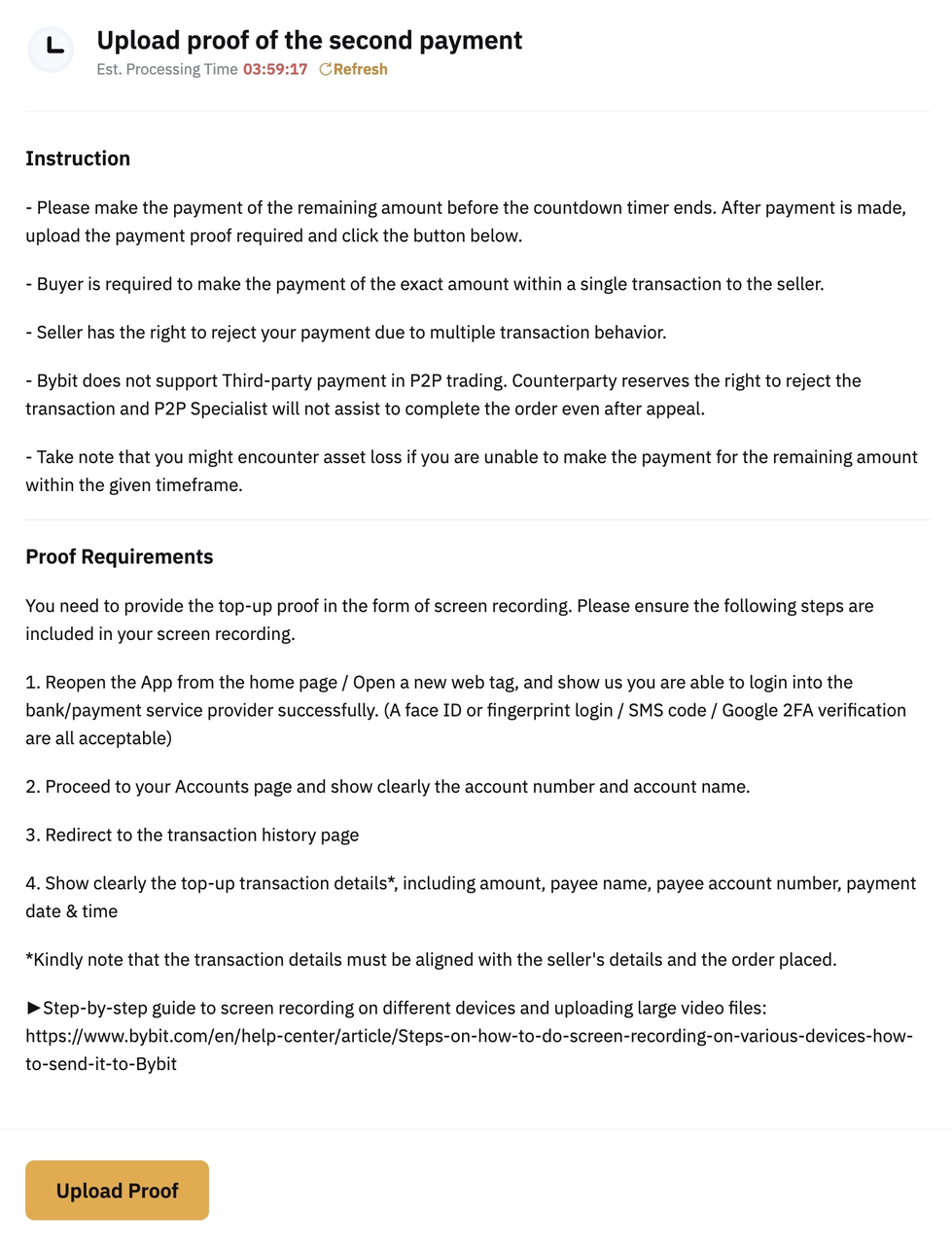
Note: Failure to top up the remaining balance within the given timeframe might cause you to encounter asset loss.
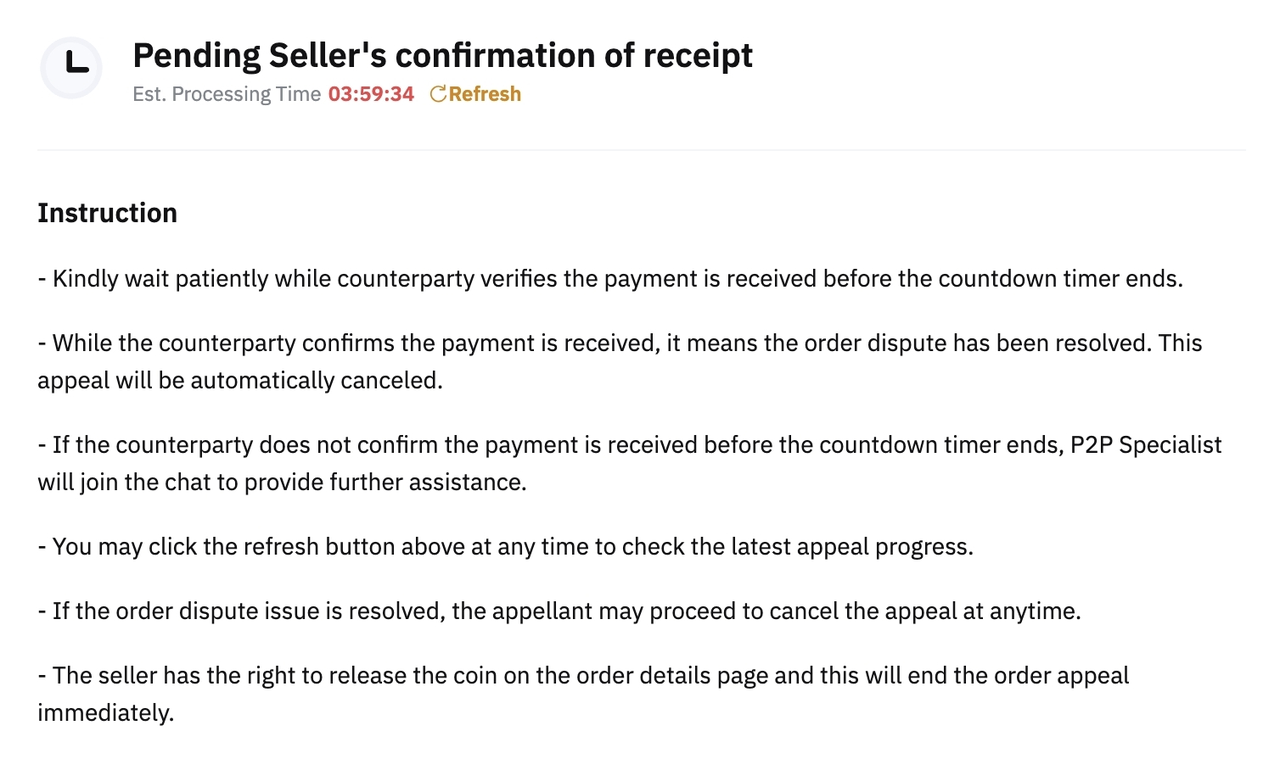
B. Pending Seller's confirmation of receipt
Please wait patiently while the seller checks and verifies your payment. No action needs to be taken at this stage.
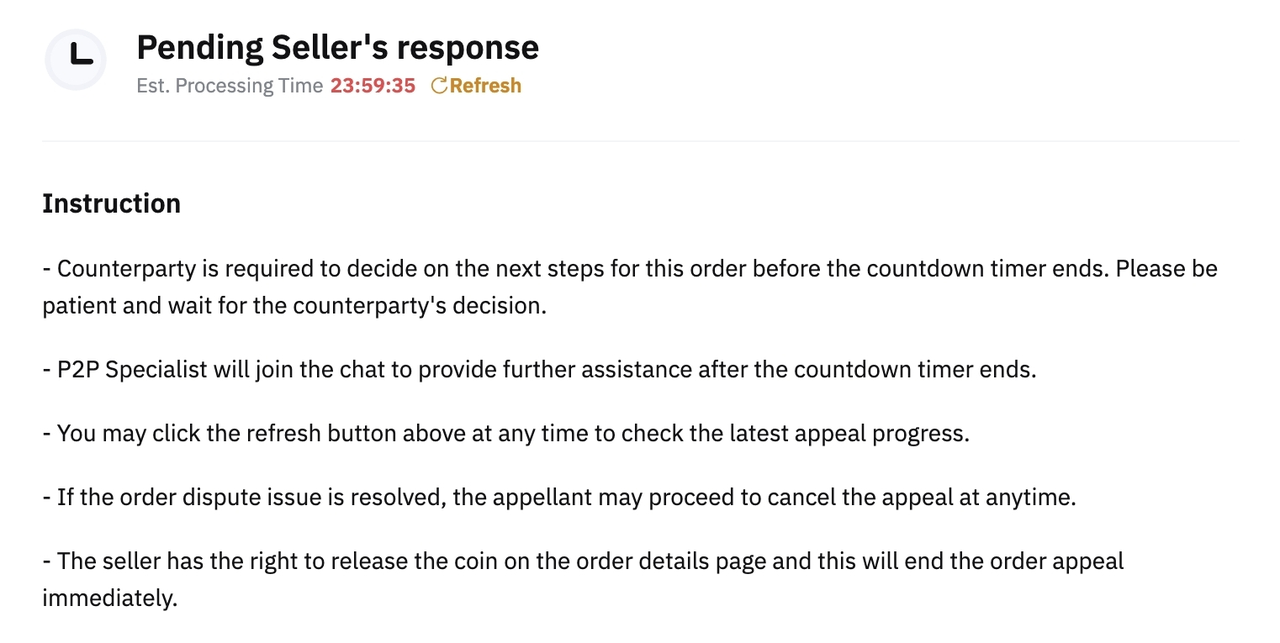
10. Pending Seller's Response
The seller is requested to update his/her decision to the P2P Specialist. Please wait patiently as the P2P Specialist will provide further assistance after the countdown timer ends.
11. Pending Your Response
Please check the instructions and action required. You are requested to verify the situation and proceed with one of the following options to resolve the appeal. Kindly click on the specified option that matches your situation and upload the proof accordingly.
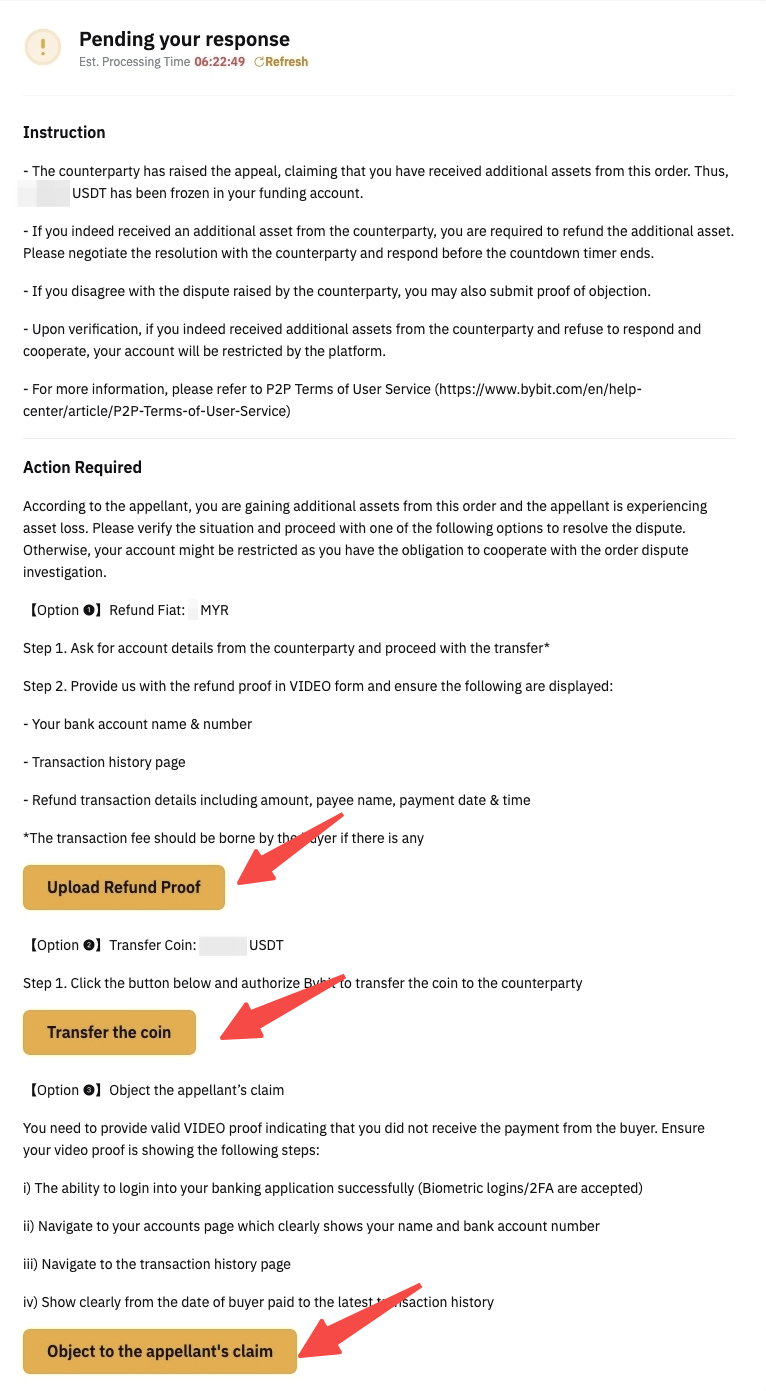
Note: Failure to respond within the given timeframe might lead to asset loss.
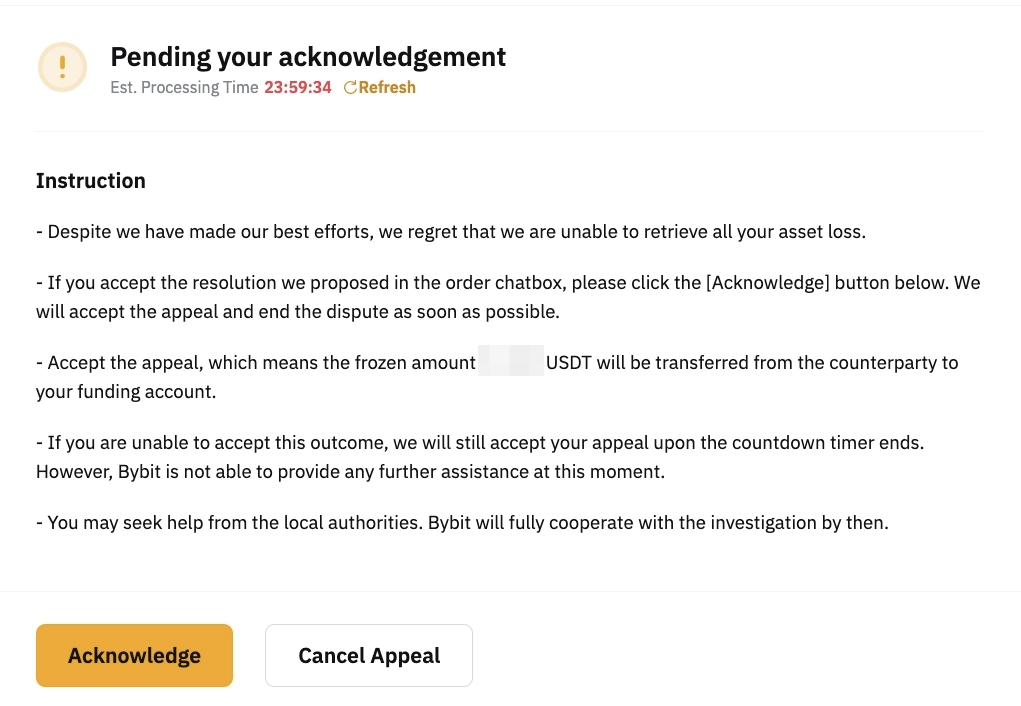
12. Pending Your Acknowledgment
You are required to check the resolution that the P2P Specialist proposed in the order chatbox. Please click on the Acknowledge button if you have acknowledged the resolution provided.
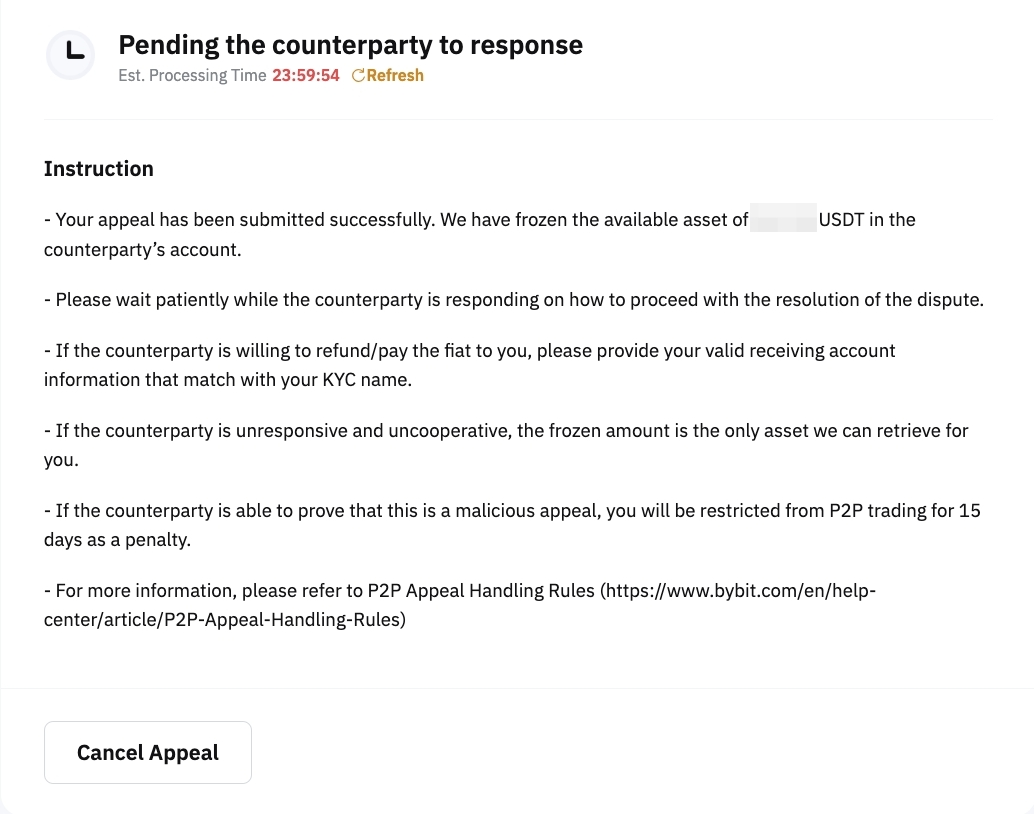
13. Pending the Counterparty’s Response
Please wait patiently while the counterparty is responding. No action needs to be taken at this stage. Remember to always click Refresh to check the latest appeal status.
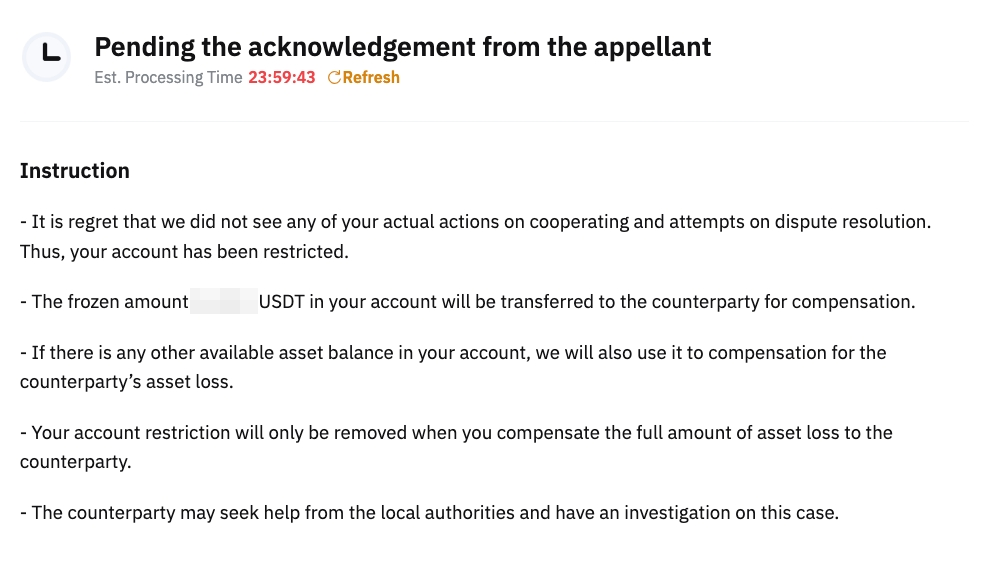
14. Pending the Acknowledgment From the Appellant
Please wait patiently while the counterparty acknowledges the solution given by the P2P Specialist. If you have received the additional asset, proceed with the refund within the given timeframe to avoid account restrictions. Kindly check the order chat box and verify the situation in order to provide a prompt response and resolve the appeal accordingly.
Expedite Appeal Process
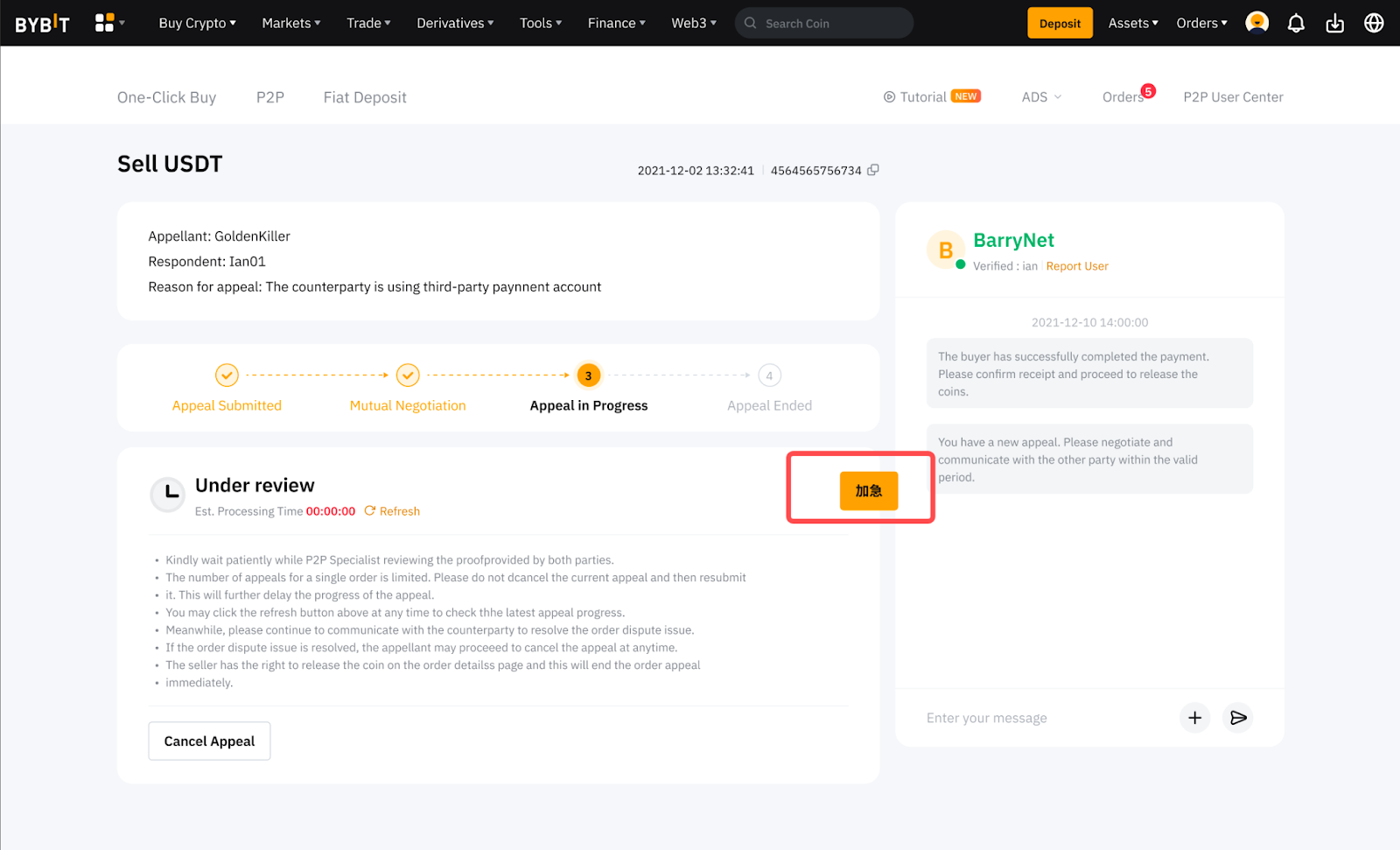
Depending on the appeal status, you may be able to expedite the appeal if the appeal process is taking longer than expected or the case requires urgent attention. This helps accelerate the resolution process and ensure timely case handling.
How to Expedite the Appeal
If the order appeal status is eligible for expedition, you can click the Buzz button on the appeal progress page. A notification or reminder will be sent to the counterparty or the P2P Appeal Team, prompting them to submit the necessary document(s) or provide an update to your case as soon as possible.
Depending on the complexity of your case, the appeal process may take a longer time to be processed because:
-
Counterparty: They might need some time to prepare the additional documents/proof requested by the P2P Appeal Team.
-
P2P Appeal Team: If the disputed issue is complicated and further investigation is required, your case will be escalated to the relevant team for further review.
To read more about the reasons for delayed appeal resolution, please refer to this article.