
During P2P transactions, some users might overlook their order placement or not recognize scams, leading to order discrepancies. Before starting an appeal, users are encouraged to utilize the Order Chat Box to communicate with their counterparty. If the issue persists, please submit an appeal to receive help from our P2P Specialist and Risk team by following the guide below.
Disclaimers
In accordance with Bybit Kazakhstan Terms and Conditions, every user is required to acknowledge the following:
- No 100% Guarantee: There is no assurance that the appeal service can recover potential asset losses. The best way to safeguard assets is by following trading instructions precisely and promptly. Bybit Kazakhstan will not be responsible for any losses in assets resulting from a user's failure to adhere to instructions or provide the proofs to Bybit Kazakhstan within the specified timeframe.
- No trading via private channels: Bybit Kazakhstan will not be responsible for any losses in assets resulting from any trades made privately outside of Bybit Kazakhstan’s P2P Trading platform. All P2P transactions should be conducted through Bybit Kazakhstan’s P2P Trading platform, and neither Bybit Kazakhstan nor merchants will conduct transactions with users privately.
- Appeal Resolution: The platform is not obligated to provide appeal resolution in your favor. It offers a mediation solution in good will but does not act as an adjudicator. Users are exempt from liabilities arising from mediation solutions.
- Consequences of Malicious Appeals: Malicious appeals can disrupt normal platform operations and result in account suspension.
- Accurate Information: Providing wrong information or false claims may lead to appeal rejection or penalties, including account suspension, function restrictions, or warnings.
- Limitations on Appeals: Appeals for canceled or completed orders can only be submitted within five (5) calendar days after the order is closed.
- Appeal Frequency: An ongoing P2P order can be appealed up to 2 times ,while a canceled or completed order can be appealed up to 3 times after cancellation or completion. No further appeal can be submitted after the P2P Appeal Team makes the final decision. A user can submit up to 10 canceled or completed order appeals and up to 4 ongoing order appeals per day.
The appeal process will differ based on your Order Status. Please refer to the chart below to understand the steps required for your appeal and additional information to efficiently solve your case.
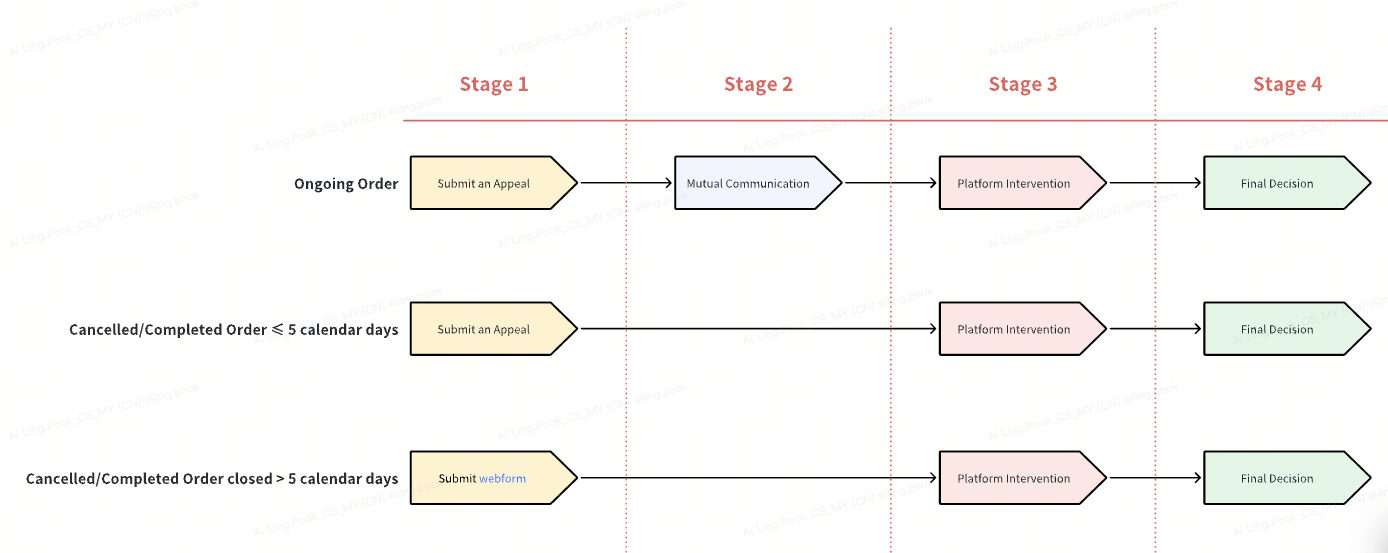
- Understand your Order Status
- Stage 1: Submit a P2P Appeal
- Normal Track AppealStage 2: Mutual Communication
- Stage 3: Request Platform Intervention
- Stage 4: Final Decision
- Fast Track AppealStage 2: Judgment Outcome
- Stage 3: Platform Intervention
- Stage 4: Final Decision
Understand your Order Status
Before submitting a P2P appeal, it is essential to understand the P2P order status to determine the appropriate type of appeal. Here’s how to find your order status:
Click on Buy Crypto → P2P Trading → Orders. You will see the order is either In Progress, Canceled, or Completed.
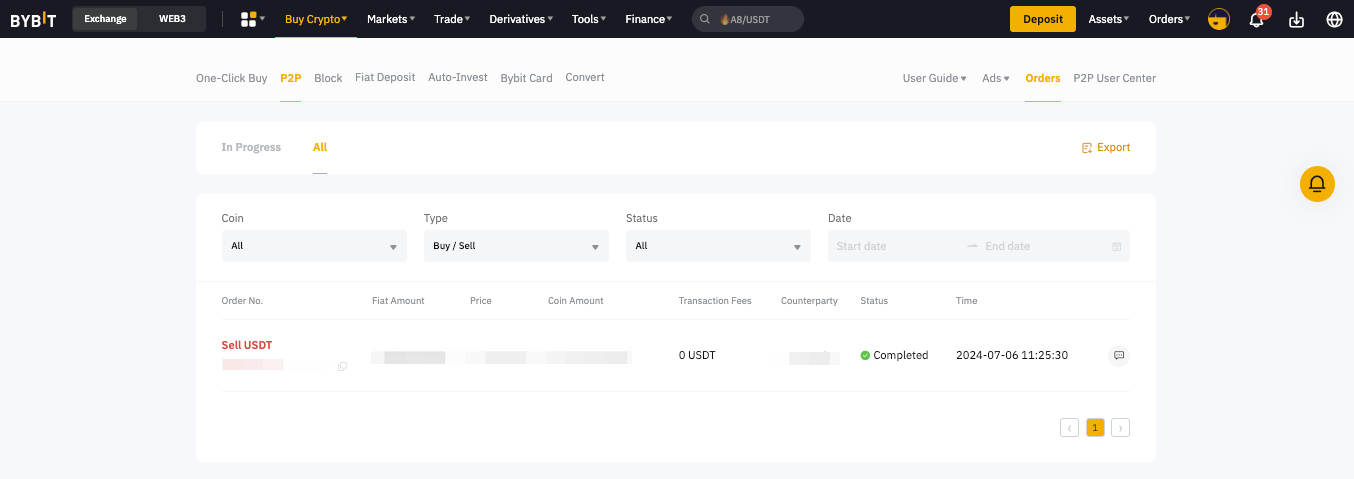
If your P2P order is In Progress or if it is Canceled or Completed within 5 calendar days, you can continue with the following steps to submit your appeal.
If your P2P order status is Canceled or Completed and was closed for more than 5 calendar days, you will not be able to submit an appeal. In that case, please send a request via our webform to reach our Customer Support team for assistance.
Stage 1: Submit a P2P Appeal
Step 1: To submit an appeal, please go to the P2P Orders page and select the respective order.
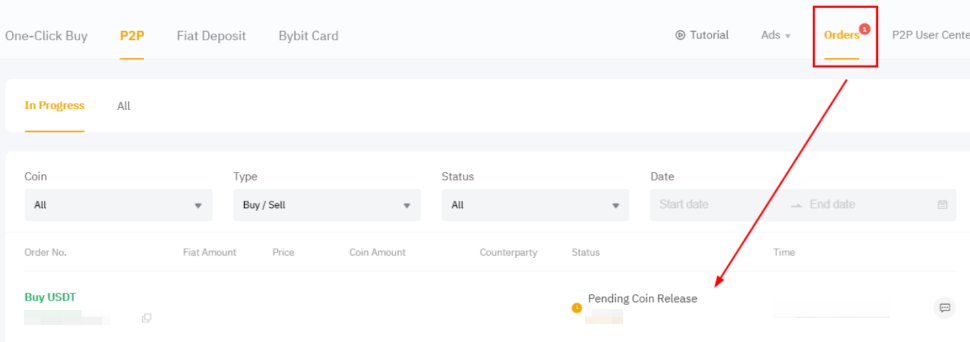
Step 2: Click on Order Dispute? Then, select the reason that best corresponds to your case and click on Get Help to receive the guidelines.
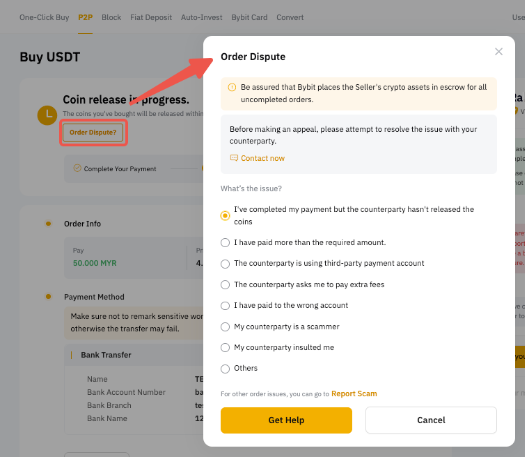
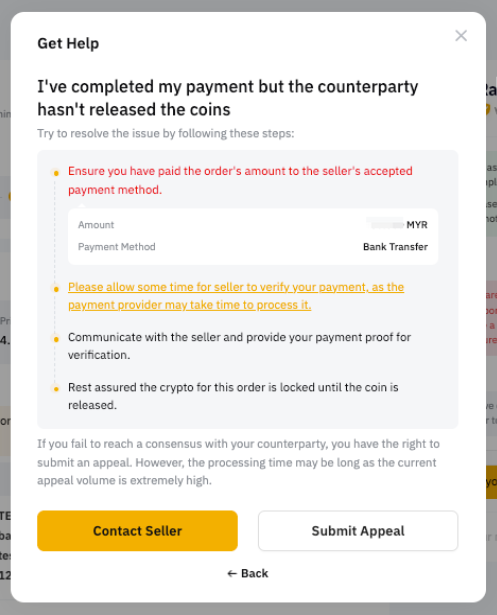
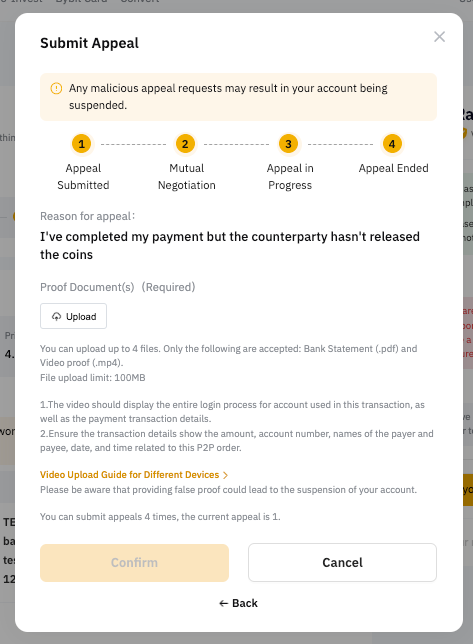
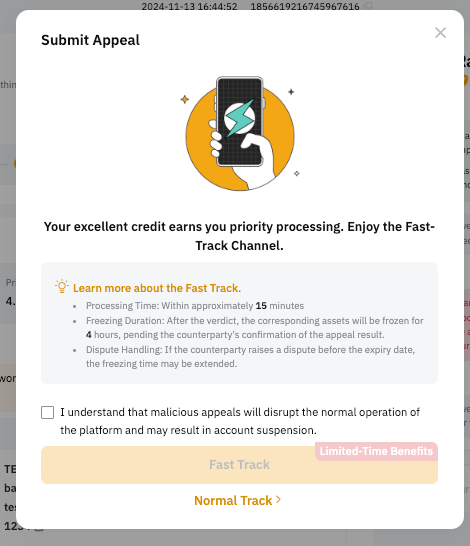
Your appeal request may be eligible for Fast-track processing, in which case, please click on Fast Track to submit your appeal. You can also decide to follow the normal appeal process by clicking on Normal Track.
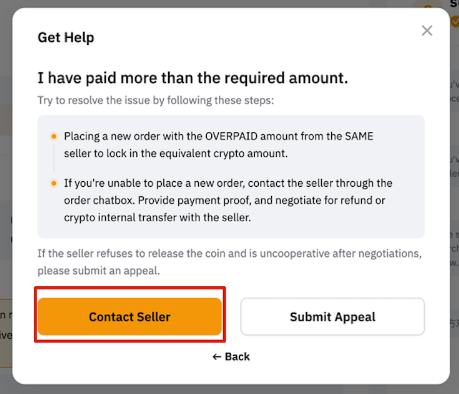
Notes:
- Based on your order status and order type, different reasons will be available for your appeal and the list may differ from the options shown above.
- If the appeal concerns a situation where you have made the payment, but:
- the seller requests to cancel the order, or
- the order is canceled due to time out,
you will be guided to place a new order with the same advertiser for the same amount, provided there is an available advertisement. If not, you will be guided to submit an appeal.
- You can submit up to 10 canceled or completed order appeals and up to 4 ongoing order appeals per day. If both parties agree to cancel the appeal, it will not affect both parties’ appeal cancellation daily limit.
- You can only choose the following appeal reasons for Fast Track Appeal:
- Buyer: I've completed my payment but the counterparty hasn't released the coins yet.
- Seller: I haven't received any payments from the counterparty.
- Fast-Track Appeal is not available for Canceled or Completed Order Appeals.
Normal Track Appeal
Stage 2: Mutual Communication
We encourage users to resolve the issue by communicating with the counterparty in non-scam scenarios. By clicking on Contact Seller/Contact Buyer, you can start communicating with the counterparty through the Order Chat Box on the P2P Orders Page.
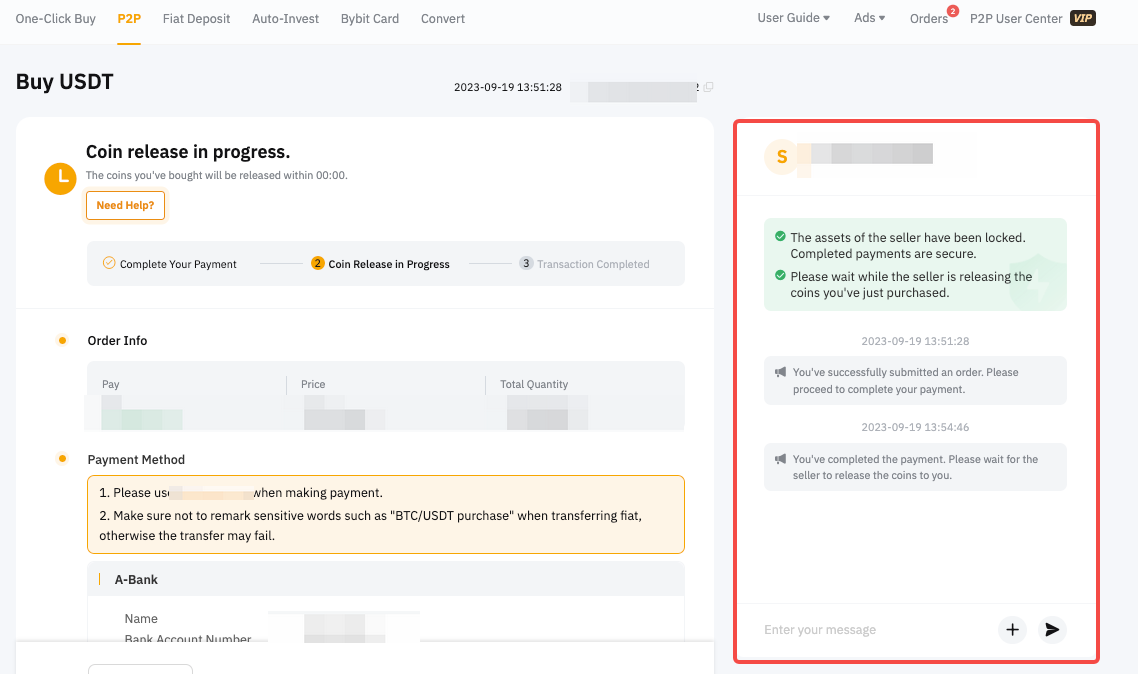
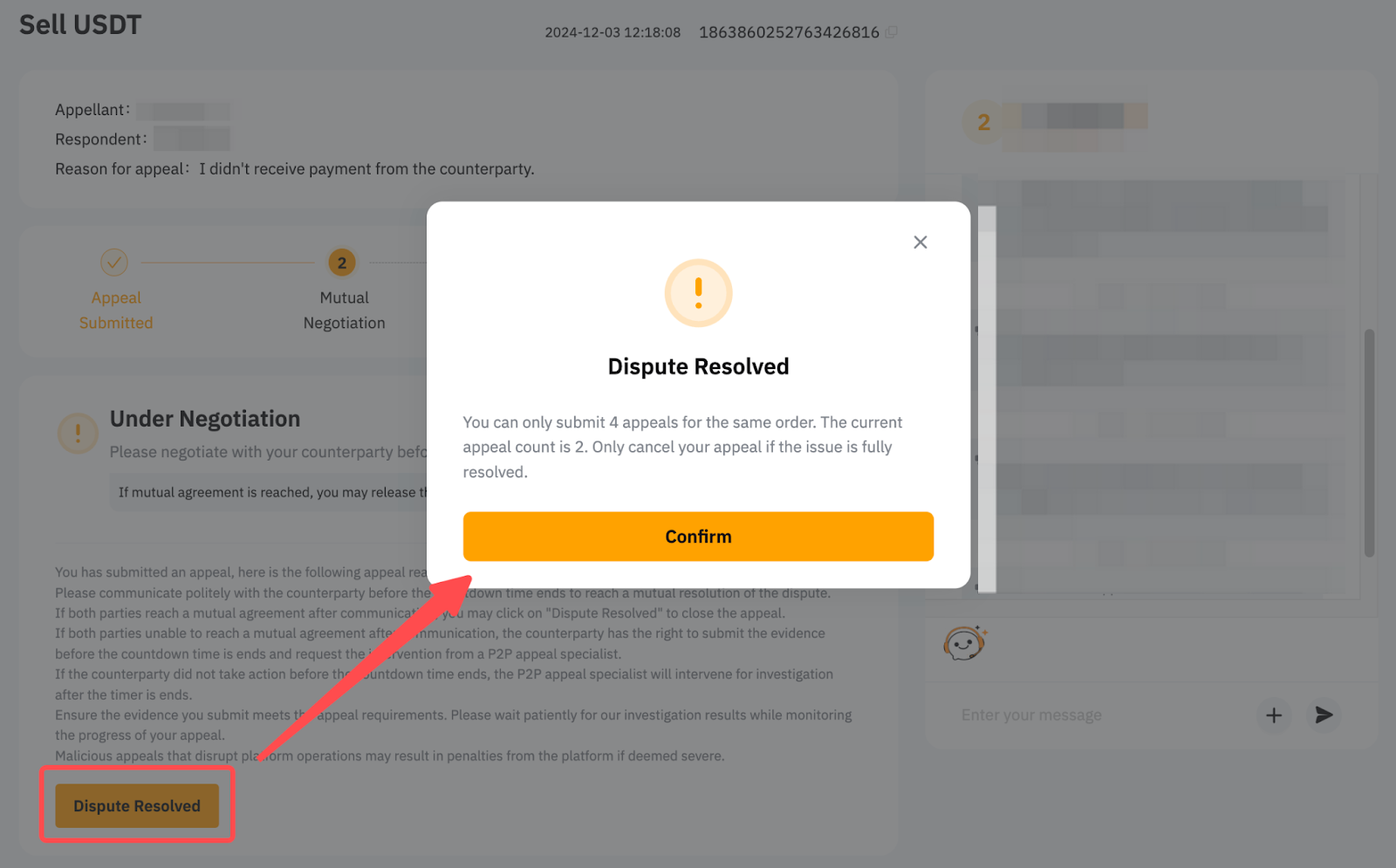
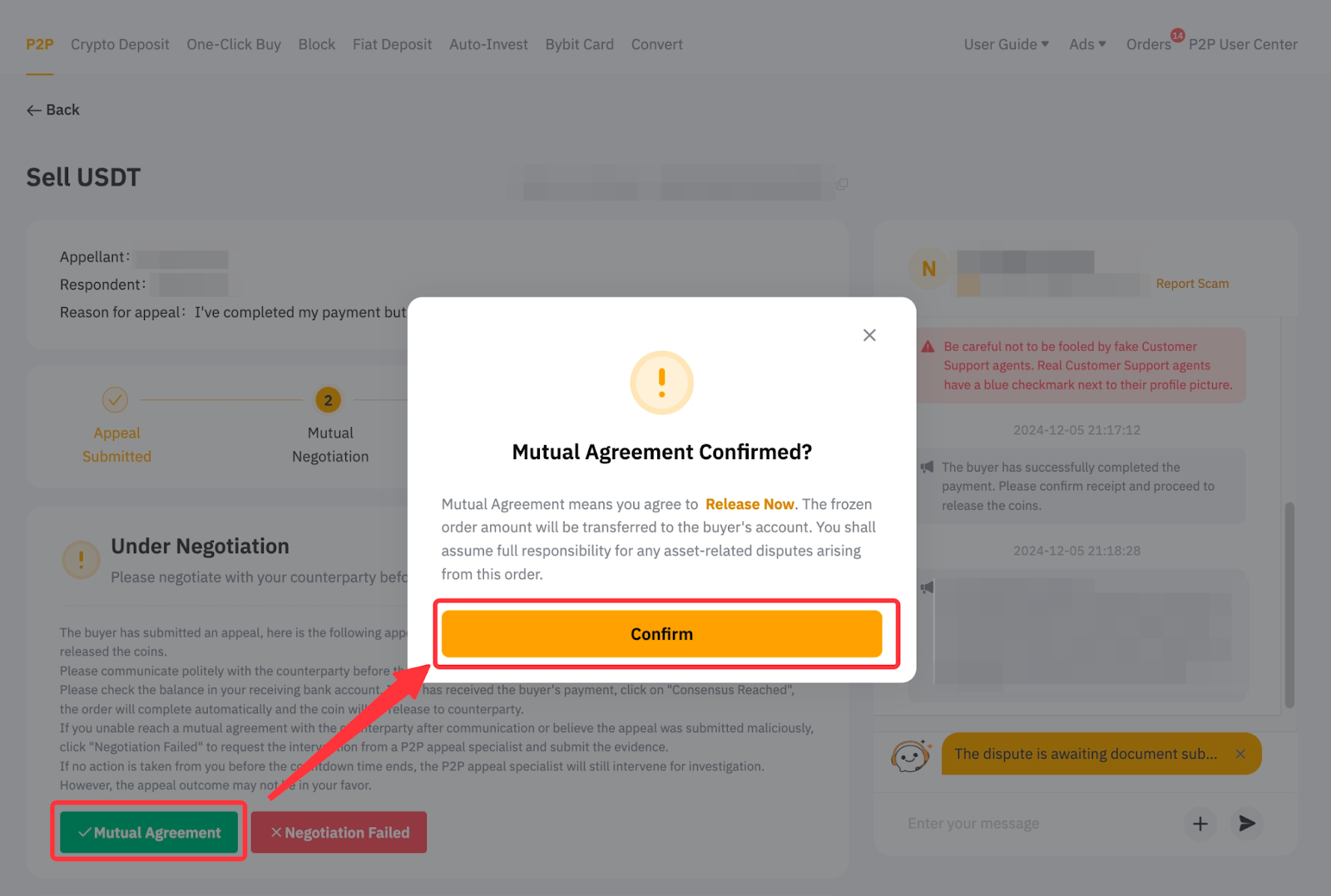
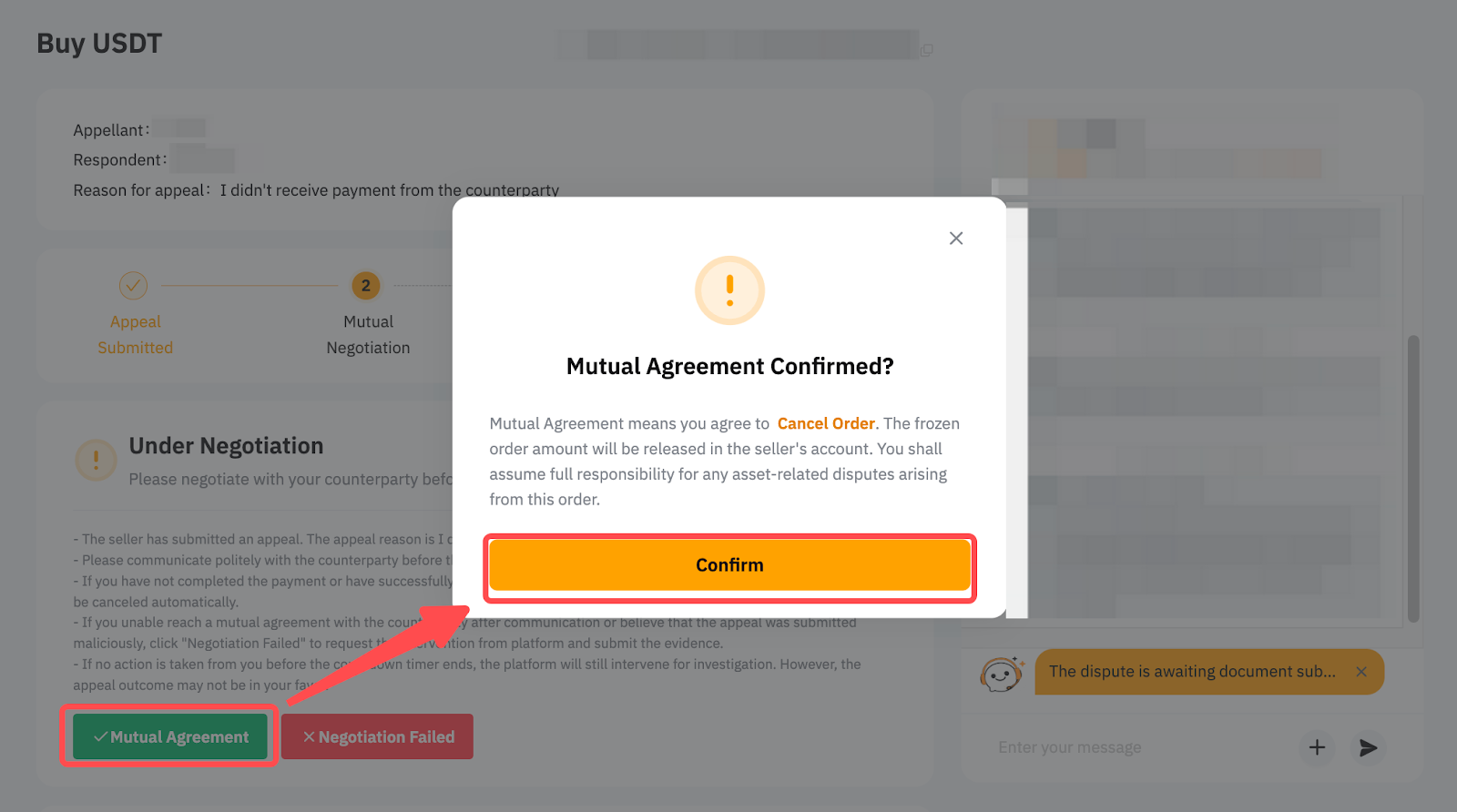
If both parties have come to an agreement:
- The appellant can cancel the appeal by clicking on Dispute Resolved.
- The respondent can cancel or complete the order by clicking on Mutual Agreement.
Note: If the respondent clicks on Mutual Agreement to cancel the order, it will not affect either party's daily appeal cancellation limit.
Appelant | Respondant |
| Seller:
Buyer:
|
If time is up or your issue remains unresolved after communicating with the counterparty, please click on Negotiation Failed and proceed to Stage 3.
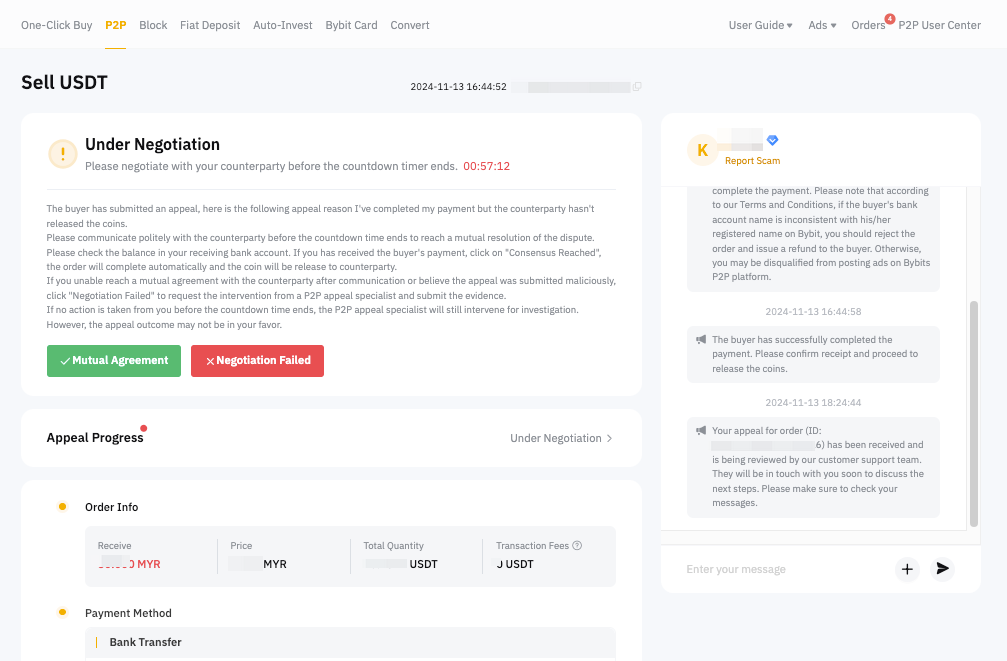
Note: The mutual communication interface will differ for Canceled and Completed Order Appeals.
Stage 3: Platform Intervention
At this stage, our P2P Specialist will assist with your case.
For respondents, if you disagree with the appeal reason, you are required to provide the relevant information and documents as proof, then click on Request Platform Intervention.
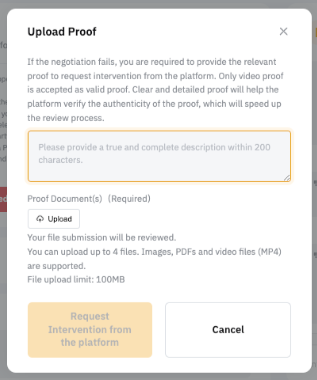
For appellants, if the dispute is not resolved after negotiation or you do not receive a response from the respondent, the P2P Specialist will join the chat and provide further assistance after the countdown timer ends. Please make sure to submit your evidence according to our requirements to ensure a smooth process.
Notes:
- Any claims using wrong/false information may cause the appeal to be rejected or other penalties according to the P2P Terms of User Service.
- Below are the accepted documents and specific requirements to provide a valid proof and facilitate the appeal process:
If you are having trouble uploading the video, you can use Google Drive or WeTransfer and share the link in the description box. For a guide on creating and uploading your screen recording, please refer to this article.
Once your P2P appeal request is submitted, it will be processed by our team. You may check your appeal progress by clicking on Status under the Appeal Progress bar.
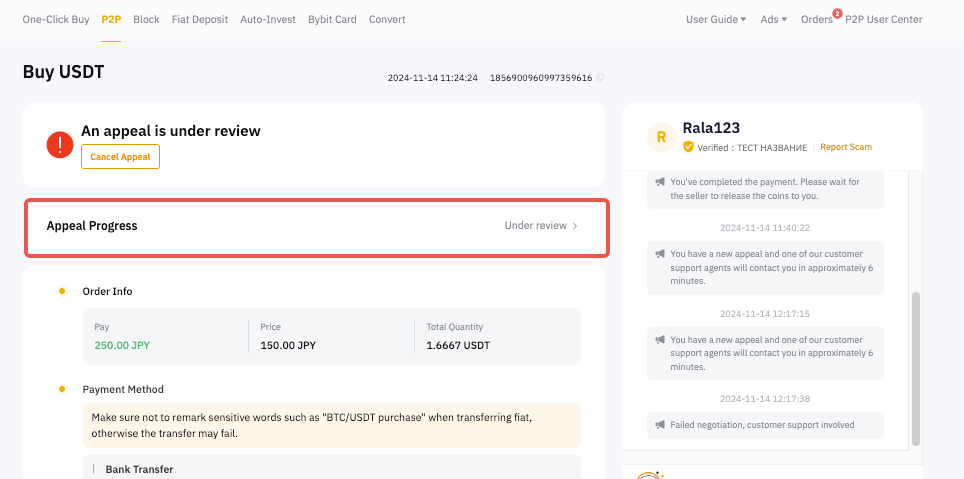
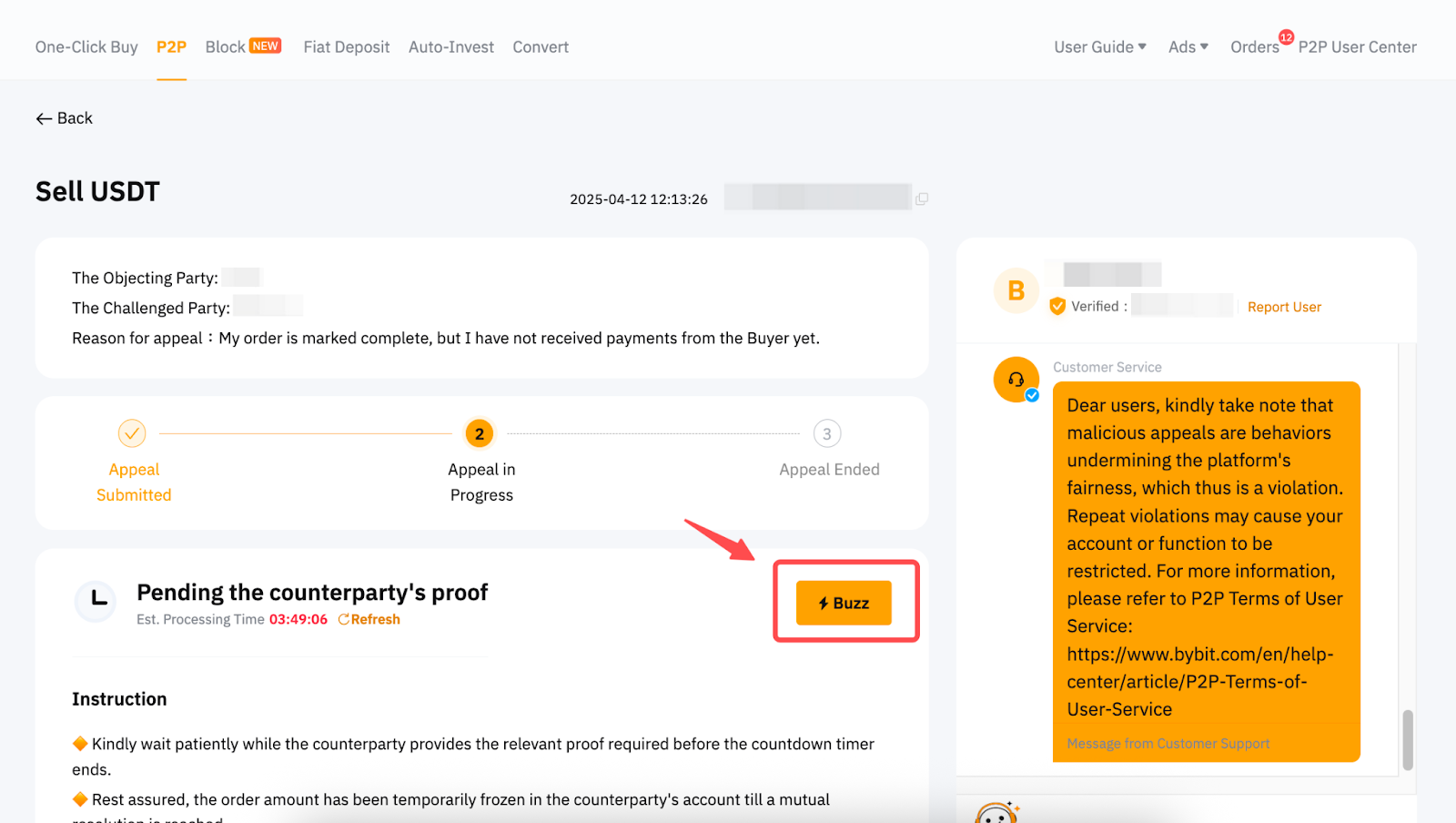
If your appeal is eligible to be expedited, you can click the Buzz button to speed up the process.
You can also view the actions that were made by the appellant, respondent and even P2P specialist in the Appeal History section.
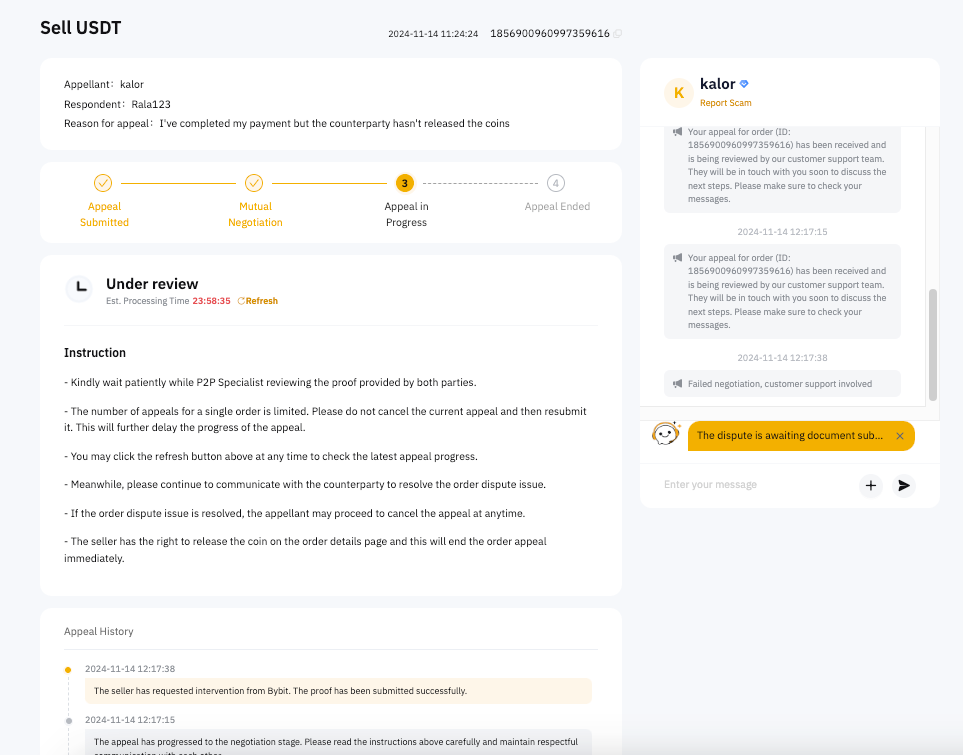
For appeals of P2P orders canceled or completed within 5 days:
A dedicated P2P Risk and Appeals specialist will join the P2P Order Chat Box within the estimated time to assist you further on a first-in, first-out (FIFO) basis once you have successfully submitted your appeal. Please follow their instructions to avoid your appeal being automatically canceled and ensure it is processed smoothly.
Stage 4: Final Decision
Once the decision is finalized, you’ll see the Appeal Status mentioned on the details page.
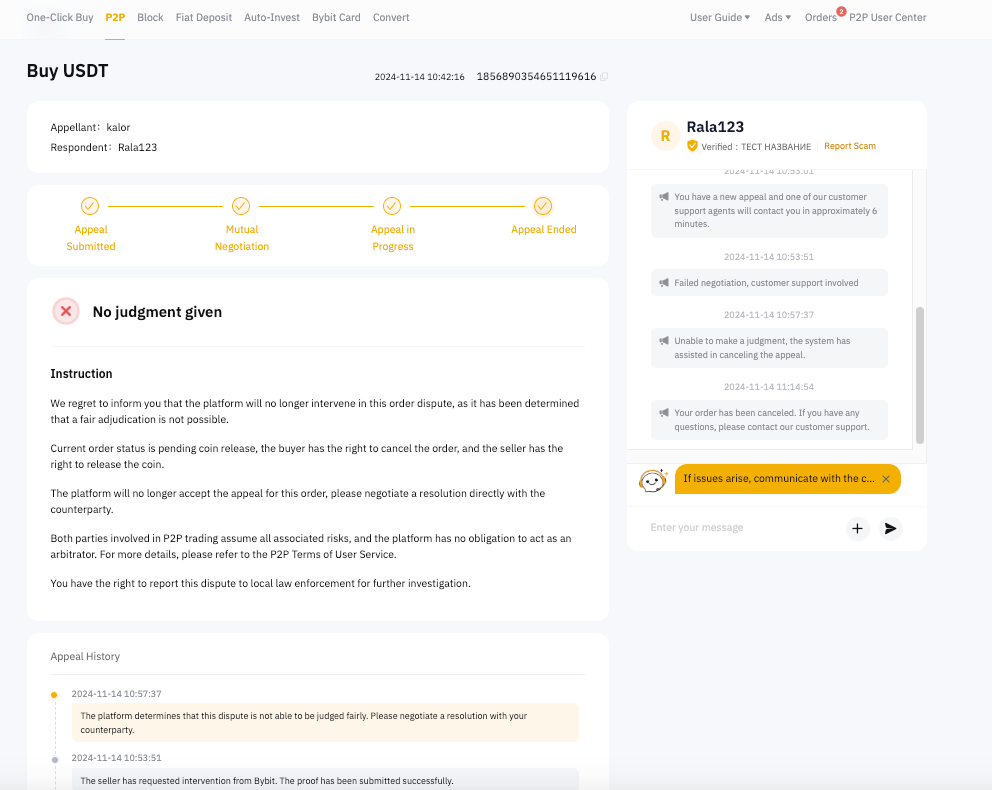
Fast Track Appeal
As mentioned above, you may be eligible for Fast-Track processing. The Fast Track appeal process is different from the Normal Track. You may refer to the process below. Please ensure you provide the relevant information and proof while submitting the appeal.
Stage 2: Judgment Outcome
Judgment will be made within 15 minutes, and the P2P Appeal Specialist will not join the Chat. Please click on Appeal Progress to check the status.
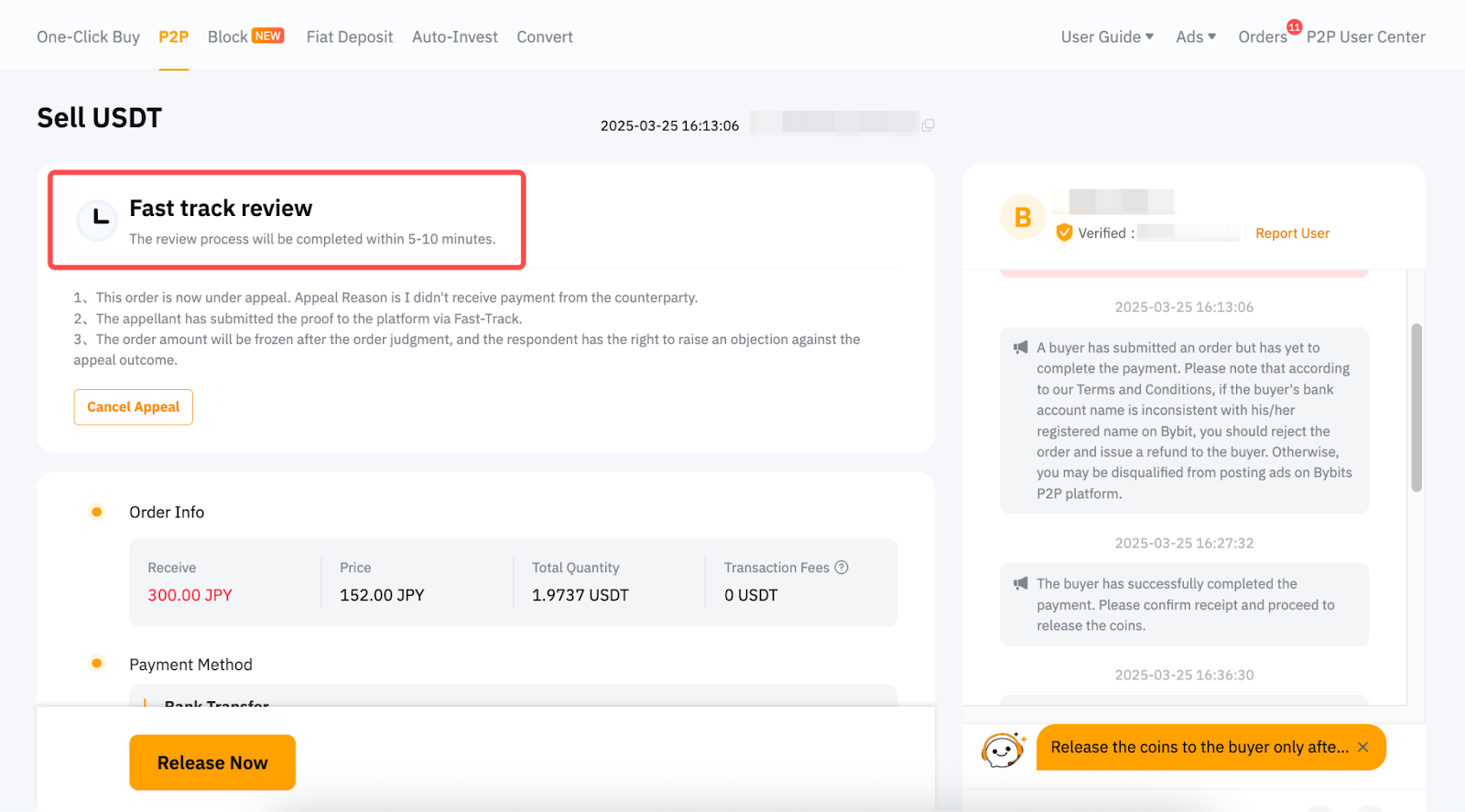
After the judgment, the order amount will be frozen for a corresponding duration based on the trading status of the order after the appeal is completed, for the counterparty to confirm the result. You may check the asset unfreezing time on the order page.
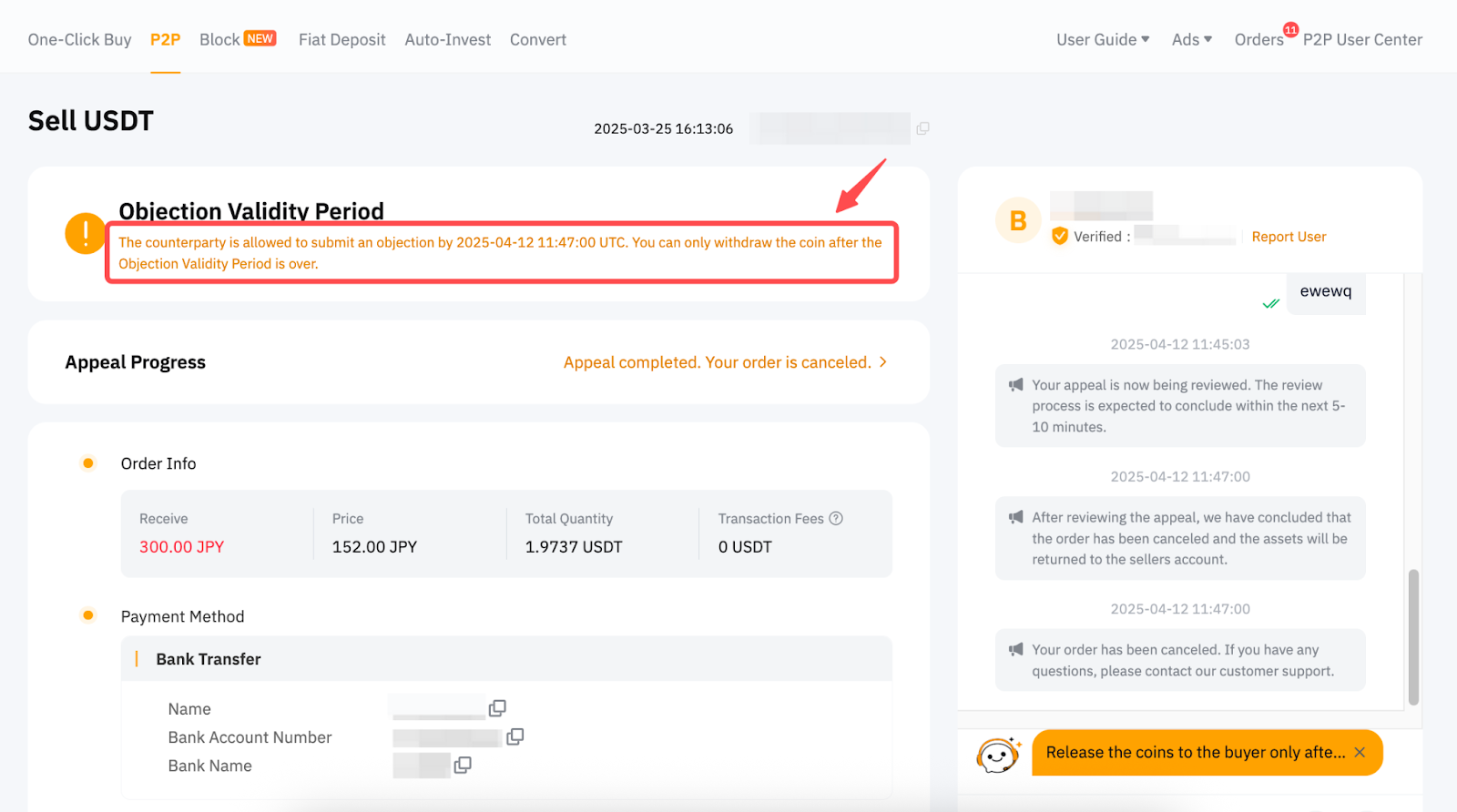
During the frozen period, the counterparty can raise an objection if they disagree with the appeal result.
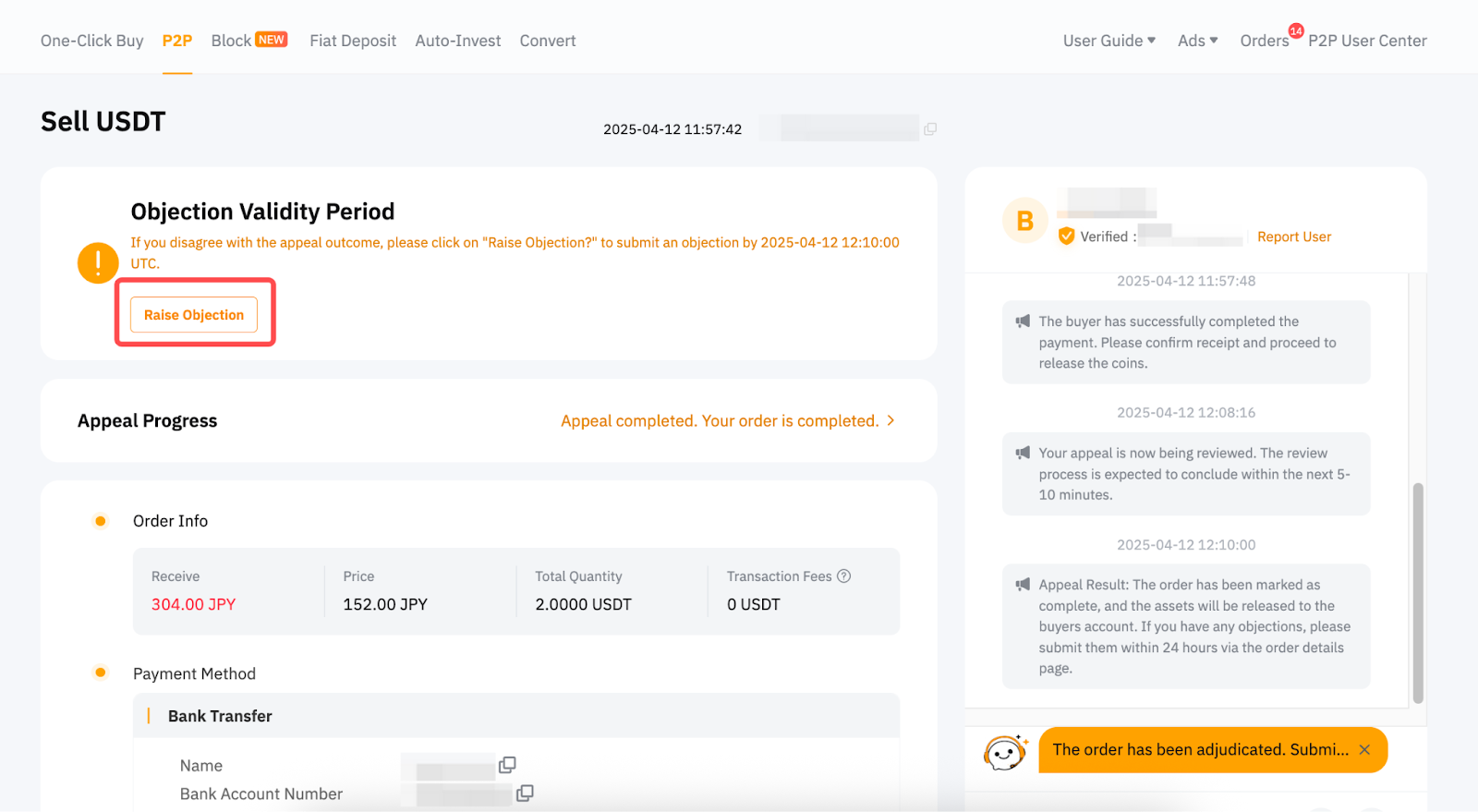
If no objection is raised during the frozen period, the frozen assets will be automatically returned to your account.
If the counterparty raises an objection within the frozen period, our P2P Appeal Specialist will intervene and re-evaluate the disputed issue, as described in Stage 3.
Stage 3: Platform Intervention
When an objection is raised within the frozen period, the P2P Appeal Specialist will join the chat to verify your proof after the countdown timer ends.
You may check the status and processing time on the Appeal Progress page.
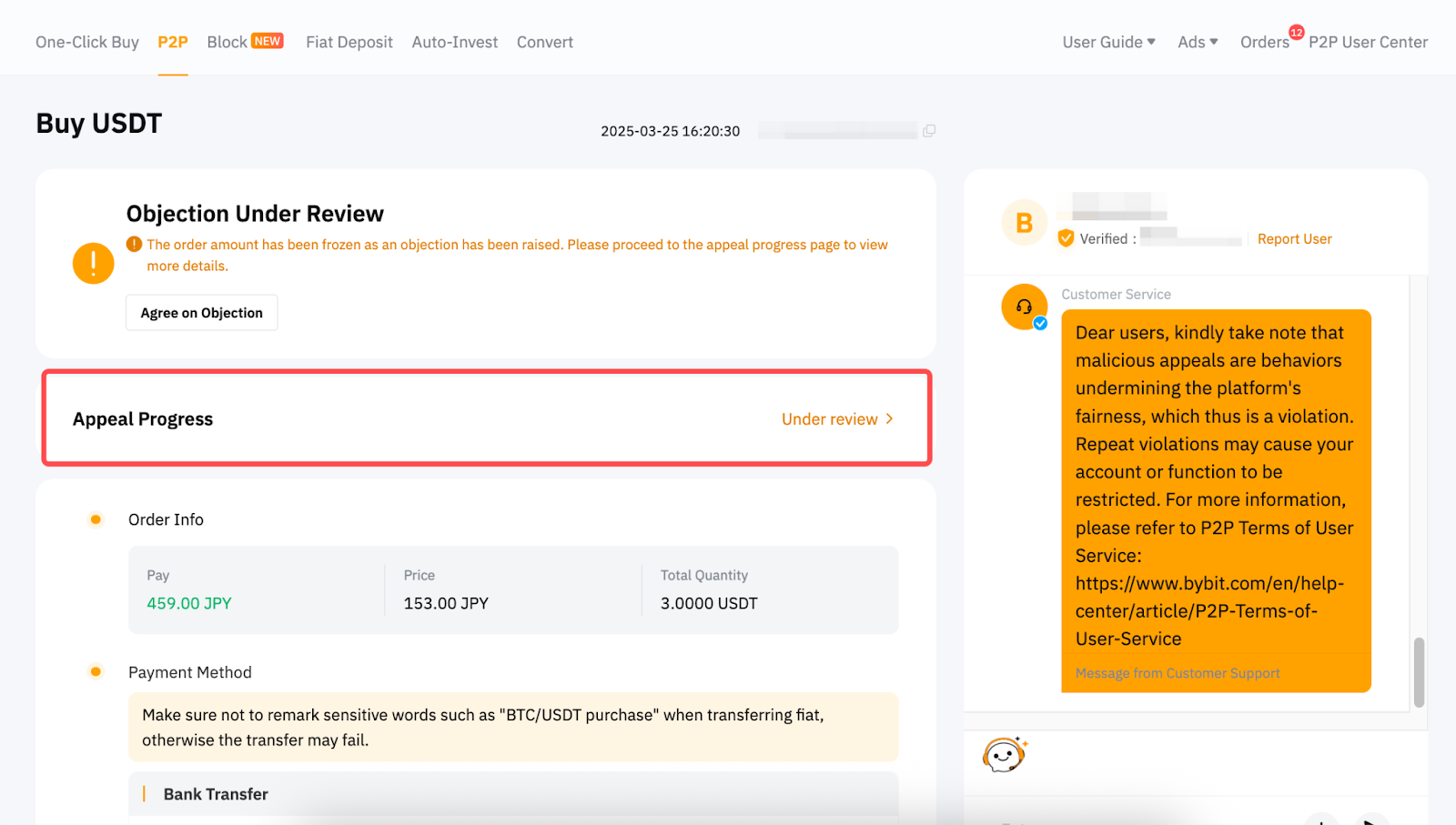
If your appeal is eligible to be expedited, you can click on the Buzz button to speed up the process.
Notes:
The Objecting Party | The Challenged Party |
|
|
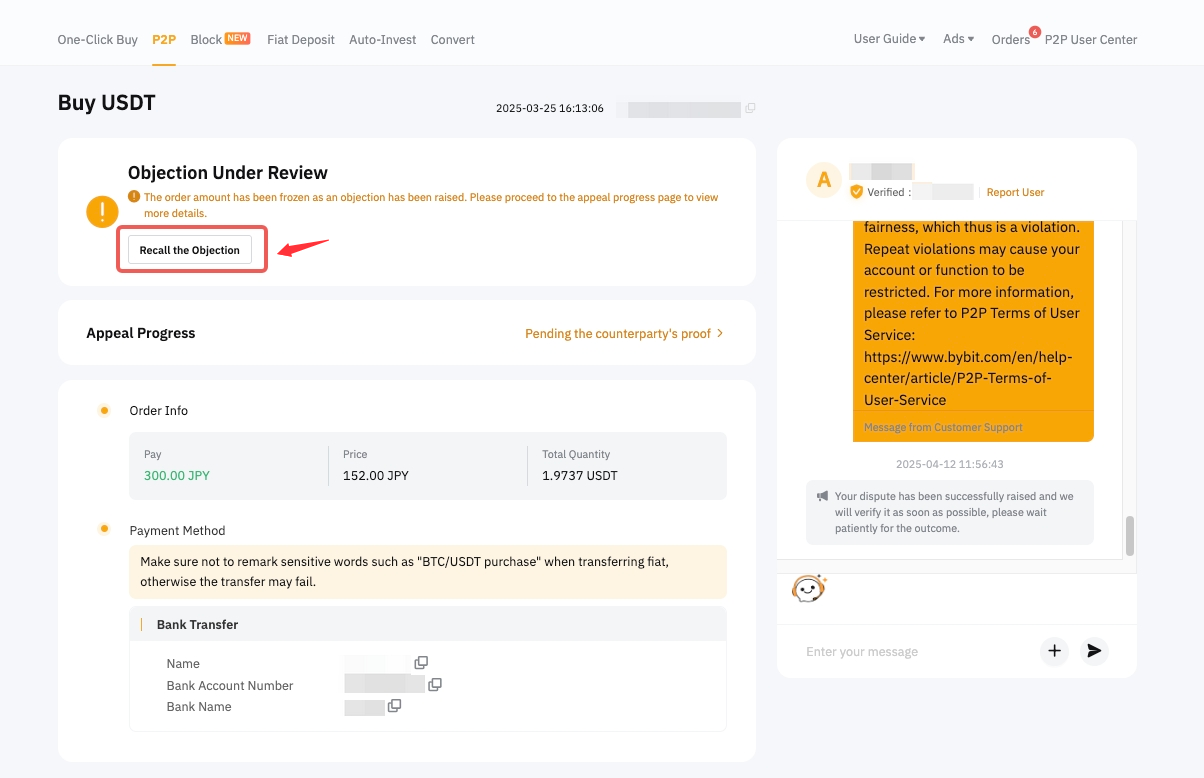
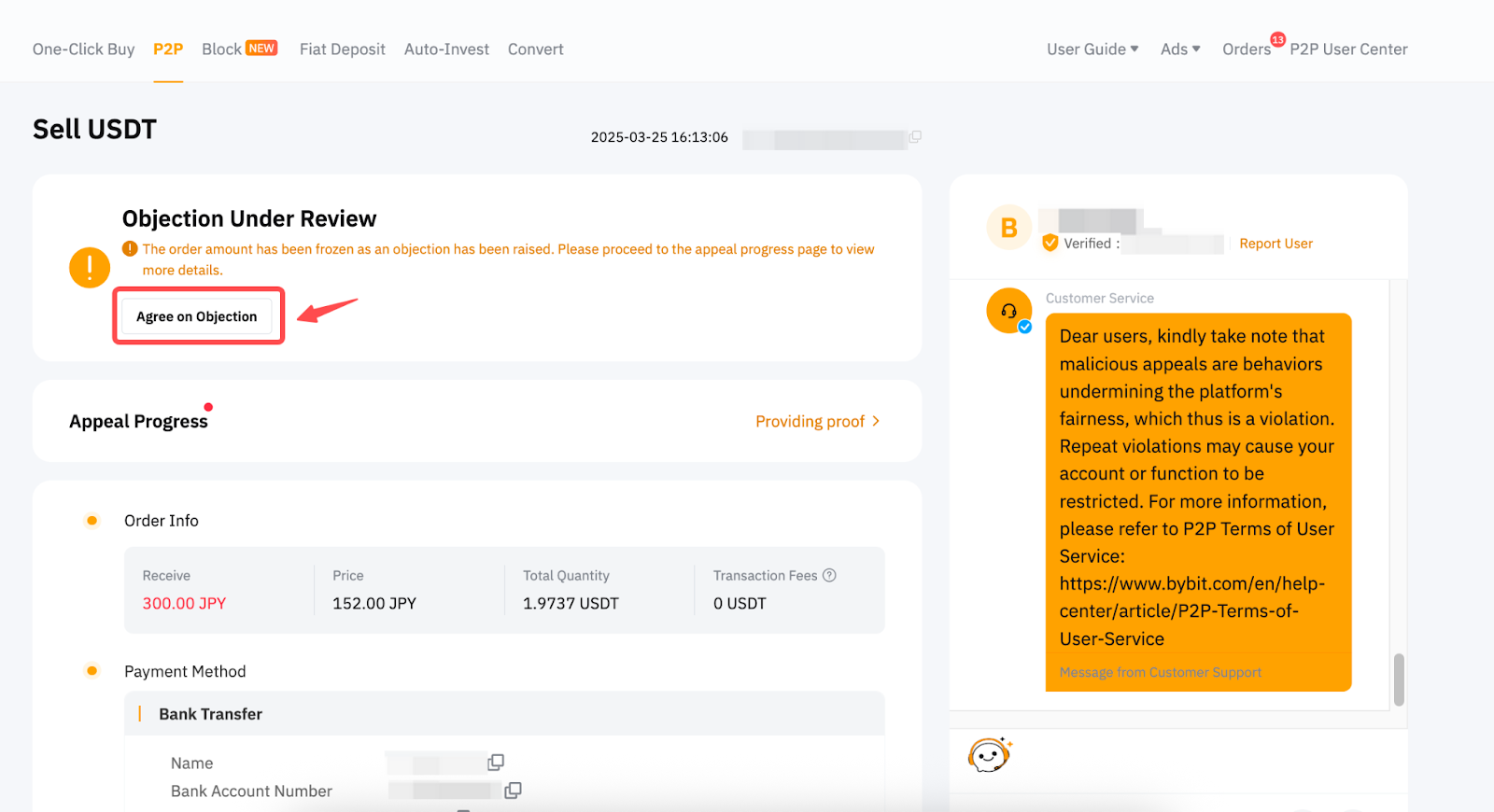
Stage 4: Final Decision
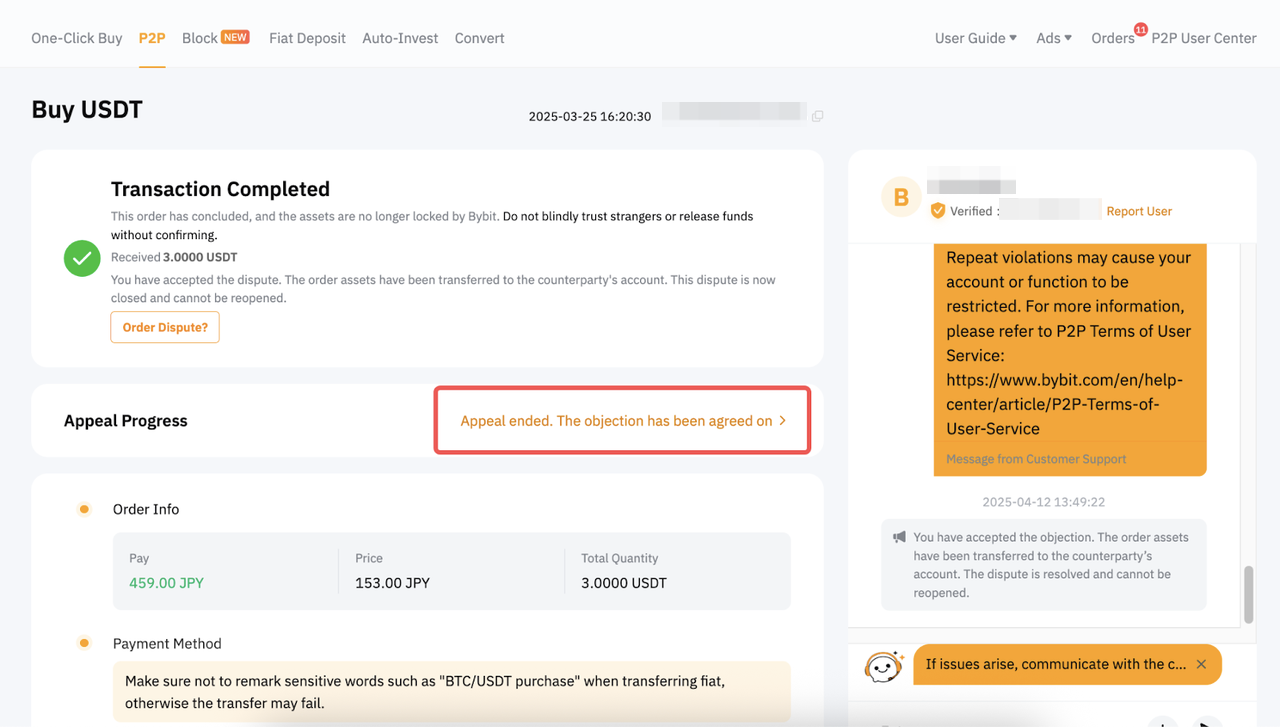
Once the decision is finalized, you’ll see the Appeal Status on the order page.
Notes:
- No further appeal will be accepted if there is no objection against the judgment outcome raised within the frozen period or after the P2P Appeal Team makes the final decision.
- If an objection is raised, the asset will be frozen until it is resolved.
- Malicious appeals will disrupt normal operations on the platform and may result in account suspension. This applies to both Appellant and Respondent according to the P2P Terms of User Service.
Read More
To resolve your appeal efficiently, please consult the following articles: